Repository navigation
Community Relay
Full-size images and screen sharing connect Mumcord users directly. Since 0.5.0 they can instead go through a relay that a server's community runs next to its Mumble server. Voice never uses the relay. Without a relay, everything works as before against any standard Mumble server.
- The relay is announced by a relay bot that is a registered user on the server.
- It only forwards the end-to-end encrypted connection and cannot read it.
- It is reached over QUIC (UDP) or, when UDP is blocked, over TLS on TCP.
- Mumcord pins the first relay it sees on a server and asks before using a changed one.
- With a relay, screen sharing works even when no direct connection is possible.
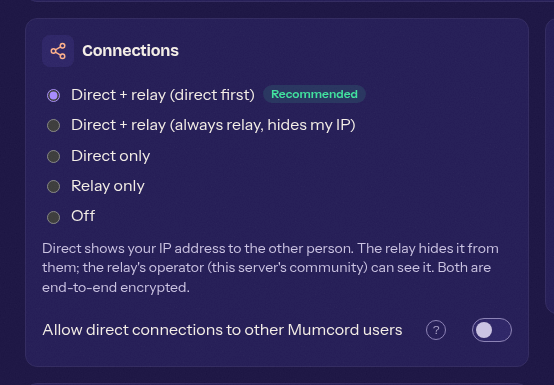
Settings > Privacy > Peer-to-peer (also in the setup wizard, and per server in the server dialog's Behaviour tab):
| Option | Meaning |
|---|---|
| Direct + relay (direct first) | Default |
| Direct + relay (always relay, hides my IP) | The other person never sees your IP address |
| Direct only | No relay |
| Relay only | Hides your IP address |
| Off | No peer-to-peer features |
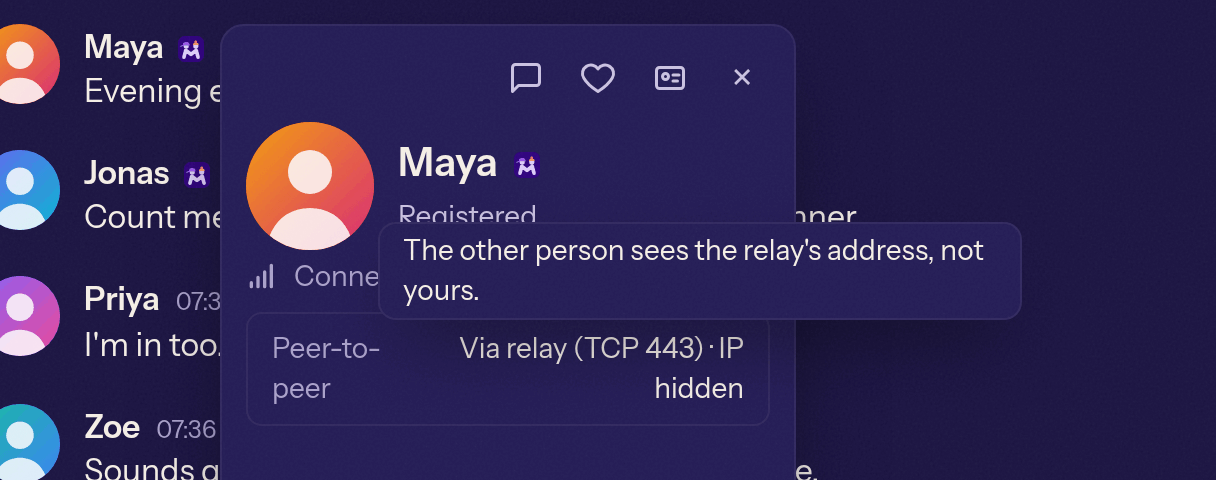
The connection info and the screen share viewer show "Direct" or "Via relay" and whether your IP is hidden or visible.
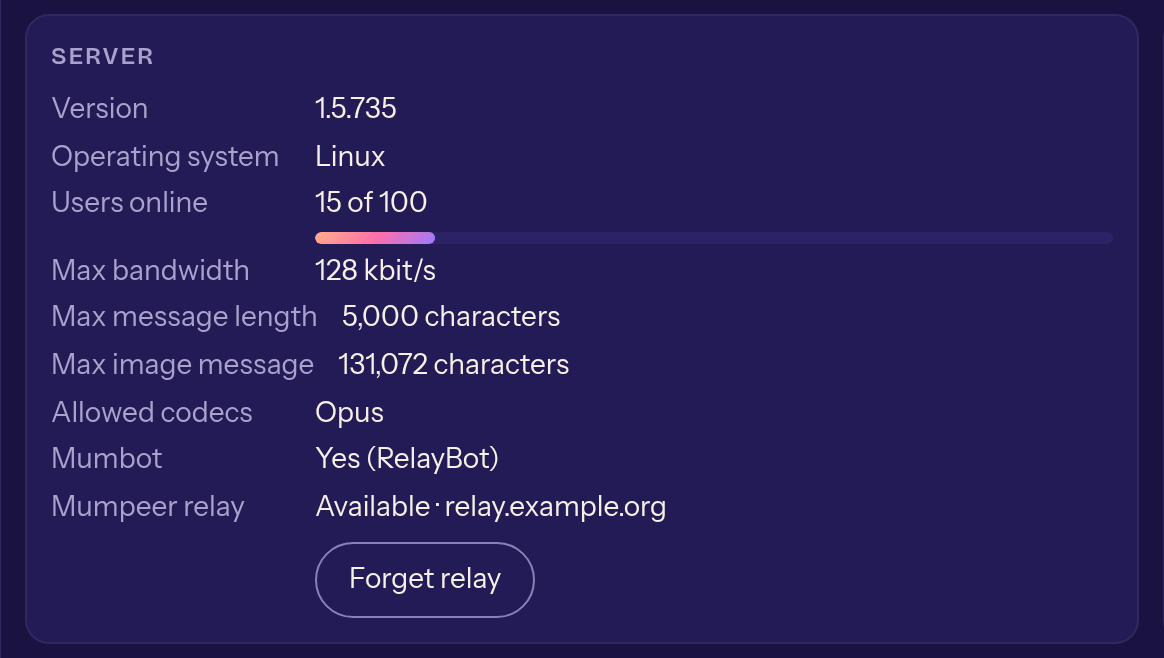
The server info panel shows "Mumbot" and "Mumpeer relay" with the relay's state, and the buttons Trust new relay, Keep blocked and Forget relay.
For developers: the relay project is Mumcord/mumpeer.