Repository navigation
Notifications and Do Not Disturb
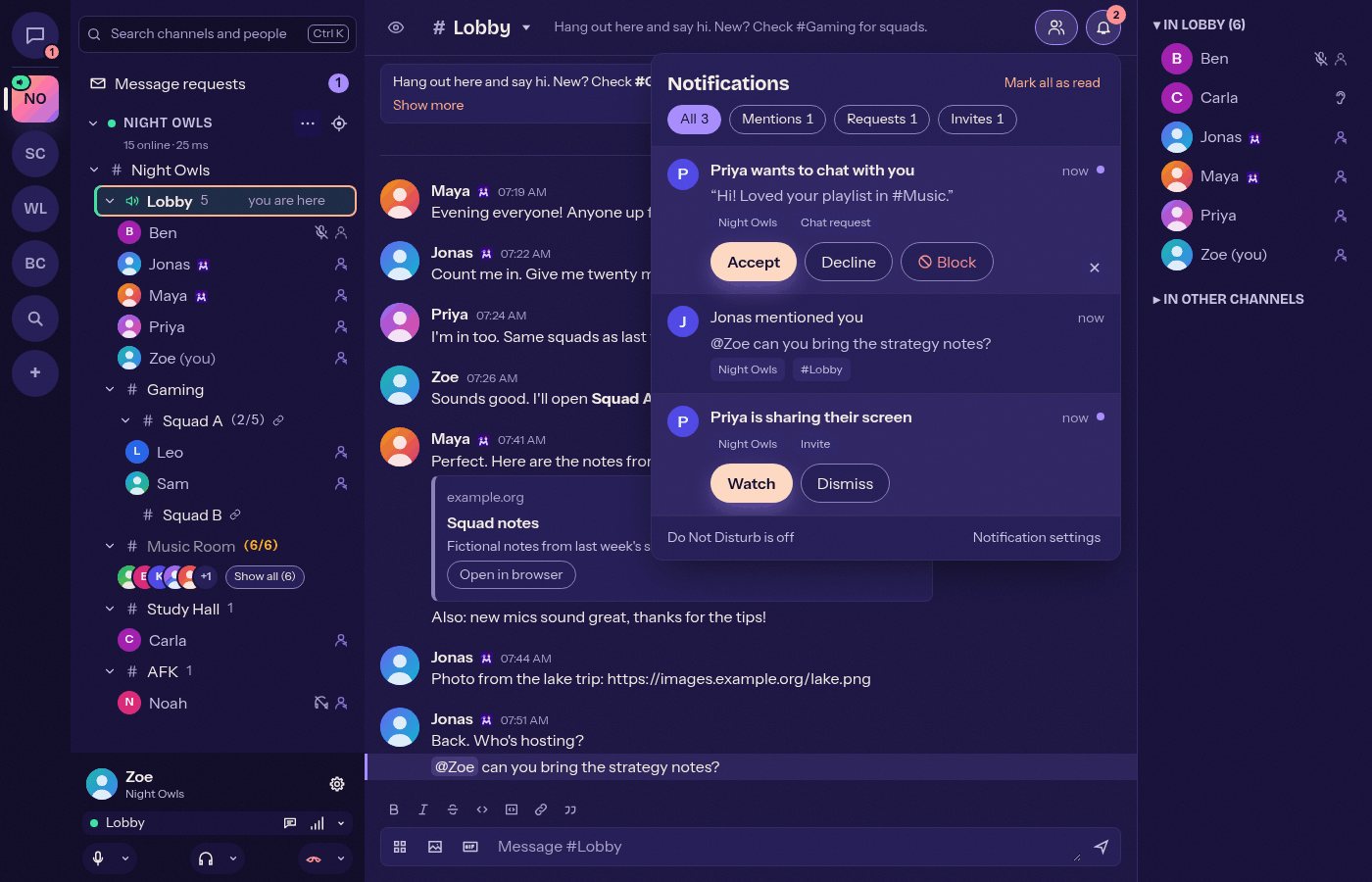
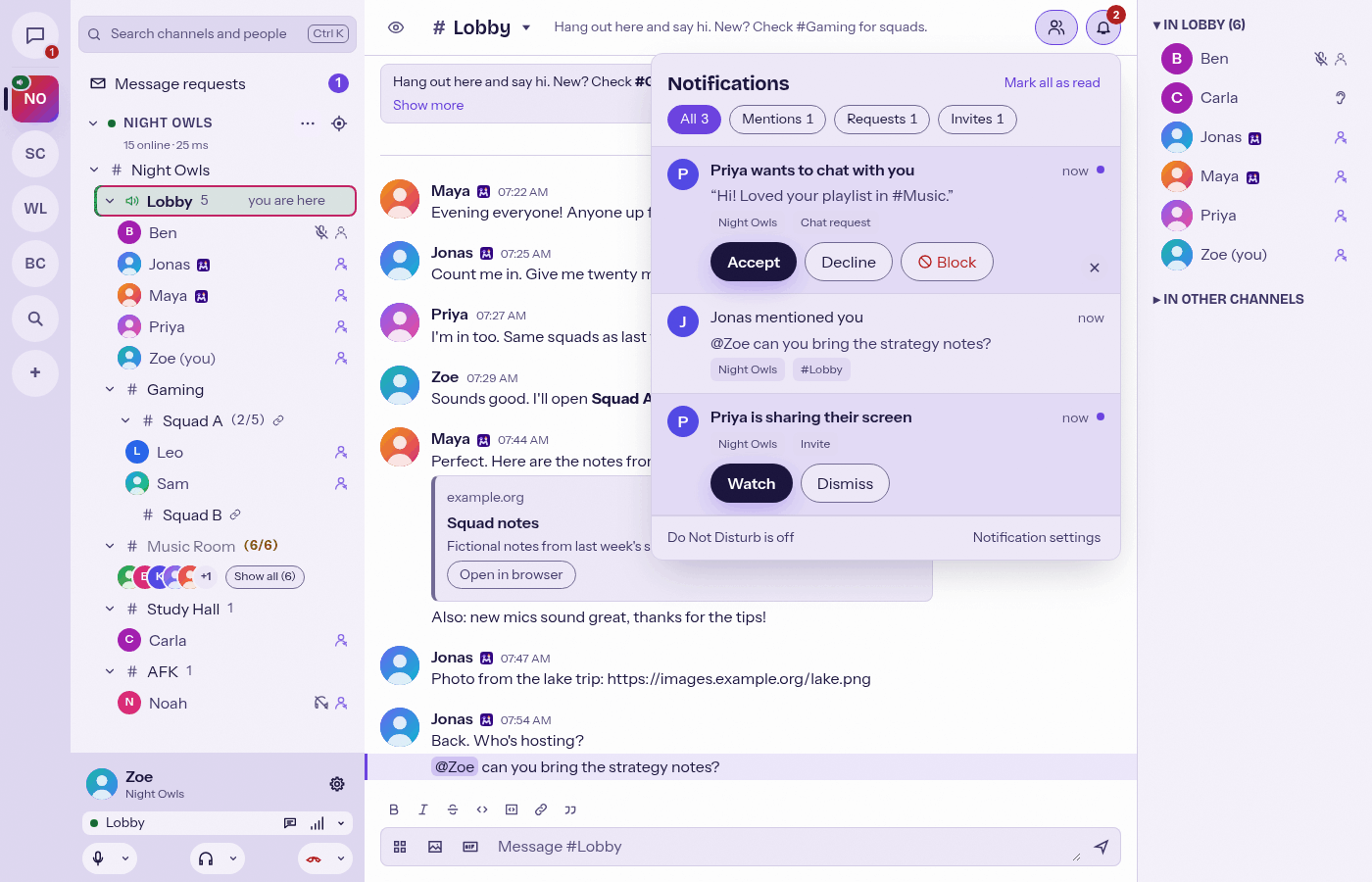
A bell with an unread badge in the chat header (or Ctrl+Shift+N, Cmd+Shift+N on macOS) opens one list of everything that wants your attention on all connected servers, newest first: mentions (including @all / @channel), replies to your messages, chat and message requests with Accept and Decline right in the list, invites (a watch party or screen share starting in your channel, message cards or themes sent to you), update notices and servers that became unreachable. Filter by Mentions, Requests or Invites, dismiss single entries or use "Mark all as read". Entries live only while Mumcord runs. During Do Not Disturb the centre and badge keep collecting while sounds and toasts stay silent.
Your own messages never play a mention sound or show a notification.
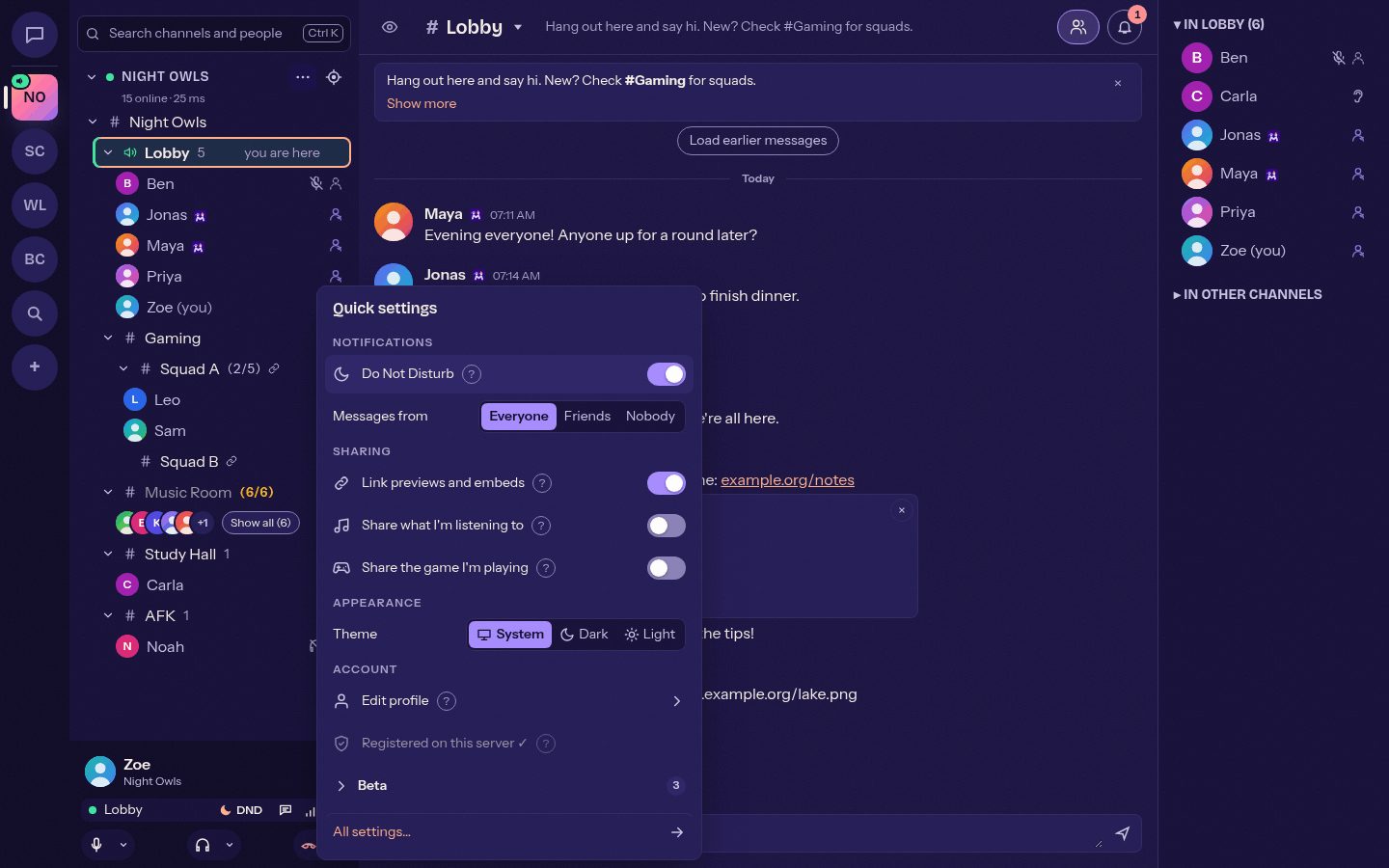
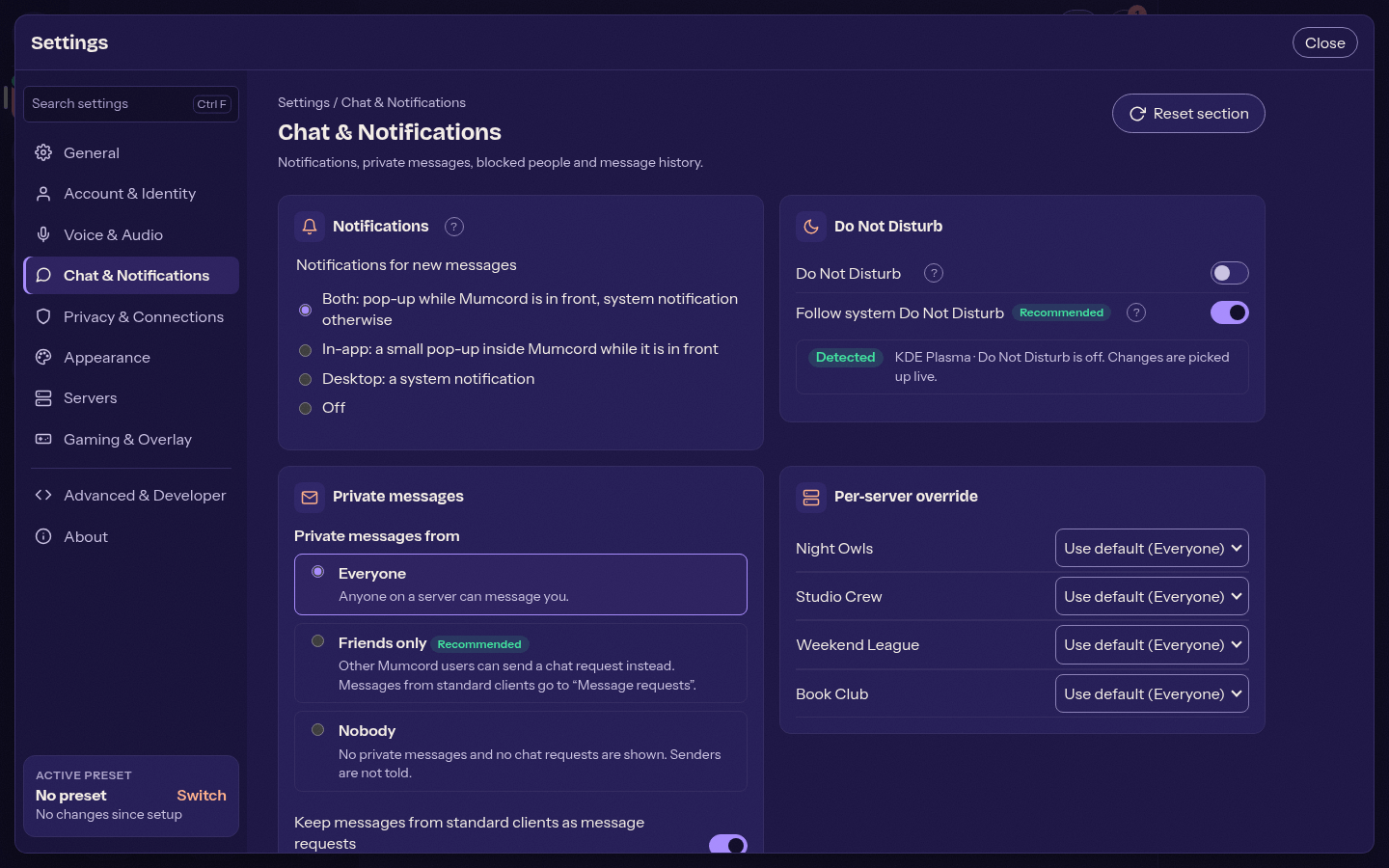
One switch silences notification sounds (message, mention, watch party and screen share) and in-app or system notifications on all servers at once. Voice keeps working, and your own join, leave and mute sounds still play. You find the switch in quick settings, in Settings > Chat & Notifications and in the tray menu. While the desktop's own Do Not Disturb is on, Mumcord shows "Do Not Disturb (system)".
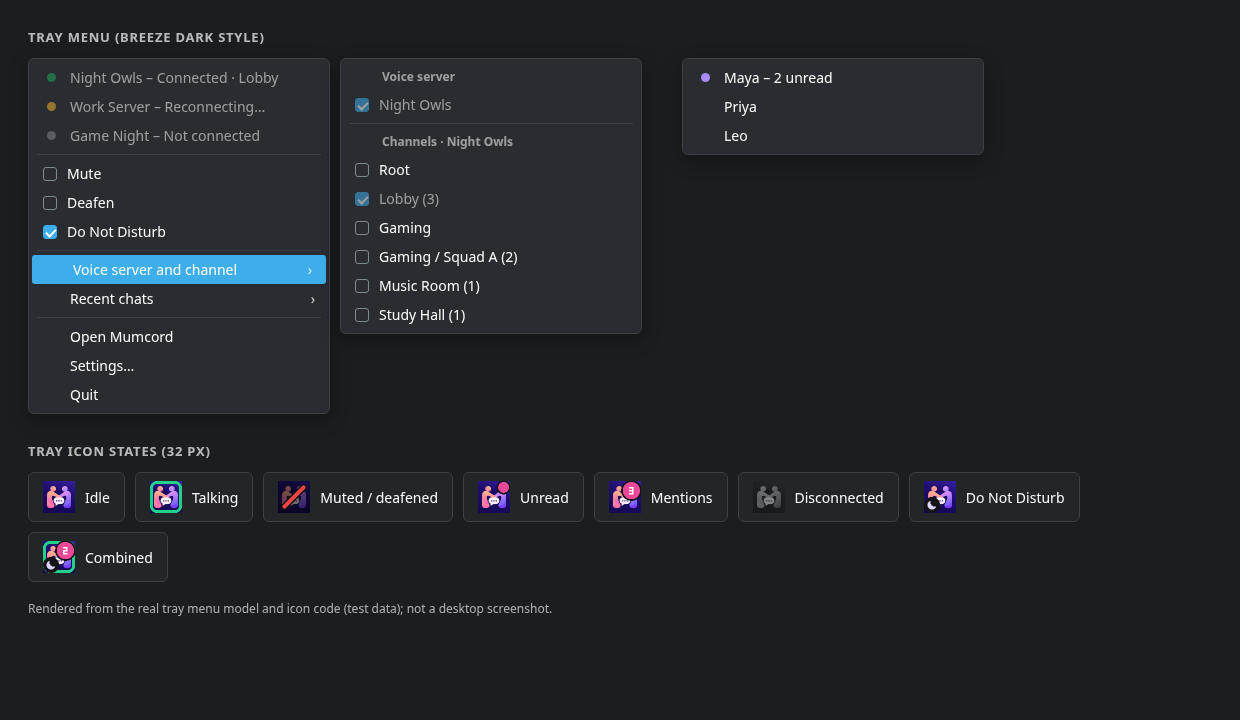
The tray menu (menu bar menu on macOS) shows every connected server with its state and channel, plus Mute, Deafen, Do Not Disturb and a voice-server switcher.
Being kicked or banned plays a sound. Each has its own switch in Settings > Voice & Audio > Sounds (both on by default) and follows the chosen sound theme.
The Messages button at the top of the server bar lists every private conversation from every connected server, pinned first, then the newest, with unread counts. See Blocking and private messages.