Repository navigation
Devices Advanced Virtual Device Flowcards
Devices · Advanced Virtual Device
These cards work with saved fields and availability state on an Advanced Virtual Device (AVD). Configure and save a field before selecting it. An AVD does not automatically control physical devices: use a separate device action or a supported React connection.
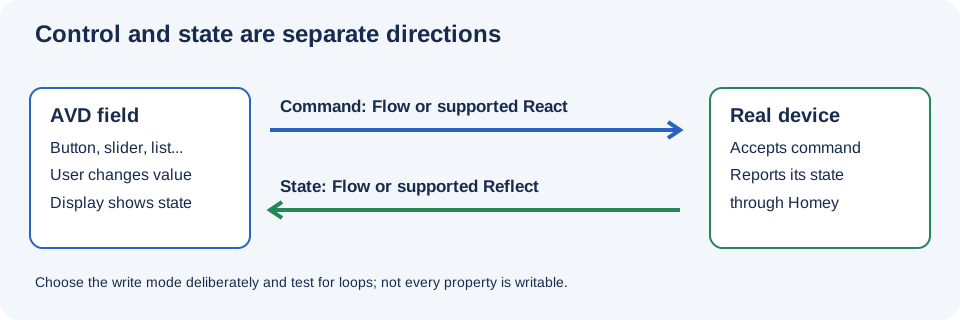
Illustration of command and feedback paths; it is not a screenshot of the current Flow editor.
| Group | What it contains |
|---|---|
| Triggers | Start a Flow when an AVD field is written or changed. |
| Conditions | Check the selected value of a List field. |
| Actions | Set fields, camera images, field names, warnings, and availability. |
For shared app-level cards, use the App Flowcards index.