Repository navigation
Manual File Statuses
Every tile carries a status badge. This page is the reference for what each one means and what it implies for your next render.
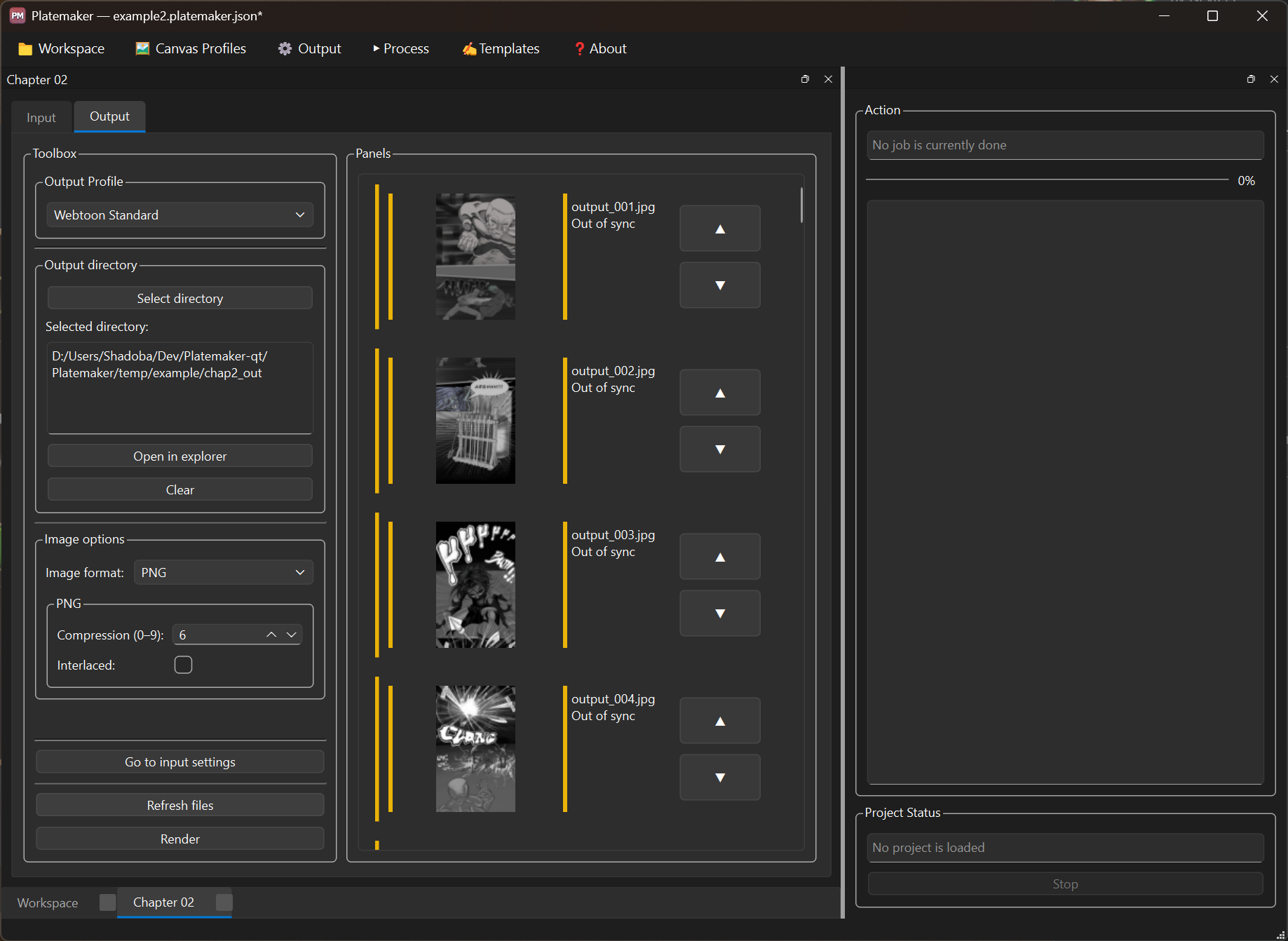
Statuses are derived, not stored decisions. Platemaker compares what is on disk against what it recorded at the last render, using content hashes rather than timestamps, so touching a file without changing its contents does not mark it modified.
Input statuses are owned by the last render and updated live during one — a page's tile changes the moment the page is processed, not only when the run finishes. Output statuses are re-derived from disk on opening a project and on Refresh files.
| Status | Colour | Meaning | What it implies |
|---|---|---|---|
| Pending | grey | Added but never processed | Will be included in the next render |
| Processed | green | Rendered against a matching canvas profile, unchanged since | Nothing to do |
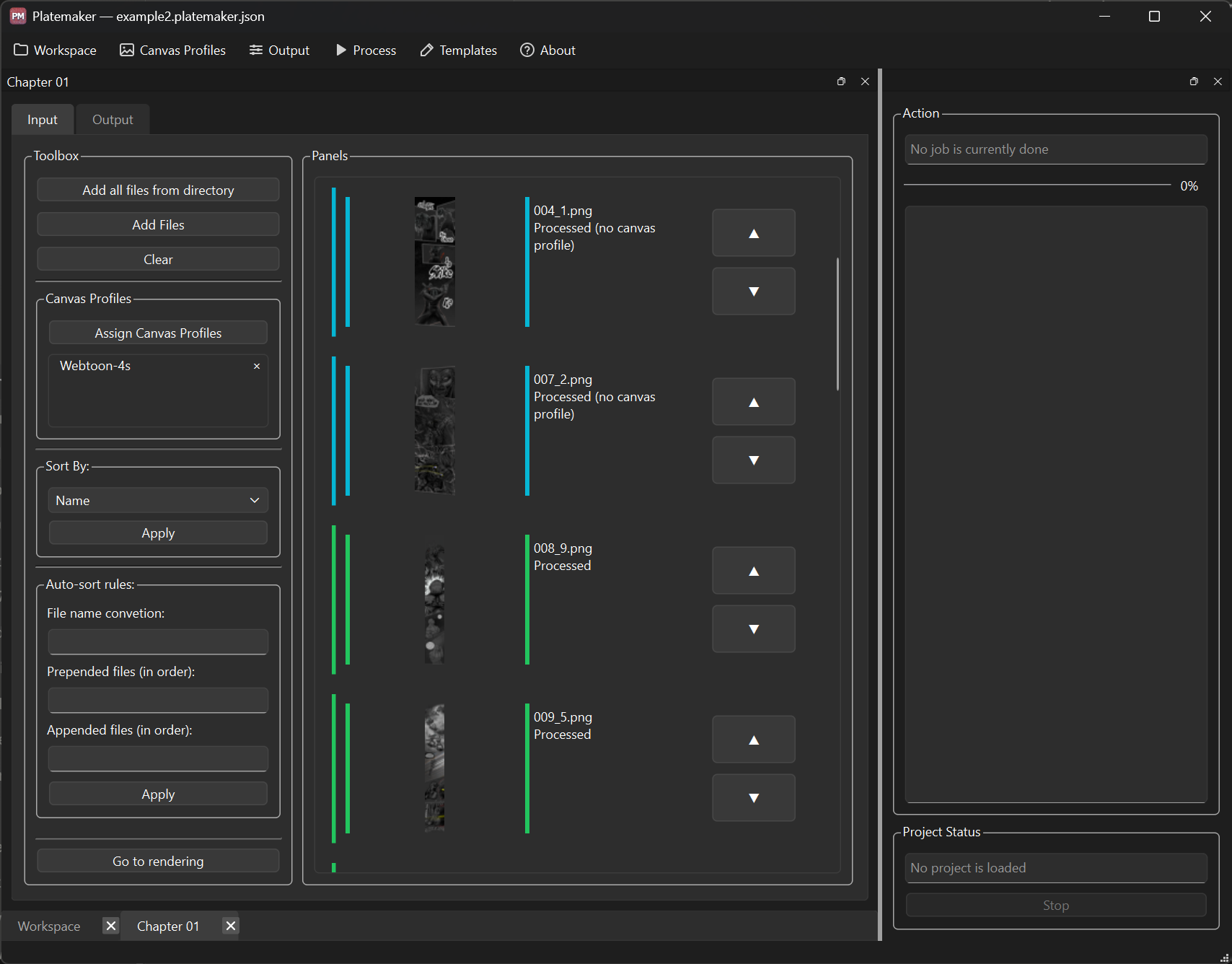
| Processed (no canvas profile) | cyan | Rendered, but without a matching/linked profile — so no margin crop | Fine as-is; assign a profile and re-render if you wanted it cropped |
| Modified | orange | The file changed since the last render | Re-render to pick up the change |
| Missing | red | Recorded, but not found on disk | Restore the file, or remove it from the list |
| Skipped | violet | The last render could not include it — the file is missing or failed to load | Find or fix the file, then re-render |
| Unverified | rose | Rendered, but its file could not be read back afterwards to confirm it | Free the file (unlock / reconnect the drive), then re-render |
Three of these need care:
- Cyan "Processed (no canvas profile)" means the page did render — it just went through without margins because nothing matched its size. See Canvas profiles.
- Violet "Skipped" means the page did not render, and only ever because the file itself could not be used. A size mismatch is no longer a skip. Skipped is sticky — it survives a reopen and a Refresh rather than quietly reverting.
- Rose "Unverified" (new in 1.4.0) means the page did render, but afterwards Platemaker could not read the file back to record its hash — a locked file, a denied permission, or an offline drive. Before 1.4.0 such a page silently fell back to Pending and was reprocessed on every render; now it is flagged, the project reports Require action, and the action log names each unverified file. It recovers to green once the file can be read again.
Below, the top two pages rendered cyan ("Processed (no canvas profile)") because their size matched no assigned profile, while the two below them matched one and are plain green ("Processed"):
Common causes of Missing / Skipped: a moved or renamed folder, a cloud sync that has not finished, or a changed drive letter — see Workspace on Drive.
| Status | Colour | Meaning | What it implies |
|---|---|---|---|
| Done | green | Up to date with the current inputs, order and settings | Ready to upload |
| Out of sync | amber | No longer matches the current inputs, their order, or the output settings | Re-render |
| Missing | red | A slice that was rendered is no longer on disk | Re-render to recreate it |
A slice goes Missing when an output file that a render wrote has since been deleted or moved outside the app — for example, cleared from the output folder in your file manager. Refresh files picks this up. Re-rendering recreates the missing slices.
Any of these leaves the output no longer matching the project:
- A configuration change — output format, target width, slice height or quality
- A changed input — a page edited since it was rendered
- A change in composition or order — adding, removing or reordering inputs
The order case is the subtle one. Pages are joined into one strip before it is cut, so moving a page shifts every slice after it — yet each file on disk is byte-identical, so no hash could notice. Platemaker records the input order at render time and compares against it, which is why a reorder correctly marks the output out of sync (and stays caught after a save and reopen).
The configuration case is subtle for the opposite reason: the old files are still on disk and still match their own hashes, so nothing looks wrong until Platemaker compares the recorded settings against the current ones.
The Refresh files button (on the Output tab) re-checks the output files against disk and re-applies the out-of-sync overlay. It does not touch input statuses — those belong to the last render — so a page the render marked Skipped or cyan survives a refresh. It does not modify the workspace and it does not render.
→ Projects
- All Done, inputs green/cyan — nothing to do; ready to upload.
- Any output amber or red — re-render (amber = out of sync, red = a slice was deleted).
- A cyan input — rendered without a crop; assign a profile only if you wanted margins.
- A violet or Missing input — fix the file first, then re-render.
- A rose (Unverified) input — the file is locked or unreachable; free it, then re-render.
See also: Rendering · Projects · Troubleshooting · Workspace on Drive


Overview
Manual
- Manual overview
- Installation
- Quick start
- Concepts
- Main window
- Workspaces
- Projects
- Canvas profiles
- Templates
- Output profiles
- Rendering
- File statuses
- Menu reference
- Troubleshooting
Comic production
Development
- Overview
- Environment
- Building
- Architecture
- Main window
- Workflows
- Releasing
- Contributing
- Windows hardening
Strip editor