Repository navigation
Manual Installation
How to get Platemaker running on your machine.
| Windows | 10 or 11, 64-bit |
| Linux | No package yet — build from source |
| macOS | Not supported |
Everything the application needs is inside the installer — libplatemaker, the libvips
runtime, Qt and its plugins. There is nothing to install separately and no PATH to
configure.
Download the latest Platemaker-<version>-Setup.exe from the
Releases page and run it.
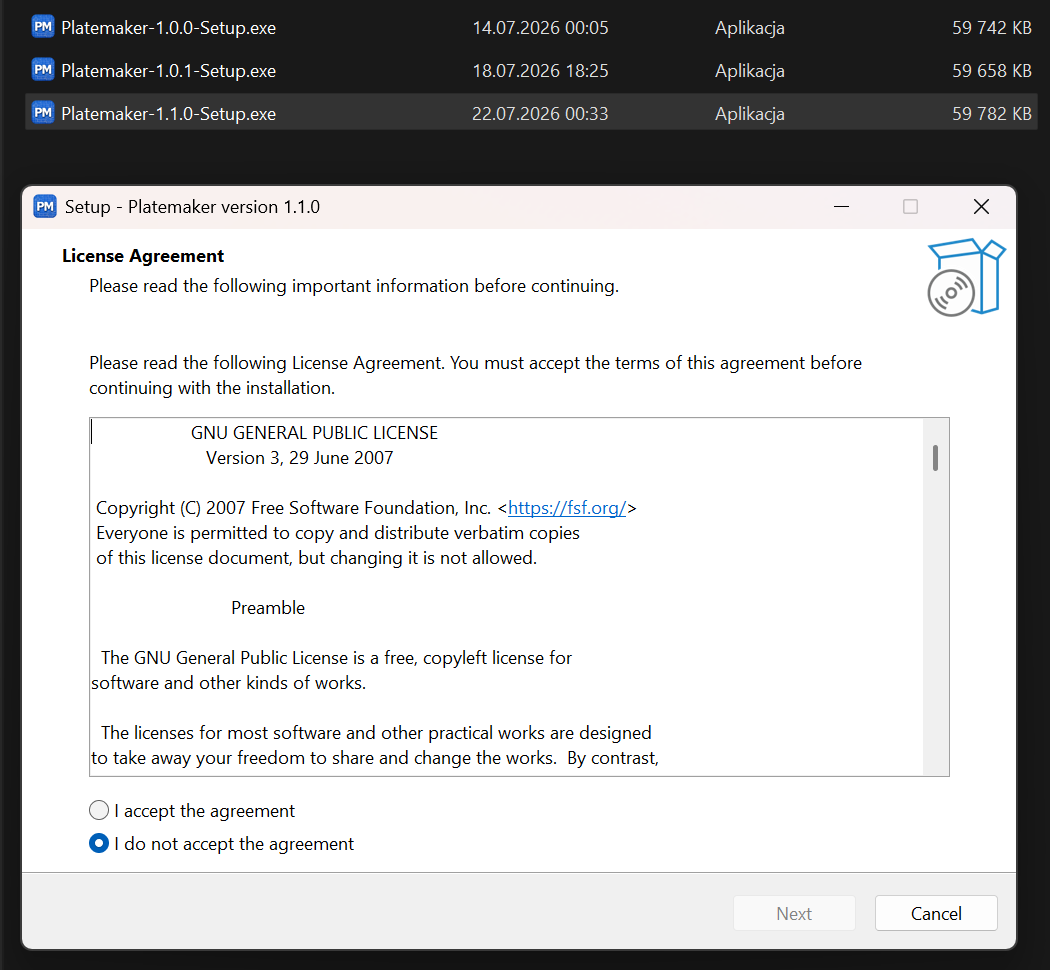
The installer asks for administrator rights, because it installs into Program Files, and offers an optional desktop shortcut. It shows the licence — Platemaker is GPL-3.0 — which you accept to continue. Beyond that and the Windows prompt there is nothing to decide. The download is around 60 MB.
Windows will show a blue SmartScreen warning the first time you run the installer. To get past it: More info → Run anyway (or right-click the downloaded file → Properties → Unblock → OK before running).
The warning appears because the installer is not code-signed — a signing certificate costs money, and this is a free open-source project, so it stays unsigned. That is expected for an unsigned installer, not a sign the file is unsafe. And a low download count is not a reason to distrust it: you do not have to take that on faith, because each release is verifiable.
Three independent checks, strongest last. None requires trusting Platemaker's word.
1. Checksum (SHA-256) — confirms the file is byte-for-byte what was published. Every release
ships a SHA256SUMS.txt; compare it with your file's hash:
Get-FileHash .\Platemaker-<version>-Setup.exe -Algorithm SHA2562. Provenance — proof GitHub itself built it from this repository. Every release carries a GitHub build-provenance attestation: GitHub vouches that the file came out of this repo's release workflow, and records the exact source commit it was built from. This is stronger than a checksum, because you are not trusting a hash we published — GitHub is the witness.
-
In a browser, nothing to install: open the Attestations page. Each entry shows the file it covers (name + SHA-256), the source commit, and the workflow that produced it. If its SHA-256 matches your download's (from step 1), the attestation is about your file.
-
On the command line with the GitHub CLI — one check for integrity and origin together:
gh attestation verify .\Platemaker-<version>-Setup.exe --repo ShadobaDev/Platemaker-qt
✓ Verification succeeded!means the digest matches and the file was built by this repo'srelease.yml.
3. Malware scan — each installer is scanned on VirusTotal by the release workflow.
Beyond the binary: the source is public, so you can read exactly what the app does or build it yourself, and Platemaker makes no network connections — the only links it contains point at GitHub.
Since 1.4.1 the executable and the bundled libplatemaker.dll also carry proper Windows version
metadata, so Explorer's Details tab shows a real product name, version and publisher rather
than blanks; and the app restricts its DLL search path at startup (application folder + System32
only), which closes a DLL-planting vector for an unsigned, DLL-heavy app. Neither changes the
SmartScreen prompt — they are defence-in-depth beneath it.
There is no Linux package. Building from source works — see Development environment and Building.
Run the new installer. It replaces the existing installation in place and closes Platemaker first if it is running; there is no need to uninstall anything beforehand.
Uninstall from Settings → Apps like any other Windows application.
Your workspaces, templates and rendered output are never touched — they live wherever you put them, not in the installation directory.
See also: Quick start · Troubleshooting · Building


Overview
Manual
- Manual overview
- Installation
- Quick start
- Concepts
- Main window
- Workspaces
- Projects
- Canvas profiles
- Templates
- Output profiles
- Rendering
- File statuses
- Menu reference
- Troubleshooting
Comic production
Development
- Overview
- Environment
- Building
- Architecture
- Main window
- Workflows
- Releasing
- Contributing
- Windows hardening
Strip editor