2.2.26 Backend Text Embeddings Inference
Handle:
tei
URL: http://localhost:35030
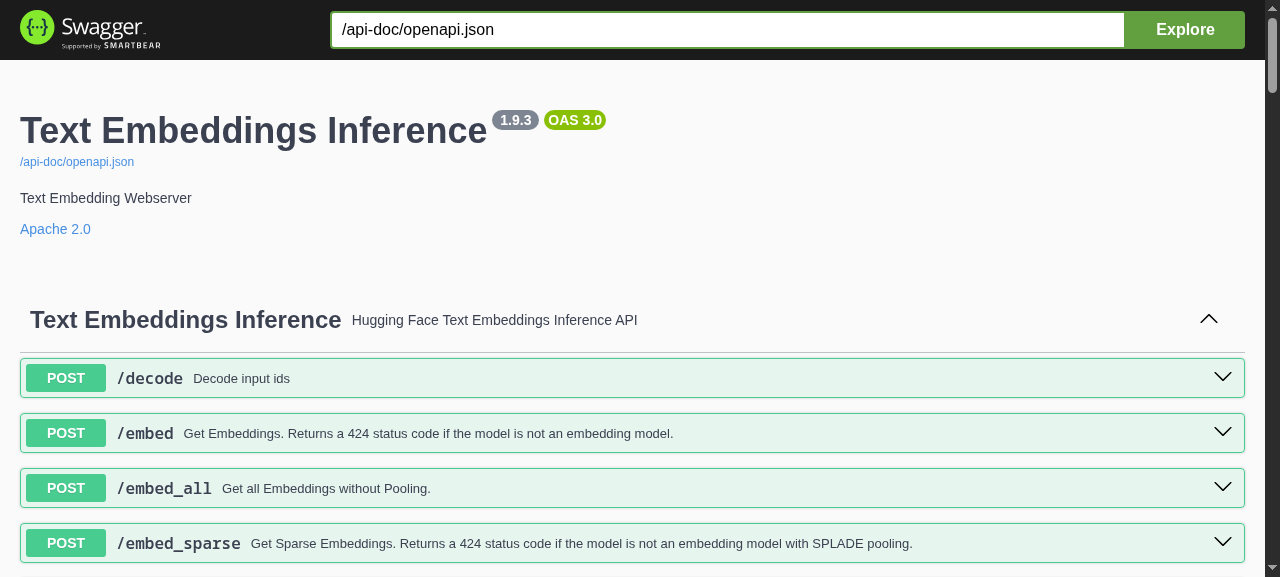
Text Embeddings Inference (TEI) is Hugging Face's high-performance server for embedding, reranking and sequence-classification models. In Harbor it is the dedicated embeddings backend: RAG frontends and knowledge tools point at it over the internal network as http://tei:80 instead of sharing an LLM backend for embeddings.
Key Features:
- Fast: Rust server with Candle backend, dynamic batching, no Python overhead
-
Small footprint: the default model (
BAAI/bge-small-en-v1.5) runs on CPU in well under 1 GB of RAM -
OpenAI-compatible:
/v1/embeddingsworks with any client that accepts a custom base URL -
Rerankers and classifiers: serves
bge-reranker-style cross-encoders via/rerankand classification models via/predict - Shared model cache: downloads land in the standard Hugging Face hub layout, reused by other Harbor services
-
Swagger UI: interactive API docs at
/docs
# Pull the image
harbor pull tei

# Start TEI
harbor up tei

# Open in the browser (the API root is empty; the Swagger UI is at /docs)
harbor open tei- On the first start the model is downloaded into the Hugging Face cache; the container reports healthy only once the model is loaded and answering
/health - Services that depend on
teiwait for that healthy state, so a first run with a slow download can take a few minutes before dependents start
Quick check from the host:
curl http://localhost:35030/embed -H 'Content-Type: application/json' -d '{"inputs":"hello world"}'
curl http://localhost:35030/v1/embeddings -H 'Content-Type: application/json' -d '{"input":"hello world"}'
curl http://localhost:35030/info
/info reports the loaded model, its pooling and the max input length, which is useful when sizing chunks in a RAG tool.
Following options can be set via harbor config:
# Host port the API and Swagger UI are exposed on
HARBOR_TEI_HOST_PORT          35030

# Image and tag; the default tag is the CPU build
HARBOR_TEI_IMAGE              ghcr.io/huggingface/text-embeddings-inference
HARBOR_TEI_VERSION            cpu-latest

# Tag used instead when nvidia is part of the selection (harbor up tei nvidia)
HARBOR_TEI_VERSION_CUDA       latest

# Hugging Face model id (embedding, reranker or classifier)
HARBOR_TEI_MODEL              BAAI/bge-small-en-v1.5

# Extra CLI flags for text-embeddings-router, appended verbatim
# e.g. "--max-batch-tokens 32768 --pooling mean --auto-truncate false"
HARBOR_TEI_EXTRA_ARGS

# Max inputs accepted in one request (--max-client-batch-size; TEI's own
# default is 32). RAG tools send every chunk of a document in a single
# /v1/embeddings call, so this is sized for whole documents
HARBOR_TEI_MAX_CLIENT_BATCH_SIZE  512

# Shared with other services: Hugging Face token for gated models,
# passed into the container as HF_TOKEN
HARBOR_HF_TOKEN
Changing the model:
harbor config set tei.model BAAI/bge-m3
harbor up tei
Any model from the supported list works. Switching models changes the vector size, so every consumer with an existing index must re-embed before it can search again:
- Open WebUI: Admin > Settings > Documents > Reset Vector Storage, then re-upload documents to each Knowledge base
-
LibreChat: delete and re-upload the agent's File Search files (existing vectors in
librechat-vectorkeep the old size) - AnythingLLM: Settings > Embedding Preference already reflects the new model; remove the workspace documents and add them again (the vector cache is purged on removal)
-
LightRAG: set
lightrag.tei.embedding_dimto the new model's dimension (/inforeports it) and clear its storage, since LightRAG refuses to mix dimensions
Adding nvidia to the selection swaps to the CUDA image and reserves all NVIDIA GPUs:
harbor up tei nvidiaPick a CUDA tag matching your GPU generation via HARBOR_TEI_VERSION_CUDA if the default latest (Ampere 80 / Hopper) doesn't match: turing-latest (T4, RTX 2000), 86-latest (A10, A40, RTX 3000), 89-latest (L4, RTX 4000), hopper-latest (H100), see the image tags. There is no ROCm build of TEI, so on AMD/Intel/CPU-only hosts leave nvidia out of the selection: adding it makes Docker fail with could not select device driver "nvidia" with capabilities: [[gpu]] before the container starts (it stays in Created); run harbor down tei and start plain harbor up tei instead.
-
${HARBOR_HF_CACHE}/hub(default~/.cache/huggingface/hub) is mounted at/data, TEI's model cache. Models land in the standardmodels--<org>--<name>layout shared with vLLM, llama.cpp and other Harbor services that use the Hugging Face cache, so a model pulled once is never downloaded twice. -
services/tei/override.envholds per-service environment overrides (harbor env tei)
TEI runs as your host user (HARBOR_USER_ID:HARBOR_GROUP_ID), so models it pulls into the shared hub cache stay owned by you and remain usable by huggingface_hub on the host (a root-run TEI leaves root:root models--* dirs whose blobs/*.lock files the host user cannot open). Because the image has no passwd entry for that uid, HOME=/tmp is set for the router. A tei-init sidecar (services/tei/cache-init.sh, mounted read-only at /init.sh) runs first against ${HARBOR_HF_CACHE}/hub and re-owns exactly these paths, only where the owner is not already your uid:
- the
hubdirectory itself, non-recursively (so TEI can create newmodels--*dirs there) - everything under
models--*(dirs a previous root-run container such as an older Harbor TEI, vLLM or TGI left root-owned) - everything under
.locks
Anything else in the shared cache (datasets--*, spaces--*, other tools' dirs, version.txt) is never visited. This is verified by services/tei/check-cache-init.sh, which runs the script against a fixture cache with a stubbed chown and asserts the exact set of touched paths. If a model directory is still not writable, run the sidecar by hand: $(harbor cmd tei) run --rm tei-init.
TEI has no LLM of its own; its value is being the embeddings endpoint for other services. Cross-files wire it in automatically when both services are in the selection:
| Command | What happens |
|---|---|
harbor up webui tei |
Open WebUI's document RAG embeds with TEI: the cross-file renders services/webui/configs/config.tei.json (engine openai, base URL http://tei:80/v1, model HARBOR_TEI_MODEL) into Open WebUI's persisted config at every start, so it applies to existing installs as well as fresh ones |
harbor up librechat tei |
LibreChat's RAG API embeds with TEI through its openai provider (RAG_OPENAI_BASEURL=http://tei:80/v1, model HARBOR_TEI_MODEL); the bundled rag-api "lite" image lacks the native huggingfacetei provider's dependency, so the OpenAI-compatible route is used. Files reach the embedder only through the Agents endpoint's File Search capability (see below). Verify with ./services/tei/check-librechat-embed.sh
|
harbor up anythingllm tei |
AnythingLLM embeds with the generic-openai engine against http://tei:80/v1, model HARBOR_TEI_MODEL. AnythingLLM sends all chunks of a document in one request, which is why TEI runs with --max-client-batch-size 512. Verify with ./services/tei/check-anythingllm-embed.sh
|
harbor up lightrag tei |
LightRAG uses TEI for embeddings while its LLM binding stays on Ollama/llama.cpp |
Using it from Open WebUI (Knowledge):
-
harbor up webui tei ollama(orllamacppfor the chat model). Admin > Settings > Documents already shows theopenaiengine athttp://tei:80/v1withHARBOR_TEI_MODEL, no manual change needed - Workspace > Knowledge > + to create a knowledge base, then Add Content > Upload files. Each file is chunked and embedded by TEI (
docker logs harbor.teishows anopenai_embedline per upload;harbor logs teitails, so preferdocker logs) - In a chat type
#and pick the knowledge base (or attach it to a model under Workspace > Models); the reply shows Retrieved N sources with the matching chunks, and the query embedding shows up as anotheropenai_embedline
Using it from AnythingLLM:
-
harbor up anythingllm tei ollama. Settings > Embedder shows Generic OpenAI athttp://tei:80/v1 - Create a workspace and open its settings > Chat Settings > Workspace LLM Provider / Select Model to pick the chat model (Ollama or llama.cpp; the embedder is set globally and needs no per-workspace choice)
- Open the workspace's document manager, upload a file and Move to Workspace > Save and Embed, or drag a file into the chat. One
/v1/embeddingsrequest carries every chunk of the file (a 3,000-word document is 50+ inputs); TEI logs a singleopenai_embedline and the document appears under the workspace - Chat in the workspace; the retrieved chunks are listed as citations under the reply
Using it from LibreChat (Agents endpoint, File Search):
-
harbor up librechat tei(addollamaorllamacppfor the chat model; see the LibreChat doc for creating a user, registration is disabled) - In LibreChat pick the Agents endpoint and open the agent builder; choose a provider and model (e.g. Ollama), enable File Search under capabilities, and upload a document under File Search. Each upload is chunked and embedded by TEI (
docker logs harbor.teishows anopenai_embedline per chunk batch) - Chat with the agent; when it calls the
file_searchtool your question is embedded by TEI and matched against the uploaded chunks, and the answer cites the file
Attaching a file in a plain (non-agent) chat on a custom endpoint offers only "Upload as Text" / "Upload to Provider" and never embeds, so TEI is not involved there. check-librechat-embed.sh drives the same POST /api/files upload (endpoint=agents, tool_resource=file_search) that the agent builder sends, with a throwaway user and agent it removes afterwards.
Notes:
- Open WebUI keeps
RAG_*settings in its database, so the cross-file does not rely on env vars alone; eachharbor up webui teire-applies the TEI embedder, and running Open WebUI withoutteileaves the last persisted embedder in place (change it under Admin > Settings > Documents if needed). Verify on a running stack with./services/tei/check-webui-embed.sh(or./services/tei/check-librechat-embed.shfor LibreChat's agent File Search path), which upload a file and confirm anopenai_embedrequest in TEI's log - Dependents declare
condition: service_healthyontei, so they start only after the model is loaded - Cross-files are applied in alphabetical order, independent of the order of the
harbor uparguments. When both an LLM backend cross-file and the TEI cross-file set the embedder (e.g.harbor up anythingllm ollama tei),compose.x.anythingllm.tei.ymlsorts aftercompose.x.anythingllm.ollama.yml, so TEI is the embedder - Any other service with an OpenAI-compatible embeddings setting can use
http://tei:80/v1(any API key value is accepted) andHARBOR_TEI_MODELas the model name
harbor logs tei-
harbor logs teifollows the log; usedocker logs harbor.teifor a one-shot dump - Startup takes a while the first time: the model is downloaded and converted. Wait until the log shows
Ready -
Backend does not support a batch size > 8on CPU is informational; use the CUDA image for larger batches - Every embedding request logs one
openai_embed(orembed) line with its timing, so a RAG tool's uploads are easy to trace
- Models without a
poolingconfig need--pooling mean|clsinHARBOR_TEI_EXTRA_ARGS - Gated models return
401/403on download untilHARBOR_HF_TOKENis set - A
424response from/embedmeans the loaded model is not an embedding model (e.g. a reranker); use/rerankor/predictinstead
TEI caps the number of inputs per request with --max-client-batch-size. Harbor sets it to 512 (HARBOR_TEI_MAX_CLIENT_BATCH_SIZE) because RAG tools such as AnythingLLM send every chunk of a document in one /v1/embeddings call; with TEI's stock default of 32 a 3,000-word document (50+ chunks) is rejected with 422 batch size 53 > maximum allowed batch size 32 and AnythingLLM logs Failed to vectorize, leaving the workspace with 0 documents. If you lowered the value, raise it again, or cap the client side instead (AnythingLLM: GENERIC_OPEN_AI_EMBEDDING_MAX_CONCURRENT_CHUNKS=32 via harbor env anythingllm). ./services/tei/check-anythingllm-embed.sh reproduces the whole-document ingest and fails on this 422.
Inputs above the model's max_input_length (/info) are truncated silently: the cpu-latest / CUDA latest tags default --auto-truncate to on (/info reports "auto_truncate":true). To fail loudly instead, add --auto-truncate false to HARBOR_TEI_EXTRA_ARGS; too-long inputs are then rejected with 422 inputs must have less than 512 tokens, and the fix is a smaller chunk size in the calling RAG tool.