Using the Control Page
The control page is what you'll open day to day at http://beogram.local/ (or the adaptor's IP address).
Shows what the deck is doing right now — playing/stopped, current track (CD only), and Play/Stop/Next/Previous buttons — and updates the moment something changes, without needing to refresh the page.
The controls will change depending on the deck type you select.
If you've linked a peer adaptor, its deck's controls appear here too, in their own card.
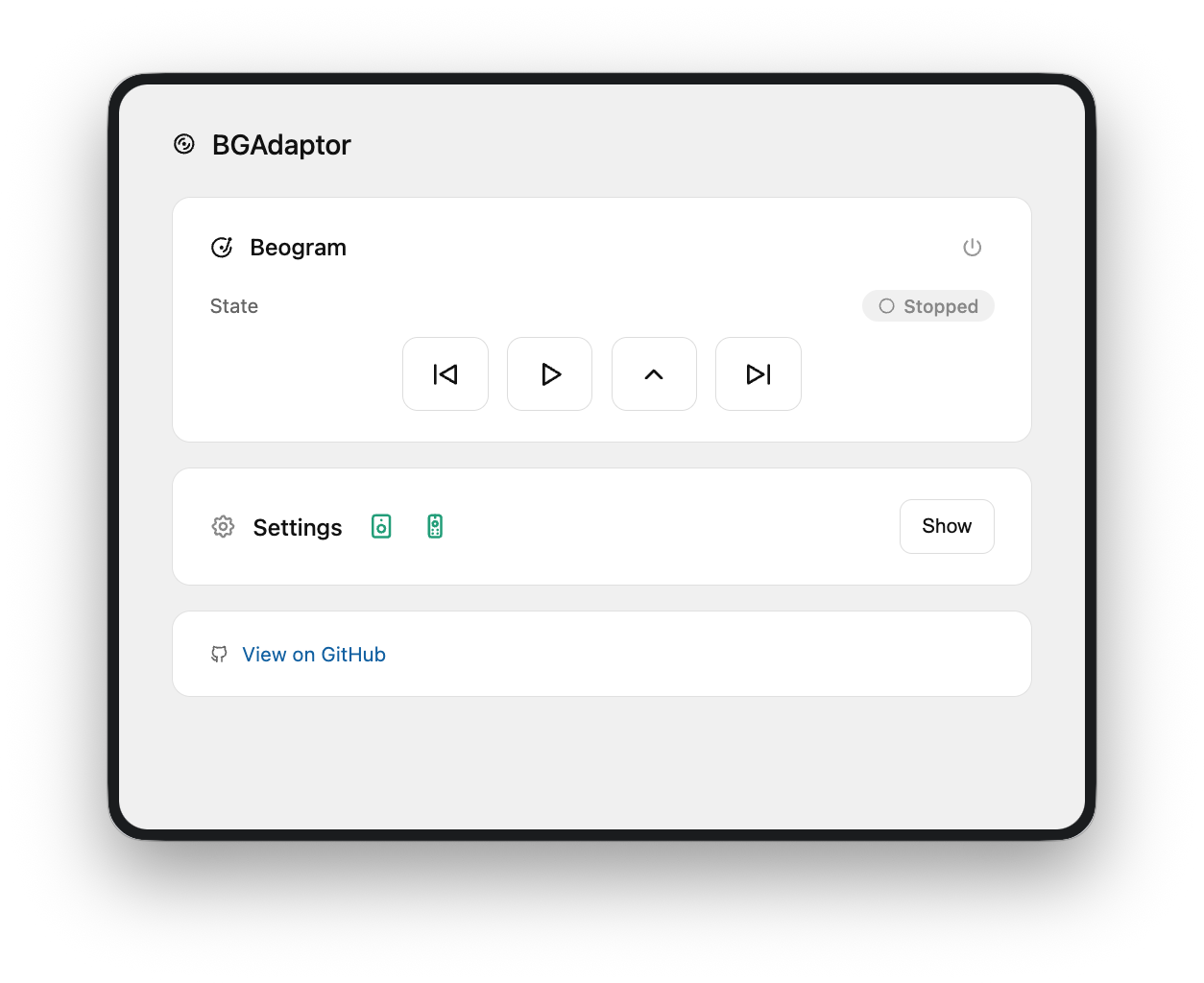
Everything else lives behind the settings menu on the control page:
- Linking your B&O product and Halo (see Getting Started, Beoremote Halo)
- Device type and trigger source
- Auto-Expand speaker
- Peer linking
- Home Assistant / MQTT
- Firmware updates (see Updating Firmware)
- WiFi reset / factory reset
- Reset WiFi — forgets your WiFi network and puts the adaptor back into first-time setup mode. Use this if you're moving the adaptor to a new network. Everything else (product link, Halo, MQTT, etc.) stays as you left it.
- Factory reset — wipes everything, including WiFi, and starts over from scratch.
Caution
Factory reset can't be undone. If a peer adaptor is linked, it's unlinked first so it notices immediately — but every other setting (product link, Halo, MQTT, names) is gone for good.