Repository navigation
Home
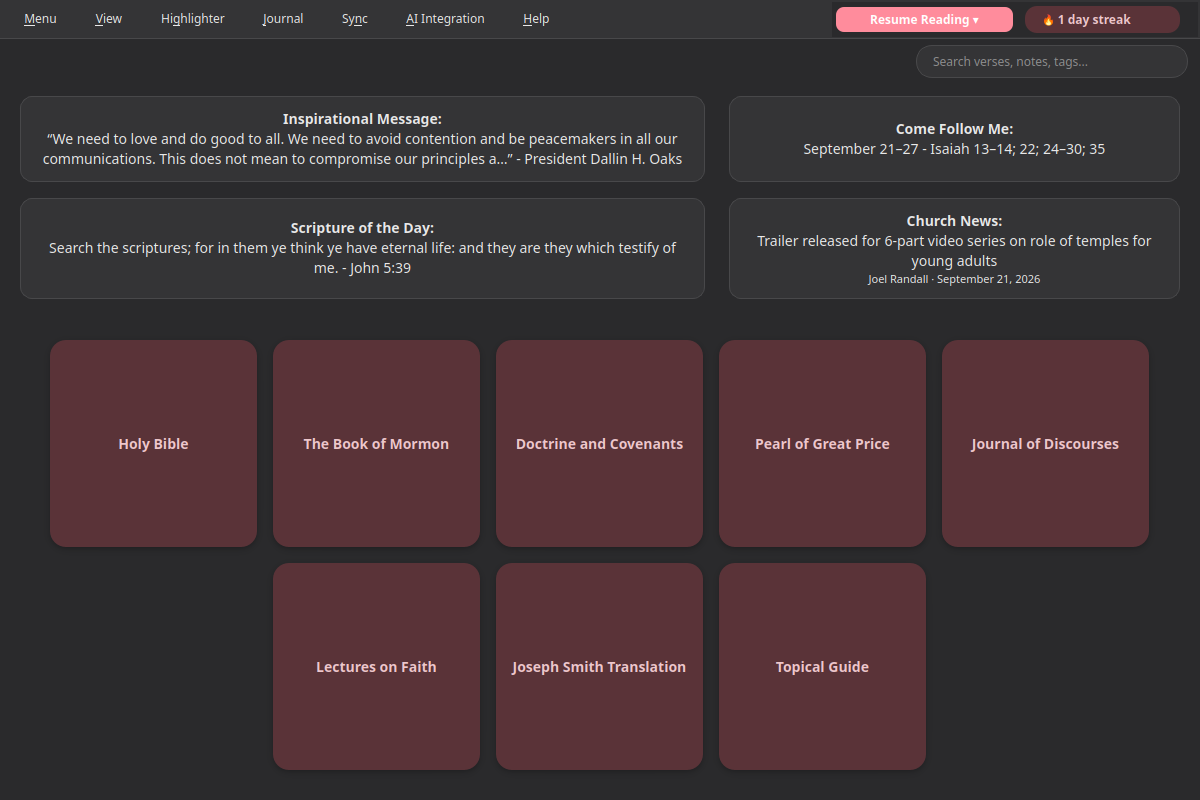
Desktop Scriptures is an unofficial, offline-first desktop reader for the Bible, Book of Mormon, Doctrine and Covenants, Pearl of Great Price, Journal of Discourses, Lectures on Faith, and the Joseph Smith Translation - plus, once you switch them on under Menu → Additional Books, the Apocrypha of the King James Version and Other Ancient Texts (1 Enoch and the Book of Jasher), clearly labeled as not part of the Standard Works - with personal notes, tags, verse highlighting, a searchable Journal, keyword search, a Topical Guide (each topic opening with hand-picked key scriptures), a Word Study tab showing the Hebrew, Aramaic, or Greek words behind the English (right-click any word and choose Look Up Original Word, or search a word like "Messiah") and what Book of Mormon names like "Shazer" may mean - each labeled by how sure that meaning is, with its scholarly sources linked (in Book of Mormon chapters, names are links: hover for the meaning, click for the full card - and so are dates like "the fourth day of the first month," which open a card placing them in Israel's calendar beside the holy days of the law of Moses), a Cross-references tab pointing out known parallel passages elsewhere in the corpus (plus any you add yourself - click Add Cross-reference... in that tab, or right-click a verse), General Conference and Liahona citations, opt-in AI-assisted search and Talk Prep (finding scriptures, talks, and articles for a talk or lesson - never writing it), cloud-folder sync, offline text-to-speech, and a handful of opt-in extras.
This wiki covers setup and configuration for anything beyond "install and start reading" - the app itself explains most day-to-day features inline (tooltips, menu labels, etc.), so these pages focus on the parts that benefit from a walkthrough: connecting your own AI endpoint, Talk Prep, setting up sync, the Journal, and the opt-in extras.
- Installation - installing the Snap, first launch
- Word Study - the Hebrew and Greek behind the English, Book of Mormon names, and Book of Mormon dates in Israel's calendar
- AI Integration - connecting your own AI endpoint for AI-assisted search
- Choosing an AI Setup - which AI service and models to use, with step-by-step setups
- Talk Prep - finding scriptures, talks, and articles for a talk or lesson
- Sync - keeping your notes, tags, and highlights in sync across devices
- Landing Page Extras - Church News, Come Follow Me, and Inspirational Message
- Journal - one searchable entry per day, optionally linked to a passage
- Listen - have any chapter read aloud, verse by verse, in a choice of 4 voices (each downloaded once)
- General Conference Reminder - an opt-in heads-up before Conference starts
- Temple Recommend Reminder - an opt-in, offline heads-up before your recommend expires
- Family History Reminder - an opt-in nudge at random, spaced-out intervals
Nothing in this app talks to the network unless you specifically turn it on, with one exception: about once a day the app checks this project's GitHub for new General Conference and Liahona citations (refreshed weekly) and downloads any it finds - only GitHub is contacted, never the Church's or BYU's sites, and you can switch it off under Menu → View → Download New Talks and Articles. Reading, notes, tags, highlighting, the Journal, search, the Topical Guide, Cross-references, Word Study, and Listen (text-to-speech) are all fully offline - Listen's voices are a one-time download you start yourself, after which reading aloud is offline too. Sync, the three landing-page extras (Church News, Come Follow Me, Inspirational Message), and the General Conference reminder are each their own opt-in toggle, off by default - see their pages above for exactly what each one does when enabled. The Temple Recommend reminder is opt-in the same way, but doesn't even use the network when it's on - it only ever compares the date you enter to today's date. The Family History reminder is opt-in too, and only reaches the network when you click its link to FamilySearch - the reminder itself, and the random scheduling behind it, is entirely local. AI-assisted search and Talk Prep send what you ask only to the AI service you set up yourself (nothing leaves your computer with a local one). Menu → Help → Report a Bug... sends nothing until you click Submit; it then posts your note and the app's technical log - never your notes or Journal - as a public issue on this project's GitHub, so the problem can be fixed.
Open an issue on the GitHub repo.
In the app, Menu → Help → Wiki... lists these pages, Menu → Help → Report a Bug... reports a problem (no GitHub account needed - just describe what happened, if you like, and click Submit), and Menu → About shows the version, licenses, and credits.