Repository navigation
Journal
The Journal is one free-text entry per calendar day - a personal diary, separate from the notes and tags you attach to specific verses and chapters. It's on by default (no opt-in needed, and it never talks to the network) and reachable from Journal on the menu bar, right next to Menu.
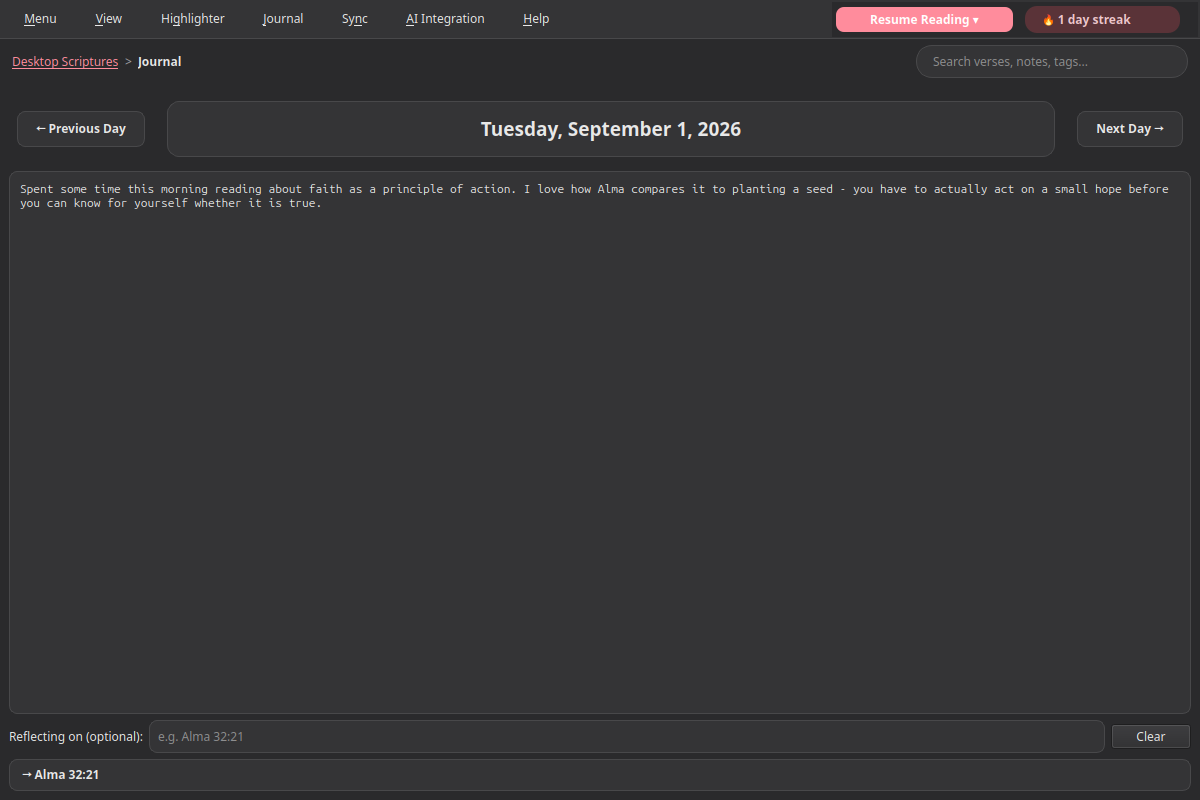
Click Journal on the menu bar. It always opens to today. Just start typing - the entry autosaves a moment after you stop, the same way chapter and verse notes do. There's no save button.
Clearing an entry's text back to empty deletes it - the same "empty means delete" convention notes use.
Use Previous Day / Next Day to page through other dates. Next Day is disabled once you're viewing today, since entries can't be written for the future. Any day without an entry just shows a blank box - write something and it's saved for that date.
Reflecting on something you read? Type a reference into Reflecting on (optional) - e.g. Alma 32:21 - and press Enter. It resolves through the same reference parser AI-assisted search uses, so it understands the same shorthand and abbreviations (D&C, JS-H, and so on). Once resolved, it shows as a clickable row - click it to jump straight to that passage.
Clear removes the link without touching the entry's text.
Journal entries are keyword-searchable from the main search bar, right alongside Notes. A match works the same way notes do: it's based on what you actually wrote, not what the entry happens to be linked to - searching a word that only appears in the linked verse's own scripture text won't surface an entry unless that word is also in your own writing. Click a Journal result to jump straight to that entry's date.
Journal entries sync across your devices through the same Sync mechanism as your notes, tags, and highlights - matched by date, so the same day's entry merges correctly even across devices with otherwise-unrelated internal data. They're also included when you use Export Notes, as their own labeled section.
- Installation - installing the Snap, first launch
- AI Integration - connecting your own AI endpoint for AI-assisted search
- Choosing an AI Setup - which AI service and models to use, with step-by-step setups
- Talk Prep - finding scriptures, talks, and articles for a talk or lesson
- Sync - keeping your notes, tags, and highlights in sync across devices
- Landing Page Extras - Church News, Come Follow Me, and Inspirational Message
- Journal - one searchable entry per day, optionally linked to a passage
- Listen - have any chapter read aloud, verse by verse, in a choice of 4 voices (each downloaded once)
- General Conference Reminder - an opt-in heads-up before Conference starts
- Temple Recommend Reminder - an opt-in, offline heads-up before your recommend expires
- Family History Reminder - an opt-in nudge at random, spaced-out intervals