Repository navigation
ESP32 C6 with screen
Status: supported. Labels: about 500. Release file: openesl-ap-esp32c6-lcd-<version>.bin
The same as the ESP32-C6, on a board with a 0.96" 160 × 80 colour screen (sold as "ESP32-C6 LCD 0.96 inch ST7789 160x80", often with an SD slot that is not used). It costs about 10 $. Same limits as the plain C6, and like it no weather by itself.
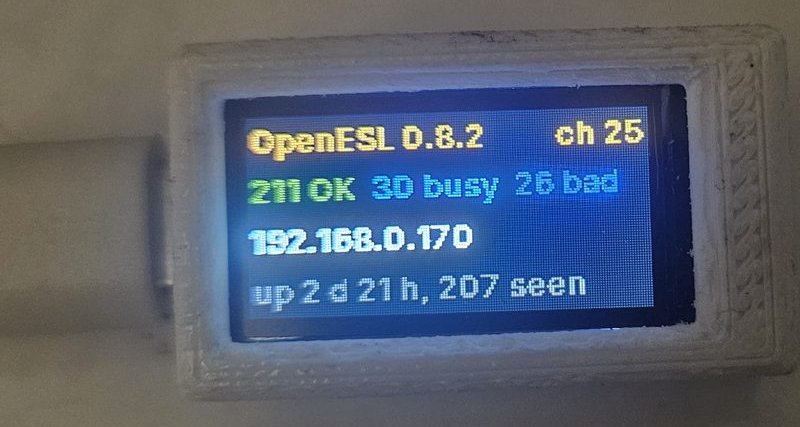 In a 3D-printed case, running about 260 labels |
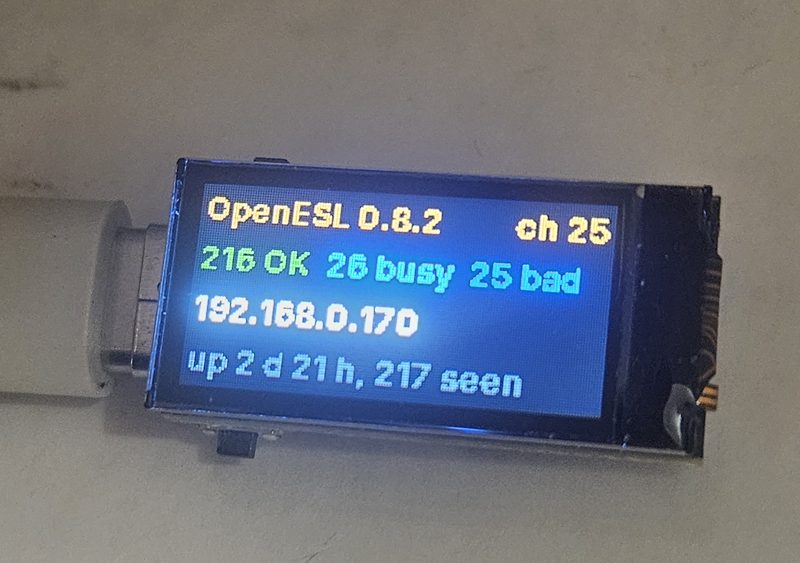 The bare board on its USB-C plug |
OpenESL 0.5.0          ch 25     firmware and radio channel
9 OK  2 busy  1 bad              the labels: green OK, yellow busy or late, red need attention
192.168.1.40                     the AP's address; the setup network or "Joining ..." while it connects
up 3 d 4 h, 9 seen               uptime, and labels heard from in the last 10 minutes
While the AP has no WiFi it shows the setup network's name and 192.168.4.1/setup, so you know where to go (WiFi and API token).
At start the screen shows a yellow frame for two seconds. A missing or doubled edge, wrong colours or an upside-down picture can be fixed with settings when you build it yourself; see ap/README.md.
From the web page, the ESP32-C6 with the 0.96" status screen. When you update over the air, the dashboard picks the screen version for you.