Repository navigation
SoluM 2.9 ST GM29XX2
Status: supported. Model in OpenESL: 2.9 (id solum-m2-29-bw). Battery: two CR2450.
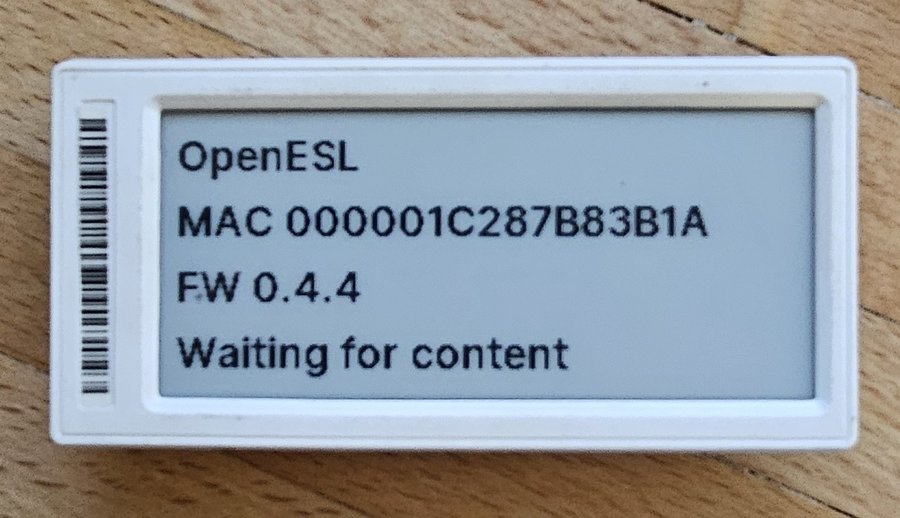
The larger of the two labels: a wide screen with room for a product name, a big price and a barcode or QR code. It is the one most tested with OpenESL.
| Maker | SoluM |
| Product (on the back) | ST-GM29XX2 |
| Screen | 2.9", 296 × 128 pixels, black/white |
| Display controller | SSD1680 family (not confirmed) |
| Chip | ZBS243 (8051 core with an 802.15.4 radio) |
| Memory | 64 KB flash in the chip, plus an SPI flash on the board for the image and firmware updates |
| Radio | 802.15.4 on 2.4 GHz, the same as every OpenESL label |
| Battery | two CR2450 in parallel (3 V) |
| Battery reading | yes, shown on the Dashboard |
| Battery life | about 16 years calculated with a poll every 60 s and one new screen a day, so the shelf life of the cells (about 10 years) is the limit (power budget) |
| MAC | 8 bytes, the second last is 3B, e.g. 000001C287FC3B1A
|
| Updates over the air | yes (Updating labels) |
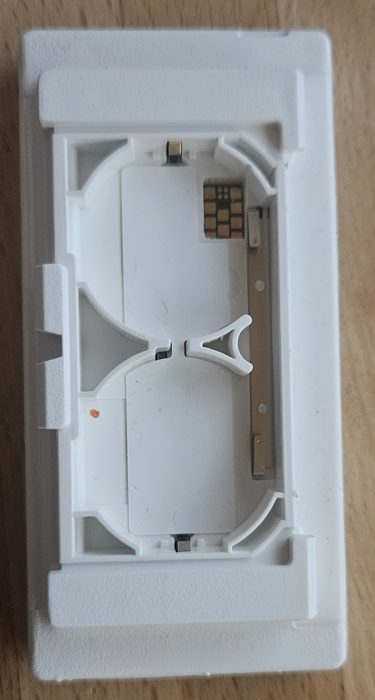
- A white case about the size of a business card cut in half, with a barcode at the edge of the screen.
- ST-GM29XX2 on the sticker on the back. The barcode number is not the MAC; the flasher works the MAC out for you.
- Two CR2450 cells behind the cover on the back.
Other 2.9" SoluM labels look much the same. The black/white/red one (ST-GR29000) has its own page and is experimental. If the back says something else, see Supported labels.
Open the battery cover and take both cells out. The test pads are behind the batteries; the jig holds the label on them with pogo pins. Then follow Flashing labels and pick the 2.9" in the first step. The page backs up the original firmware before it writes OpenESL (Label backups).
Put the cells back and the label shows its start screen with its MAC and firmware version, as in the photo above.
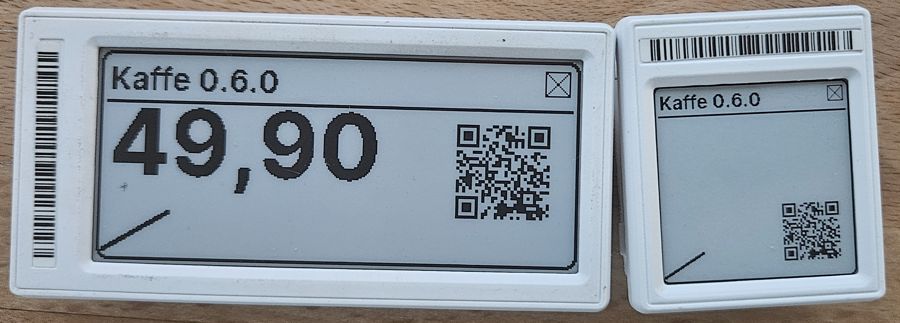
The 2.9" next to the 1.54"
- Every template has a 2.9" version: prices, offers, EAN and QR codes, signs, weather, 3D printer status and more.
- Your own layouts from the Label designer, 296 × 128 pixels, landscape. See Layout elements and limits.
- Pictures from the dashboard ("A picture"), turned into black and white.
- A blank screen or "drawing failed" after flashing. A few labels of the many flashed have done this. The ones looked at had a hardware fault (the display or its cable), not a firmware problem. Take the label apart and reseat the display cable; if that does not help, the display is likely broken. See Troubleshooting.
- Display settings: tag/src/panels/ssd16xx-29.h.
- Model entry: shared/models.json.
- The label firmware: docs/tag-firmware.md, updates over the air: docs/tag-ota.md.
Other labels: Supported labels.