Repository navigation
Plugins
Plugins are small JavaScript packages that add conditions, actions and popups to rules. They run in a sandbox.
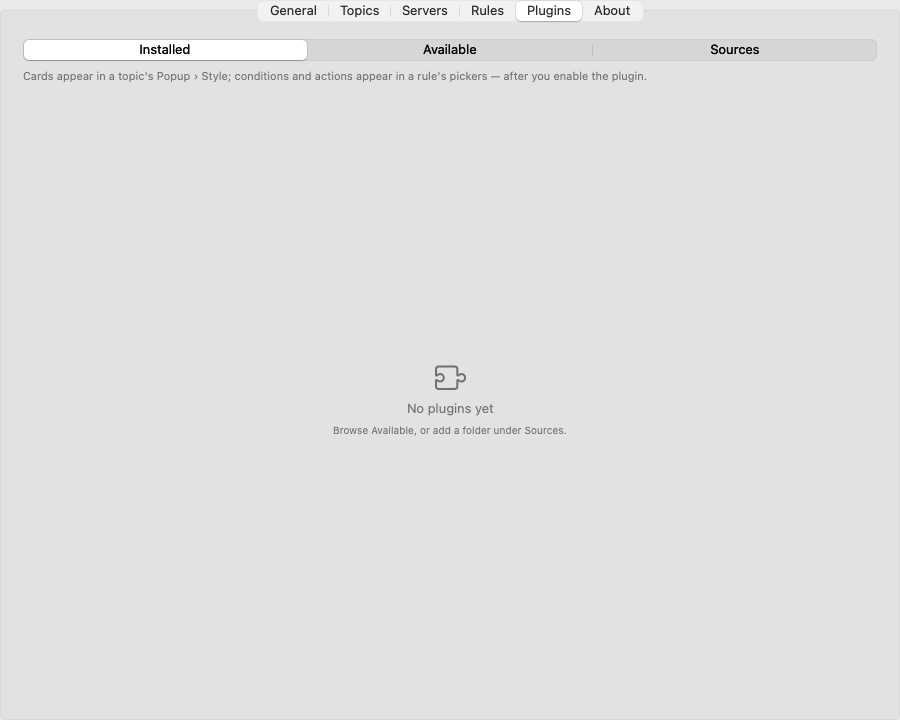
- It sees only the message that triggered it and that topic's label. Never your settings; topic names and server addresses are hidden from it (best-effort).
- It can only do what its permissions allow, after you agreed. You can switch each permission off later.
- It can never run commands, use the network, read your clipboard or files, change settings or subscribe to topics.
See Permissions and Plugin API.
-
Bundled. These ship with NtfyBar, off until you enable them (then add them to a rule):
- Alert Card — big card with Acknowledge and Snooze N min (the ntfy server re-sends it later), optional auto-dismiss, position and "over full-screen apps" choice, "3rd time today" badge. Urgent alerts always stay.
- Repeat & Burst — conditions "not seen recently" (only the first of a flapping series) and "burst" (≥ N messages in M minutes).
- Extract — copy what a regex matched (login code, IP) or open it in a link template (PR number → its page).
- JSON Fields — match a JSON field's value or a change since the previous message; show JSON as a table.
- ACK Button — a popup whose ACK button replies to the sender's topic.
- Marketplace examples (install from Available): Time Window (only between two times on chosen days) and Reply Buttons (up to three buttons that each send a reply).
- The marketplace. NtfyBar-Plugins is the default. You can add other marketplaces (https URL) under Settings › Plugins › Sources.
- A local folder. Add one under Sources › Add Folder…. Good for writing your own.
Plugins from a local folder or a non-official marketplace are marked Unverified source.
- Settings › Plugins › Available › Refresh. This is the only time NtfyBar contacts marketplaces.
- Install… on a plugin.
- NtfyBar downloads its files and checks each one against the SHA-256 published in the marketplace. If any file differs, nothing is installed.
- A consent sheet lists every permission with the plugin's reason. Allow and Enable or Cancel.
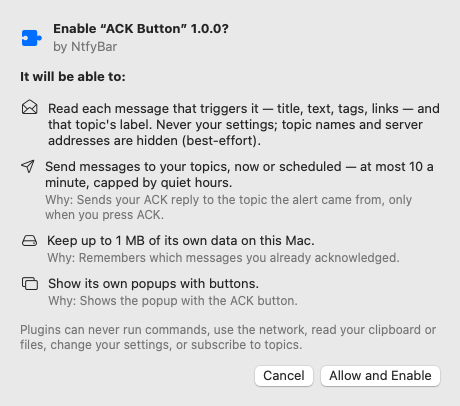
Enable it under Installed. Local plugins show Review and Enable… first. Then add a rule under Settings › Rules and pick the plugin's condition or action.
- Enabled toggle per plugin.
- Per-permission toggles, each with the plugin's reason.
- Errors are listed under the plugin.
- Uninstall for marketplace installs (this also deletes its stored data). Bundled plugins can only be disabled.
- Reload Plugins under Sources, after editing a local plugin or after a plugin was disabled for timeouts.
- An update that adds a permission asks for consent again.
See the NtfyBar Plugins wiki.
