Repository navigation
Music view
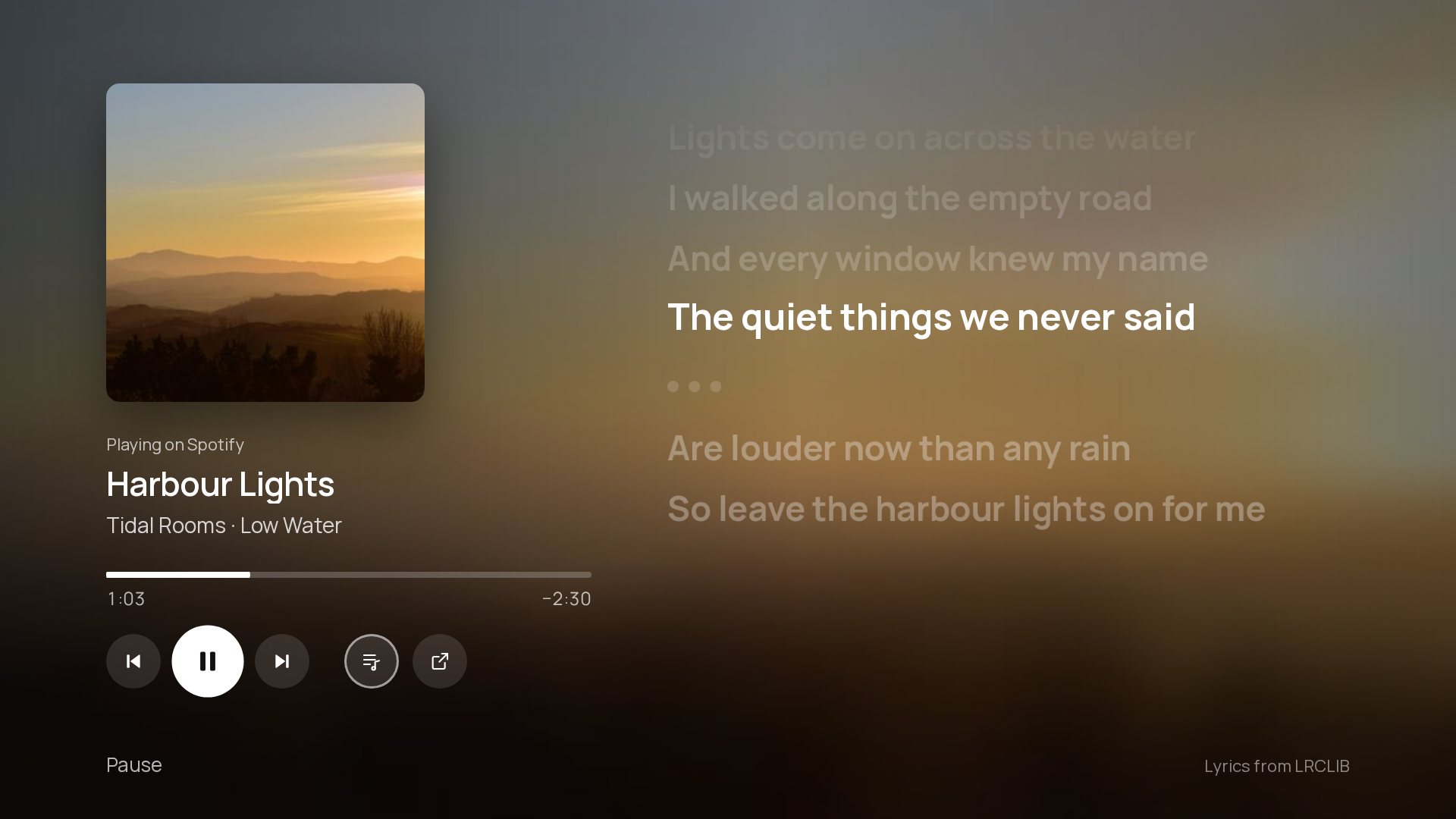
Press ♪ Music on Home while something plays.
- The cover, title, artist and album, with the music app's blurred cover behind them. A new song replaces everything on its own.
- A progress bar with the time played and left. Up selects it; Left and Right jump 10 seconds when the app allows seeking.
- Previous, Pause/Play, Next, and a button that opens the music app.
- While a song plays, the music view keeps the screen on and the screensaver away, like a video.
- Settings › Music › Music view turns lyrics, word by word, translation, Up next and the beat pulse on or off.
The music view is built in, but its code is only fetched the first time it opens, so a TV that never plays music never loads it. It needs Notification access, like Now playing.
From LRCLIB, free and without an account. Lines ripple into place like Apple Music's, the line being sung grows, and its words light up in turn: exactly where LRCLIB has word timing, otherwise spread over the line. Shore only shows lyrics whose title, artist and length match the version playing, so a different edit or a cover shows none rather than the wrong words. Only the artist, title, album and length are sent.
Off by default. Each synced line gets a translation into the TV's language underneath. The lyric text is sent to Google Translate; songs already in that language stay as they are.
The next three songs, when the music app shares its queue. Not every app does; Spotify on Google TV doesn't.
Off by default. The beat pushes the background and the cover out a little. Shore learns where each song keeps its beat, from 808s and kicks to snares, claps and hi-hats, and starts learning again when the song changes.
It uses Android's Visualizer on the TV's own sound output, never the microphone, but Android still asks to allow audio recording. Only the bass level is read, about 20 times a second, and only while the music view is open.