Repository navigation
Add ons
Settings › Add-ons. Optional features. Each has one switch, off by default, and a line saying what it does and what it costs a slow TV (Light, Some cost or Heavy). While an add-on is off its code is not even loaded; switching it on fetches it after Home has painted. Once on, its own settings page appears below the switches.
| Add-on | What it adds | Available on |
|---|---|---|
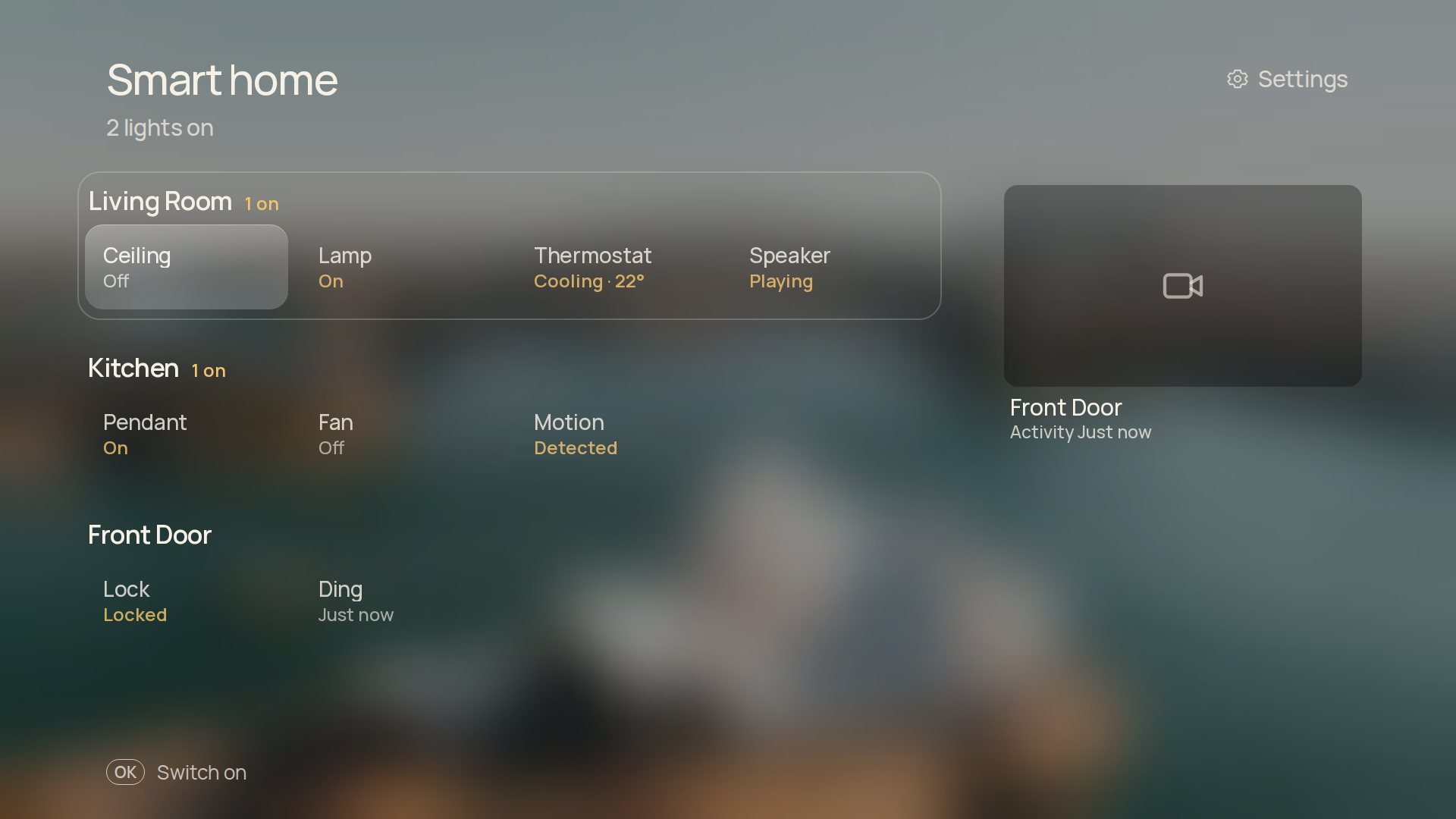
| Home Assistant | Rooms, lights, switches, thermostats and cameras on a Smart home page, the inside temperature under the clock, and your door camera when the doorbell rings | Android TV |
| Pi-hole and AdGuard | Today's blocked share under the clock, and a pause for 5, 30 or 60 minutes | Android TV |
| Weather effects | Rain, snow, fog and storms over the photo | Everywhere |
| Headlines | One news headline under the clock | Android TV |
| Widgets | A row of small cards under the clock | Everywhere |
Weather effects, Headlines and Widgets are described on Under the clock.
The Home Assistant add-on was made by mozthewah.
- Type the server address and a long-lived access token in the phone companion. The TV never shows or stores the token in its preferences.
- A Smart home control joins Home's top row. Rooms (Home Assistant's areas) are rows of chips: the device name and its state. OK switches a light, switch or fan and locks or unlocks a lock. Hold OK on a dimmable light for brightness and colour; OK on a thermostat opens its target temperature and modes. Cameras sit in a column on the right, and OK opens a live view.
- Settings › Add-ons › Home Assistant picks the rooms to show and disconnects. Devices hidden in Home Assistant stay hidden.
- Doorbell (Home Assistant › Doorbell): choose what rings and which camera to show. When it rings while Shore is in front, even on the screensaver, the camera's live view opens for up to two minutes. While another app is in front, Android shows a short note instead.
Type the server address and password in the phone companion. The line under the clock gains today's share of blocked queries ("12.4% blocked today"), or "Blocking paused · 4 min" during a pause. Settings › Add-ons › Pi-hole and AdGuard shows the connection, switches blocking on or pauses it for 5, 30 or 60 minutes (the server ends the pause by itself) and disconnects. The password never reaches the page.