Repository navigation
Home
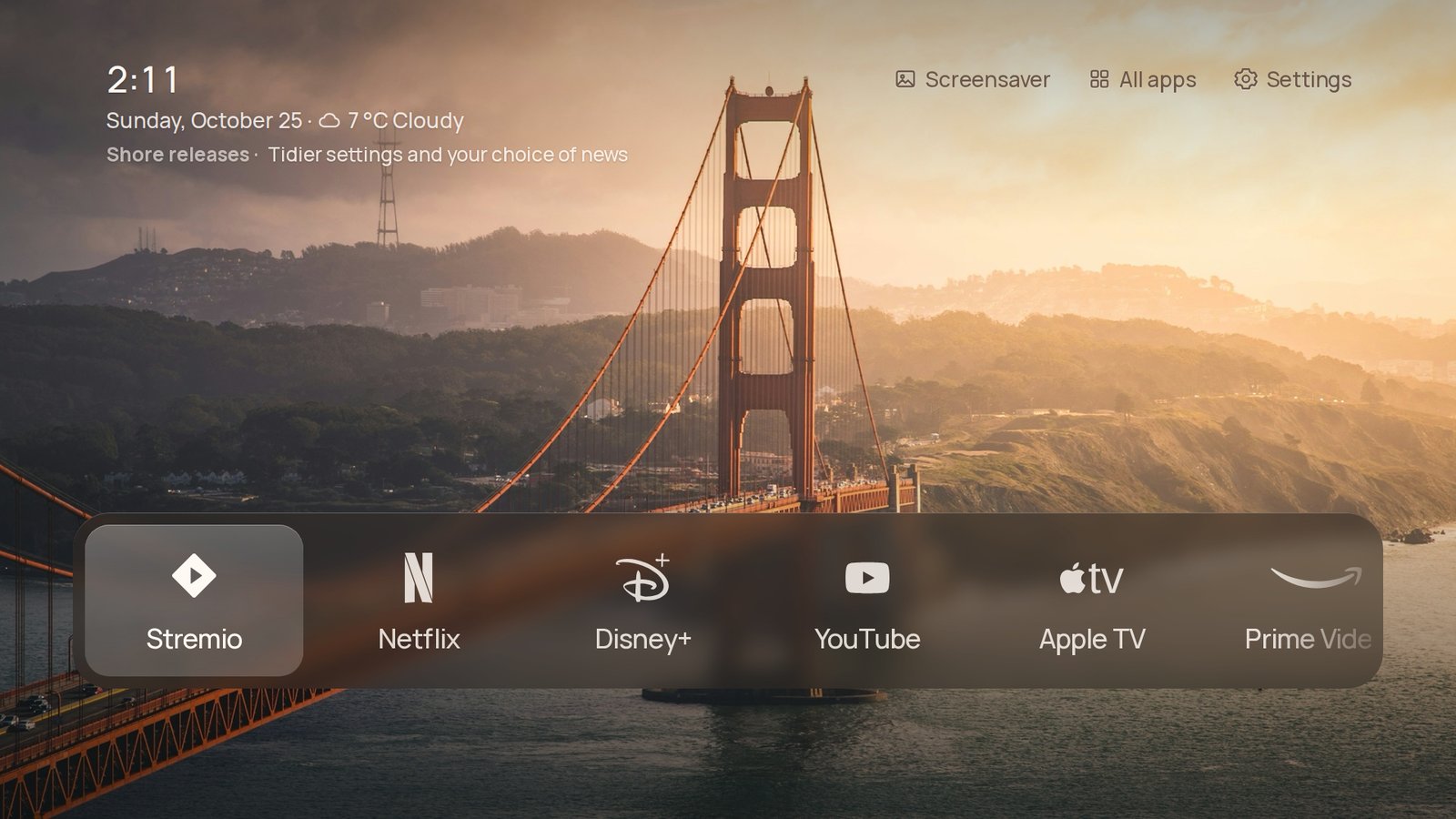
Shore is a plainer home screen for Android TV and Google TV. It shows your apps, the devices on HDMI and a photo you chose, with the time, the weather and a headline in the corner. Hold Home and you are back in Google TV.
New here? Start with Installation. Something not working? See Troubleshooting.
| Page | What it covers |
|---|---|
| Installation | Install Shore with adb, once. |
| Home button | Make the Home key open Shore; the TCL auto start fix. |
| Updates | How Shore updates itself, and what release APKs leave out. |
| Verified devices | The TVs and devices Shore has been run on. |
| Troubleshooting | Common problems and their fixes. |
| Page | What it covers |
|---|---|
| Home screen | Dock, List and Shelf, your apps, icons, Continue watching. |
| HDMI inputs | A tile for each device that is switched on. |
| Search and settings | Search, the Settings pages, language. |
| Wallpapers | Bundled, online, animated and your own photos; rotation. |
| Under the clock | Weather, headlines, calendar, now playing, widgets. |
| Music view | The cover, controls and synced lyrics. |
| Screensaver, night and sleep | Shore's screensaver, night mode, sleep timer. |
| Remote buttons | Give any remote button a job. |
| Parental lock and screen time | A PIN and daily limits per app. |
| Performance | Auto, High end, Balanced and Potato. |
| Phone companion | A web app on your phone, served by the TV. |
| Add-ons | Home Assistant, Pi-hole and AdGuard, weather effects, headlines, widgets. |
| Top Shelf | Recommendations above the Shelf layout. |
| Page | What it covers |
|---|---|
| Build from source | Gradle, API keys, GitHub Actions, the browser preview, the repository layout. |
| Credits and licences | Who made what, and the terms of the pictures and data. |
Discord is usually the fastest way to reach the maintainer. Bugs and TV reports go to GitHub issues. Shore is free; if you would like to support it: Ko-fi · GitHub Sponsors.
Unofficial. Not affiliated with TCL, Google or any streaming service. Everything here is reversible, and each step says how.