Repository navigation
Updates
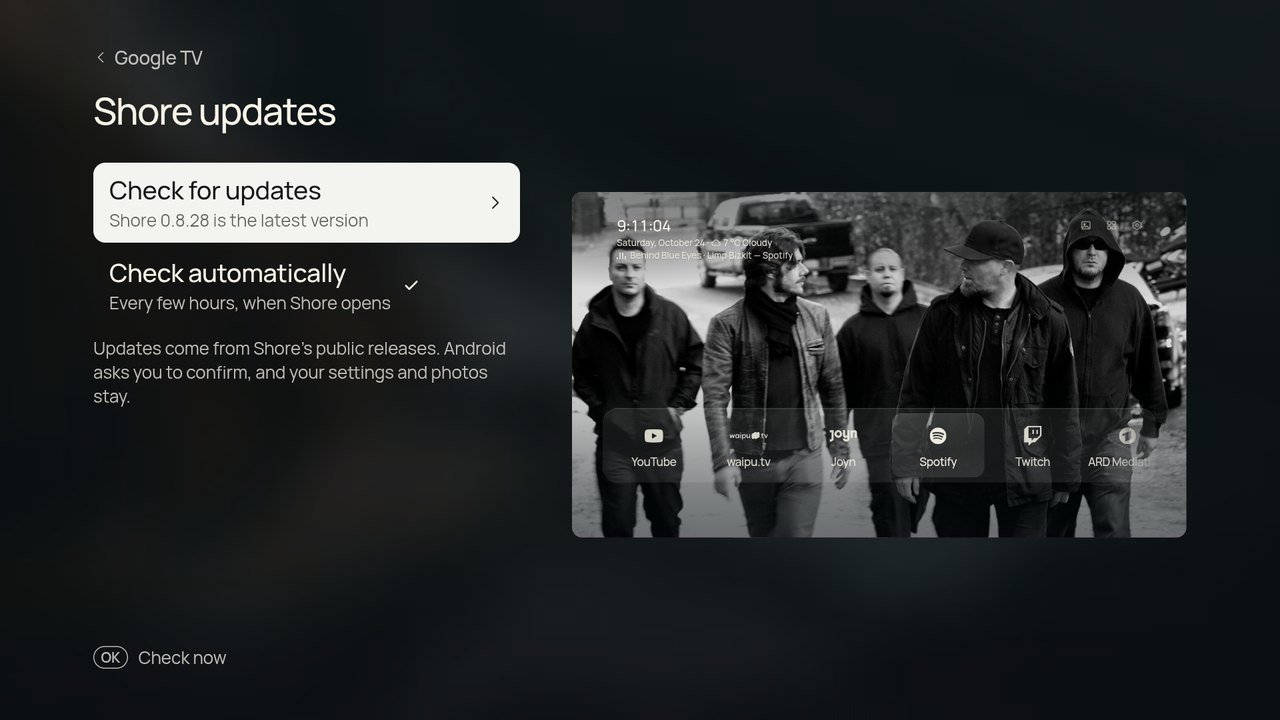
After the first install you don't need a computer again. Settings › Google TV › Shore updates checks the public releases (automatically every few hours, or on demand), downloads the new APK, checks that it is Shore, newer and signed with the same key, and opens Android's installer. Android asks you to confirm, and the first time it asks you to allow Shore to install apps. Settings and photos stay.
Only release APKs update themselves: a copy you built yourself just tells you when a new version is out, so you can pull the latest source and rebuild it with your keys.
After an update, Home shows What's new once: the release's headline and its first lines, read from that version's GitHub release (in English). They stay under Shore updates afterwards.
Each release is built from main (version 0.8.<commit count>). Weather, NASA, Bing, Wikimedia and Picsum wallpapers, album art lookups and everything else work as they are. Unsplash, Pexels and Klipy wallpapers and Top Shelf recommendations need your own keys: build from source with them in android/local.properties.
A self-built APK and a release APK are signed differently, so switching between them means uninstalling first, which clears saved preferences. Keep using the same key and updates install in place. Back up your settings first in the phone companion.