Repository navigation
Game Saves (Linux)
Macro Micro VR Service saves data such as graphics settings or character customization to your computer,
so that it can reuse it when you restart the game and avoid resetting your preferences.
On Linux, the game files and saves are stored in the .config folder.
For other Platforms -> Game Files and Saves
- Open your file manager and go to the path
~/.config/Epic/MacroMicroVRService/Saved/ - The full path will look like this:
/home/[YourUserName]/.config/Epic/MacroMicroVRService/Saved/ - Alternatively, open a terminal and type
xdg-open ~/.config/Epic/MacroMicroVRService/Saved/
Note: the .config folder is hidden by default. Press Ctrl + H in most file managers to show hidden files.
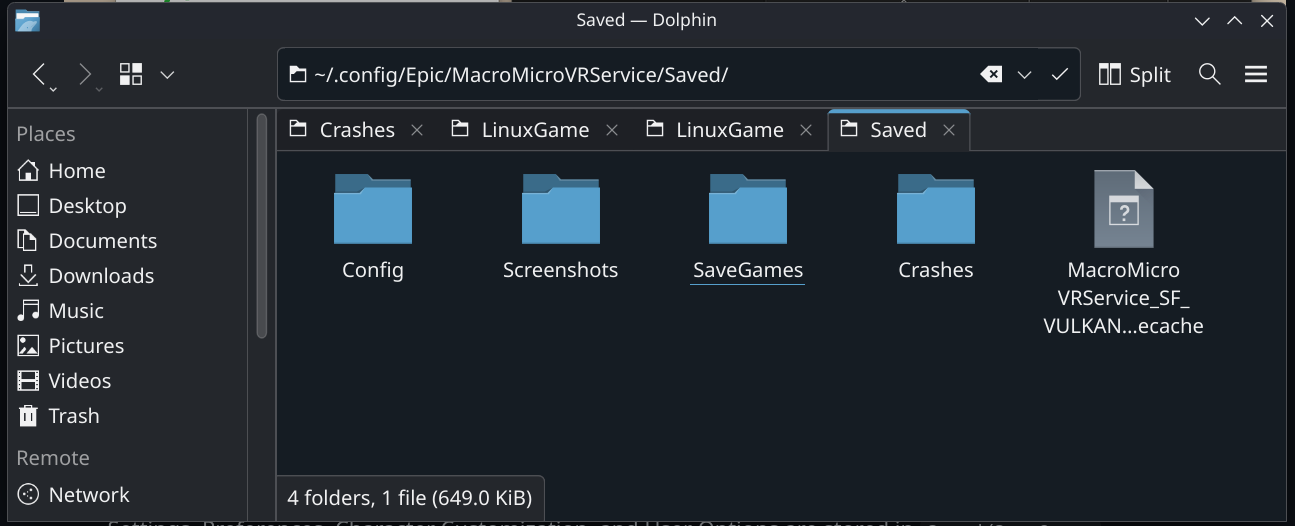
- Settings, Preferences, Character Customization, and User Options are stored in
Saved/SaveGames - In-game screenshots are stored in
Saved/Screenshots/Linux - Log files are stored in
Saved/Logs(when the game crashes) - Crash info files are stored in
Saved/Crashes(when the game crashes) - Hard config files are stored in
Saved/Config/Linux
v0.4.1.1 and older versions no longer support the new save structure used in v0.4.2 and newer versions.
A save edited in v0.4.2 and newer versions will crash the game in v0.4.1.1 and older versions.
You will have to reset or remove all game save files.
In general, it's not recommended to go back to an older version of the game once you've updated to a newer version.
If you want to save your skin customization outside the game save system, you can extract it in the Character Customization menu.
If you want to remove all saved files:
- Close the game if it is running.
- Open your file manager and go to the path
~/.config/Epic/MacroMicroVRService/ - Locate the folder named
Saved. This folder contains all your game save files. - Remove the folder named
Savedto delete all your game save files.
(You can also rename the folder toSaved_oldif you want to keep a backup of your old saves.)
If you want to reset the debug settings:
- Close the game if it is running.
- Open your file manager and go to the path
~/.config/Epic/MacroMicroVRService/Saved/SaveGames/ - Then remove the file
DebugV2.sav.
Return to Game Files and Saves