Repository navigation
Home
SFX FORGE is an instrument for a game's sound: you make sound effects and adaptive music on a device, the VIBE FM, and both play in the game with the same engine. Everything is synthesized. There are no samples and no audio files. In Unity a package plays the sounds and the song, and has tools for designing sounds without the device.
This wiki teaches one thing a page. Every page ends with links to the full detail in the reference documents: the manual, the Unity manual and the maintainer's guide.
flowchart LR
  SD["A sound designer"] -->|"pads, knobs, keys"| DEV["The device<br/>SFX FORGE on VIBE FM"]
  UD["A Unity developer"] -->|"assets, components, C#"| PKG["The Unity package<br/>SFX Forge"]
  MT["A maintainer"] -->|"C, C#, tests"| CODE["This repository"]
  DEV <-->|"the link: sounds and the song, over MIDI"| PKG
  PKG --> GAME["Your game"]
  CODE -->|"builds the firmware"| DEV
  CODE -->|"builds the engine and the package"| PKG
The device and the package run the same sound engine, so a sound is the same in both places. The link between them carries data (a sound is 28 bytes), never audio. You can use either side without the other.
New here? Start Here has a reading list for each of the three doors below.

The device's display on its first sound page: the LASER of the SFX kit.
You need a browser and the firmware file. No hardware.
- Device Quick Start: load it and hear it, in five minutes.
- Device Controls And Pages: what each control is and where the fourteen pages are.
- Device Make A Sound: a sound effect of your own.
- Device Make A Beat: a pattern from nothing.
- Device Layers And Intensity: music that follows the game.
- Device Cheat Sheet: every shortcut, to look things up.
Done? Hand it to the programmer: two keys send the song and a sound to the game.
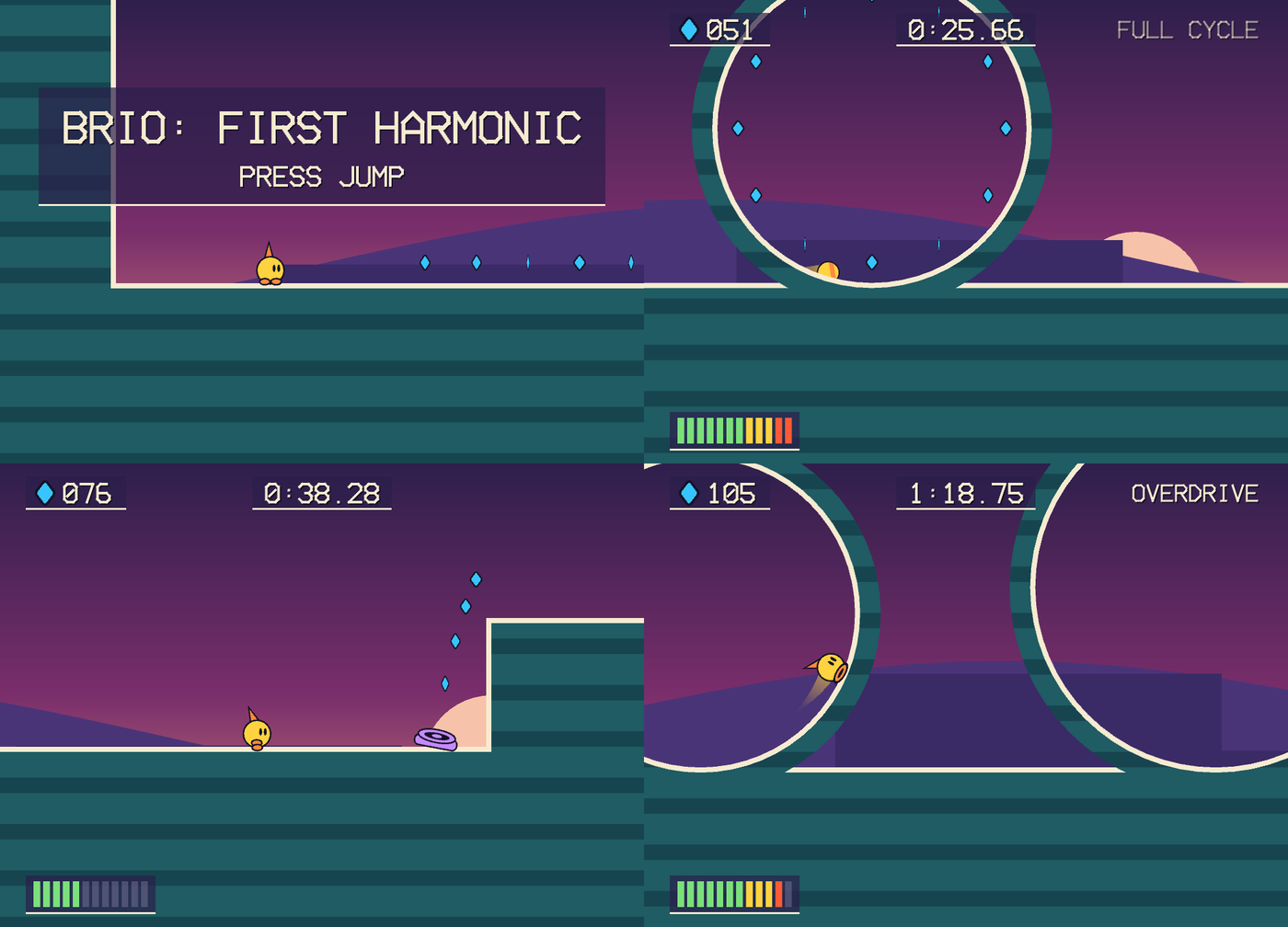
The showcase, Brio: First Harmonic*: a small game whose every sound is SFX FORGE at runtime.*
You need Unity 6.3 on Windows x64. No device.
- Unity Install: get the package into a project.
- Unity Quick Start: a sound you trigger yourself, in five minutes.
- Unity Choosing A Route: baked, live, held or music: which fits your sound.
- Unity Music First Song: the demo song in your scene, no code.
- Unity Adaptive Music: one number from your game drives the band.
- Unity Recipes: thirteen small scripts to copy.
Footsteps, a pickup and music that follows danger in one evening: Start Here has that short path. Stuck? Unity Troubleshooting.
- Architecture Overview: one engine, two homes, and the link.
- Repository Map: what each folder is.
- Building From Source: from a clone to a built firmware and package.
- Running The Tests: every suite and what a pass looks like.
- Firmware Internals and Unity Architecture: how each side works.
- Sound Engine, Patch Format, Song Format, Link Protocol: the engine and the exact bytes.
Then the recipes, by what you add: a page or a key, an engine, a setting, a Unity component, a generator kind, a link message or a test, another platform.
Five videos, made by scripts from the firmware and the game themselves: Videos. The shortest way in is the tour of the device (2:23).
Tested by scripts and against the SDK's emulator; not yet run on the hardware or in the VIBE FM plugin, and the Unity package runs on Windows x64 only: What Is Tested says exactly how far.
SFX FORGE is free software under the GNU General Public License, version 3 or any later version (LICENSE), with an additional permission for the Unity engine and one for the hosts of VIBE FM firmwares (ADDITIONAL-PERMISSIONS.md). A game that is not offered under the GPL needs another licence from the copyright holder: FAQ, Shipping.
- Glossary: every word this wiki uses.
- FAQ: short answers to first questions.
- Editing This Wiki: how these pages are written, checked and published.