NPCs and Effects
SDX gives NPCs a fuller inventory, explicit creature types, typed attacks, Activity-driven abilities, quick conditions, mysterious casting, and a reusable effects library.
NPC inventory, creature types, or effect automation missing? See Feature Manager — Advanced & Hidden Features → NPCs (4 toggles) and Effects & Spells (aura gating needs Spell Activity System).
With Enable NPC Inventory Tab on, ordinary NPC sheets pick up an item list, quantities, treasure, GP/SP/CP, used inventory slots, and create, edit, and delete controls.
Party actors sit this one out. Their dedicated Party sheet already has shared inventory and a treasury.
With Enable NPC Creature Type on, NPC sheets show a type selector. Those types feed weapon bonus requirements, spell and effect gating, macros and API integrations, and plain GM reference at the table.
Open Manage Creature Types to add your own choices. On the weapon Bonuses tab the matching requirement is Target Creature Type, and it offers your configured types as a dropdown rather than free text that had to match exactly. That is the requirement to reach for when writing a bonus against undead; Target Ancestry is a player-character field and is empty on every monster.
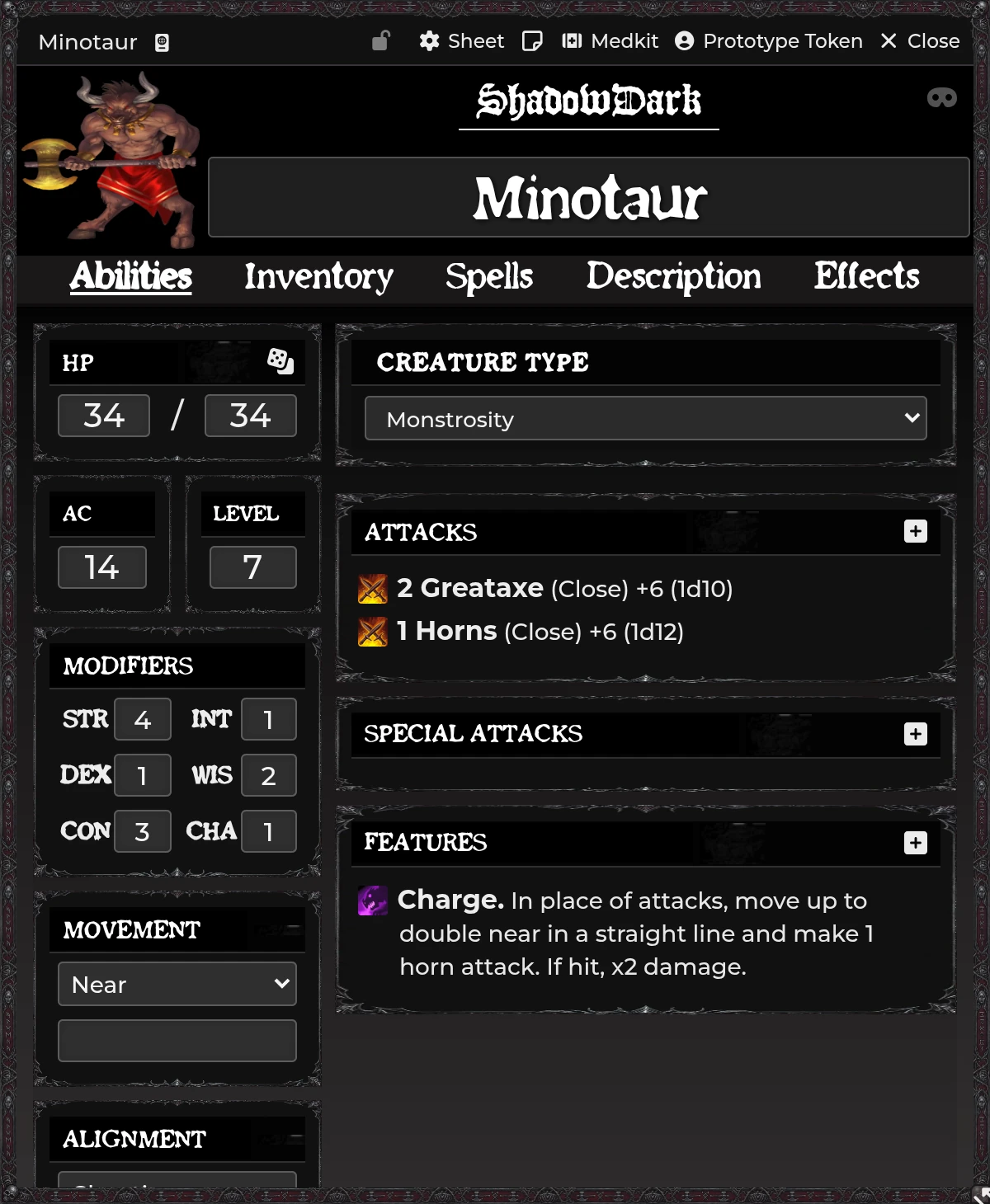
SDX resolves a creature type in three steps: the NPC's manual type override first, the bundled bestiary name map second, and a blank result when neither one has an answer.
The name map lets stock bestiary creatures participate without you editing every actor. A manual choice always wins, which is what you want for reskinned or homebrew creatures.
The read-only API exposes both the effective lookup and the raw name-map one. See Developer API.
The SDX NPC Attack sheet covers number of attacks, attack bonus, damage formula, damage type, Close/Near/Far choices, and Description and Source.
The attack count takes numeric or free-form values. Current builds preserve Shadowdark 4.x's numeric multi-attack display.
Both use Activity, Description, and Macro tabs. They configure damage, healing, saves, effects, auras, templates, summons, and item macros with the same model player spells use.
Special Attacks get Activity, Description, and Macro tabs for abilities that don't fit a normal weapon line.
See Spell Automation.
The GM sees a mask toggle in the NPC sheet header. Off, rolls and cards appear normally. On, public output gets replaced by the configured mysterious-casting text while the GM keeps every hidden detail.
That state lives in memory on purpose, which makes it a tactical reveal mode rather than permanent actor data. Toggle it again after a reload if you need it back.
Edit the public text with Mysterious Casting Message.
NPC sheets get the same themed quick-condition toggles as Player sheets. Condition changes create and remove the actor's real effects. The chosen theme only changes how the controls look.
Open Configure Effects. The current dedicated policy is Silenced:
| Item class | Default when Silenced |
|---|---|
| Spell / NPC Spell | blocked |
| Scroll | allowed |
| Wand | allowed |
| Potion | always allowed |
Enable Scroll and Wand blocking if your table rules that those activations require speech. Potions stay usable, because drinking doesn't.
shadowdark-extras.pack-sdxeffects holds reusable ActiveEffect documents. Drag
them into weapon on-hit effects, spell, Potion, or NPC Activity slots, aura or
template effects, or straight onto actor effects.
The module supports predefined advantages and disadvantages, spell-related modifiers, and special effects such as Glassbones where the pack includes them. Inspect an effect before you drop it on a homebrew actor.
An effect can be made conditional on the state of whatever it came from. Require equipped keeps it active only while its parent item is equipped, and a source requirement expression tests the bearer, typically a string comparison against ancestry, class, background, or alignment.
SDX drives the effect's disabled state to match, rechecking on effect changes, actor updates, sheet renders, and item transfers. An effect transferred from an item is resolved back to its source, so the source is what gets toggled and the change propagates.
Turning off an effect whose requirement is met is treated as a deliberate choice and remembered. The reverse is not allowed: enabling an effect whose requirement is unmet reverts. That memory is cleared when you change the requirement or the item moves to a new actor, since the override belonged to the previous owner.
Effects alter typed damage through resistance, immunity, or vulnerability. An effect can also be marked break on damage, ending it the next time the bearer loses HP. Item automation and the public API can both set and clear that marker.
An invisibility effect hides the bearer's token and SDX keeps the two in step, restoring visibility when the effect is disabled or deleted, and when the Condition item carrying it is removed.
Taking offensive action breaks it. Attacking or casting drops concealment automatically and announces it in chat, so nobody has to remember to clear the effect by hand.
Auras are configured on the source item and processed against NPC and Player token geometry. Disposition, line of sight, range, elevation, and turn trigger all shape who's inside. See Spell Automation.
Creature-type bonus does not trigger. Check the actor's effective type against the bonus operator and value. A renamed homebrew actor won't match the bundled map until you set a manual type. Check too that the requirement is Target Creature Type and not Target Ancestry, which monsters never have.
An effect will not stay enabled. It probably carries a source requirement that is not met, or Require equipped while its item is unequipped. SDX reverts an enable in that state by design.
Mysterious mode turned off after reload. Expected. It's an in-memory encounter mode.
NPC inventory appears on a Party actor. Update and reload SDX, then confirm the actor carries the Party flag the Party actor workflow creates.
Silenced blocks the wrong item class. Review the three toggles in Configure Effects. Potions stay usable by design.
Aura triggers more than once. Keep one active GM applier, and update to a version with the native Region membership and deduplication fixes.
Related: Combat & Damage · Spell Automation · Compendium Packs