Repository navigation
Help Screenshots Plan
Screenshots for the help pages are generated, not collected. They live in
images/ in this wiki repository and are produced by a script in the Proclaim
repository.
# in the Proclaim repo
php build/seed-dev-data.php --site=j62-dev --demo
node build/capture-help-screenshots.js
php build/seed-dev-data.php --site=j62-dev --remove
Then commit the changed PNGs in this wiki repository.
To redo only some screens:
node build/capture-help-screenshots.js --only=messages,message-
Naming —
help-<helpkey>.pngfor a whole screen,help-<helpkey>-<tab>.pngfor one tab of an edit form. The help key is the string passed toToolbarHelper::help(), which is also the wiki page name afterHelp-. - Density — follows Joomla core's own help screens: one image per screen, plus one per tab on edit forms.
-
Referencing —
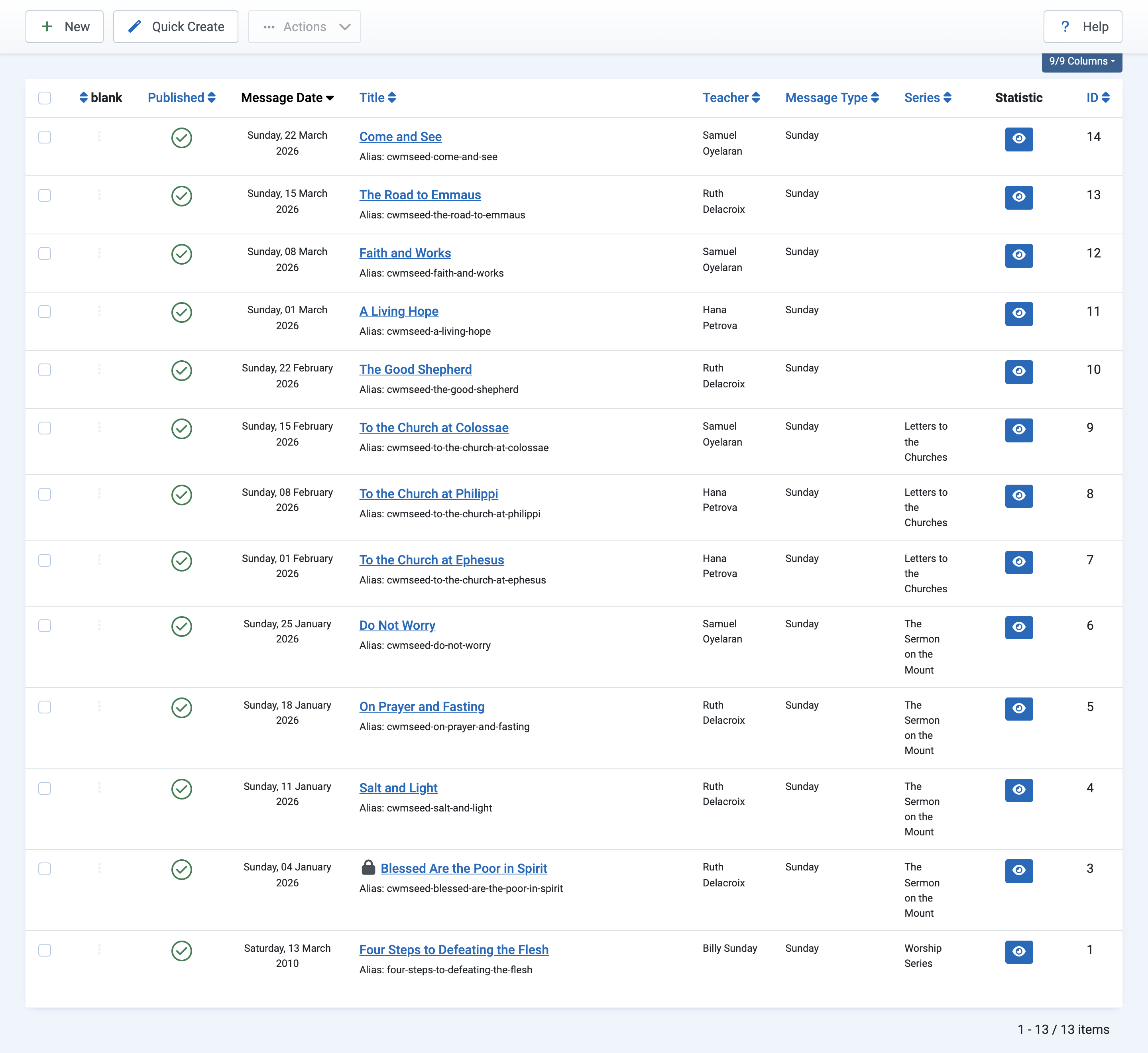. Relative paths work: GitHub emits thesrcverbatim and/wiki/images/…redirects toraw.githubusercontent.com.
Capture from a site seeded with seed-dev-data.php --demo, which creates
fictional teachers and sermons.
j5-dev and j6-dev are copies of a real church's site — real people's names,
real contact details, real server credentials. These images are published on a
public wiki.
Need help with your site? Proclaim Support — the place to start for anything to do with your own install · Ask on GitHub
Something wrong with Proclaim itself? Report it on GitHub — bugs and code issues are tracked there, in the open.
More — Proclaim documentation · Helpful videos · Latest release · Christian Web Ministries
Security issues privately to info@christianwebministries.org, not a public tracker. When asking for help, say which Proclaim and Joomla versions you are on.
- Publish Your First Message
- Show Proclaim on Your Site
- Add Audio and Video
- Organise Your Messages
- Set Up Podcasting
- Control How Proclaim Looks
- Import and Migrate
- Maintain Your Site
- Multi-Campus-Admin-Guide
- Multi-Campus-User-Guide
- Template-Customization-Guide
- Vimeo-API-Setup
- Print-Friendly-View
- Protected-Media-Storage
- Content-Security-Policy
- Troubleshooting-FAQ
- Setting-up-your-development-environment
- Standards and Conventions
- Contributing-Workflow
- REST API
- Database-Schema
- Location-API-Reference
- Backward-Compatibility-Breaks-10.1
- ARS Migration Plugin
- Proclaim-Code-Road-map
- Tasks
- Overview
- Admin Center
- Messages
- Media Files
- Servers
- Teachers
- Series
- Podcasts
- Topics
- Locations
- Comments
- Message Types
- Playlists
- Templates
- Utilities