Repository navigation
Help servers
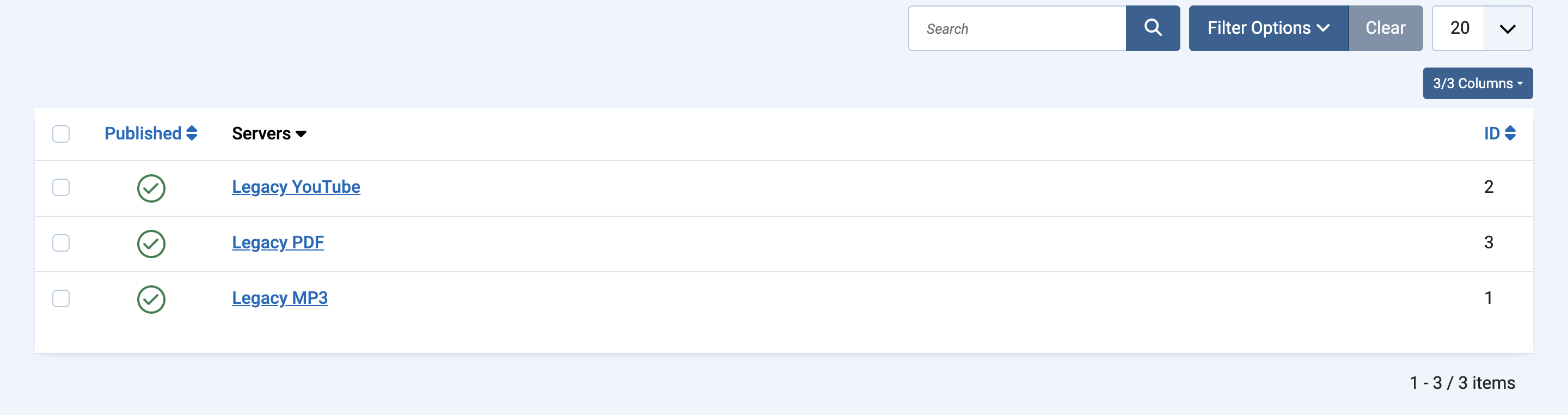
The Servers list view displays all configured media hosting platforms in Proclaim. Each server defines how a type of media is stored, embedded, and played on the frontend.
Components → Proclaim → Servers
| I want to… | Go to |
|---|---|
| Tell Proclaim where my media lives | Add a server |
| Move media to a different host | Move media between servers |
| Look up a column or filter | Screen Reference |
You need one server per place your recordings live — one for your YouTube channel, one for files on your own site, and so on.
- Select New and choose a Server Type from the picker.
- Give it a Server Name you will recognise in a dropdown.
- Fill in what that type asks for, and Save & Close.
Warning
Server Type cannot be changed after the server is created. To switch platforms, create a new server and migrate the media across.
Full detail: Help-server · Guide-Add-Audio-and-Video
Use Administration → Server Migration rather than editing files one by one. It repoints media records from one server to another in bulk.
Full detail: Guide-Import-and-Migrate
Toolbar
| Button | Action |
|---|---|
| New | Opens a blank server form |
| Actions | Dropdown: Publish, Unpublish, Archive, Check In, Trash, Batch |
| Help | Opens this help page |
Columns
| Column | Description |
|---|---|
| Checkbox | Select items for batch operations |
| Status | Publication status icon |
| Server Name | Name of the server (click to edit) |
| Location | Associated location (when location filtering is enabled) |
| ID | Unique database identifier |
Filters
| Filter | Description |
|---|---|
| Search | Free-text search by server name |
| Status | Published, Unpublished, Archived, Trashed, or All |
| Location | Filter by location (multi-campus) |
Batch Operations
| Option | Description |
|---|---|
| Access Level | Change the view access level |
| Location | Assign to a different location |
- Create one server per hosting platform you use. Multiple media files can share the same server.
- In multi-campus deployments, assign servers to locations if different campuses use different media hosting.
- Help-server — Server edit form
- Help-mediafiles — Media files that use servers