Repository navigation
Help topics
The Topics list view displays all topic tags configured in Proclaim. Topics provide a tag-based classification system for organizing messages by subject matter.
Components → Proclaim → Topics
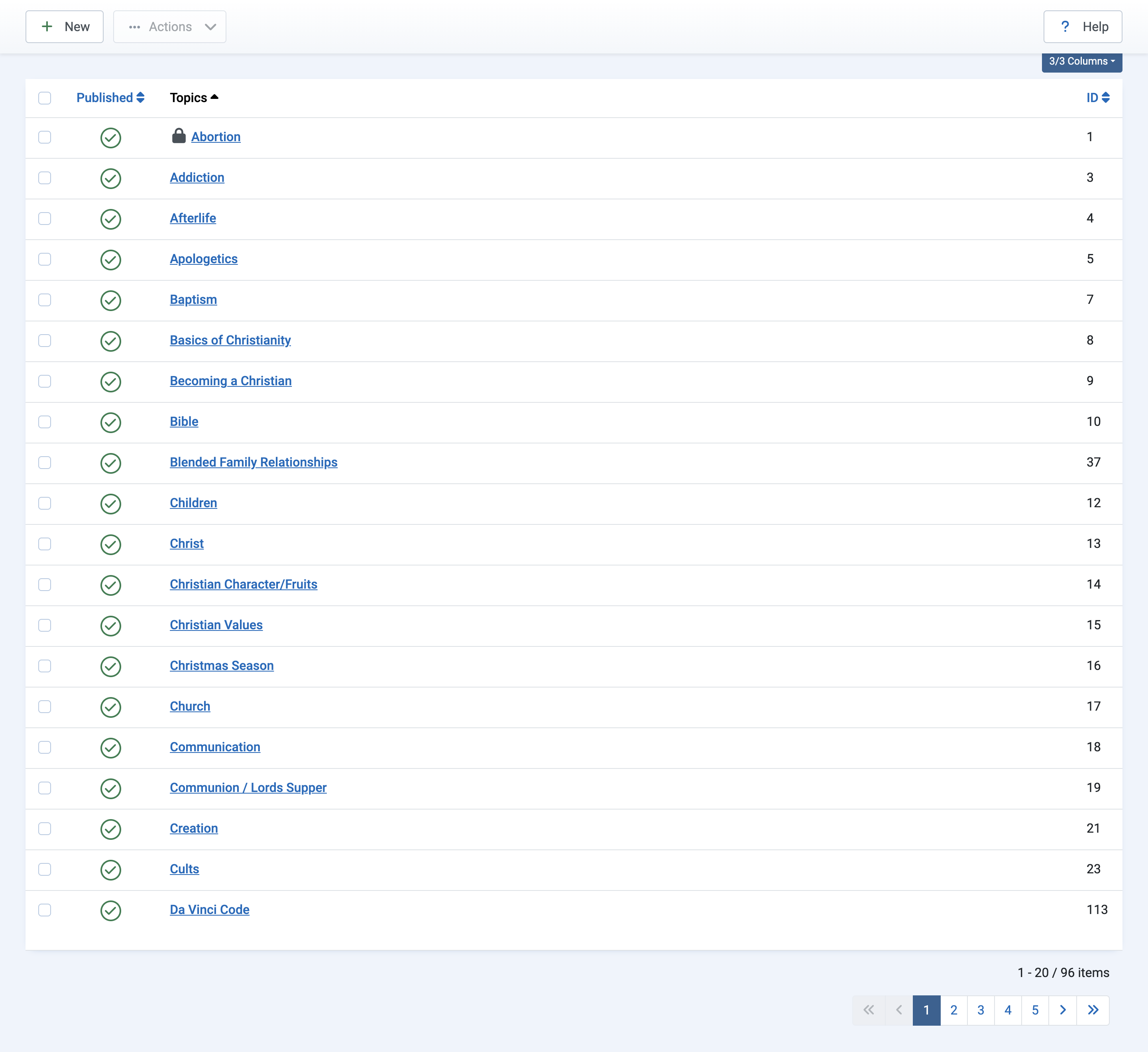
| I want to… | Go to |
|---|---|
| Add a subject tag | Add a topic |
| Keep the list usable | Keep topics under control |
| Look up a column or filter | Screen Reference |
- Select New.
- Enter the topic name — keep it short and general, such as Prayer rather than Praying in difficult seasons.
- Save & Close.
- Add it to messages from the message form.
Full detail: Help-topic
Topics only help visitors when they are reused. Twenty topics across three hundred messages is useful; two hundred topics used once each is not.
- Before adding a topic, check whether an existing one covers it.
- Set Status to All to see topics you unpublished rather than recreating them.
Tip
With an AI provider configured in Options, the message form can suggest topics from the message text — which naturally reuses what already exists.
Toolbar
| Button | Action |
|---|---|
| New | Opens a blank topic form |
| Actions | Dropdown: Publish, Unpublish, Archive, Check In, Trash |
| Help | Opens this help page |
Columns
| Column | Description |
|---|---|
| Checkbox | Select items for batch operations |
| Status | Publication status icon |
| Topic Name | Name of the topic (click to edit) |
| Language | Language assignment |
| ID | Unique database identifier |
Filters
| Filter | Description |
|---|---|
| Search | Free-text search by topic name |
| Status | Published, Unpublished, Archived, Trashed, or All |
- Help-topic — Topic edit form
- Help-messages — Messages list (topics appear as a filter)