Repository navigation
Help location
The Location edit screen creates or edits a campus/venue location. Locations support multi-campus deployments by linking content to specific campuses and using Joomla's access level system to control visibility.
Components → Proclaim → Locations, then click New or click an existing location name.
Alternatively, use the Location Wizard for guided setup: Components → Proclaim → Location Wizard.
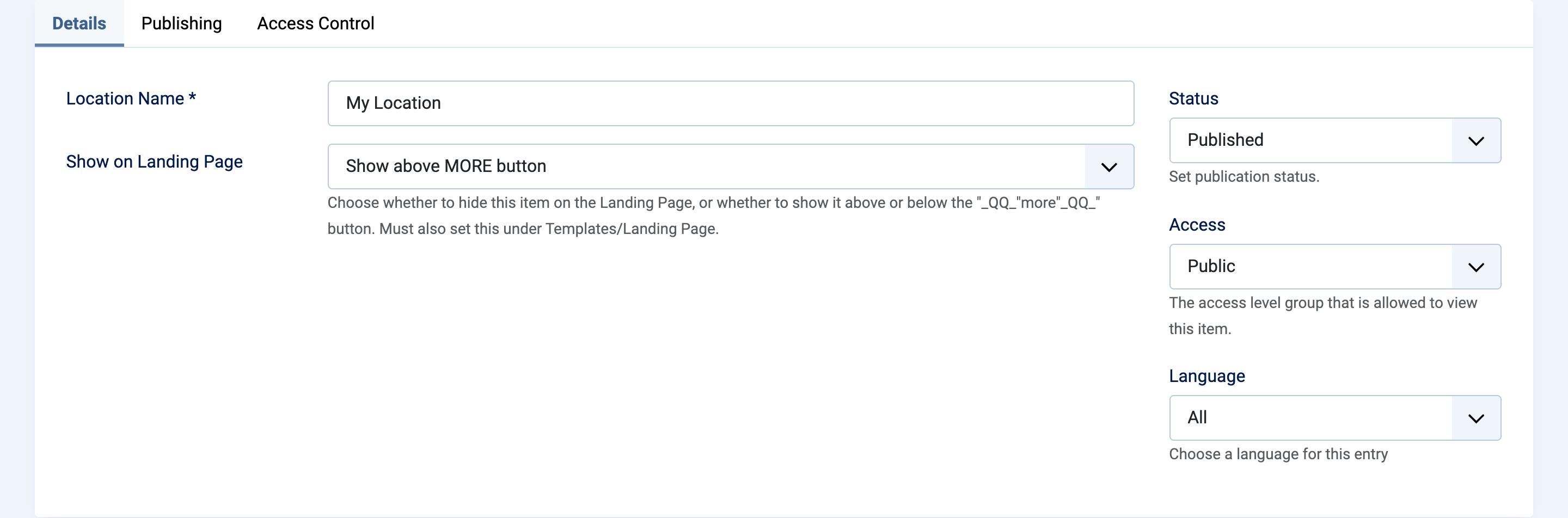
The Location system enables content isolation across multiple campuses:
- Create a Joomla view access level for each campus (e.g., "Campus A", "Campus B").
- Assign each location the matching access level.
- Assign users to the appropriate view access level for their campus.
- Enable location filtering in Component Options → Location Management.
- Non-super-admin users will only see content from their authorized locations.
Locations can be assigned to Messages, Series, Podcasts, and Servers.
| I want to… | Go to |
|---|---|
| Add a campus or venue | Create the location |
| Control who works with its content | Set who can see it |
| Look up one field | Screen Reference |
- Enter the location name — usually a campus, venue or congregation.
- Save & Close.
- Assign messages, series, servers and podcasts to it from their own forms.
The Access level decides which users may work with content assigned to this location. Non-admin users only see content for locations they are authorised for.
Important
This scopes records inside Proclaim. It does not stop someone reaching a media file directly by its URL — see Guide-Add-Audio-and-Video.
Toolbar
| Button | Action |
|---|---|
| Save | Saves and stays on the edit screen |
| Save & Close | Saves and returns to the locations list |
| Save & New | Saves and opens a blank form |
| Cancel | Discards changes and returns to the list |
| Help | Opens this help page |
| Field | Description |
|---|---|
| Location Name | Required. The campus or venue name. |
| Status | Published, Unpublished, or Trashed. |
| Access | Joomla view access level. Key for multi-campus content isolation. |
| Landing Page | Controls visibility on the Proclaim landing page. |
| Language | Language assignment. |
Publishing tab

Created Date, Created By, Modified Date, Modified By.
Access Control tab
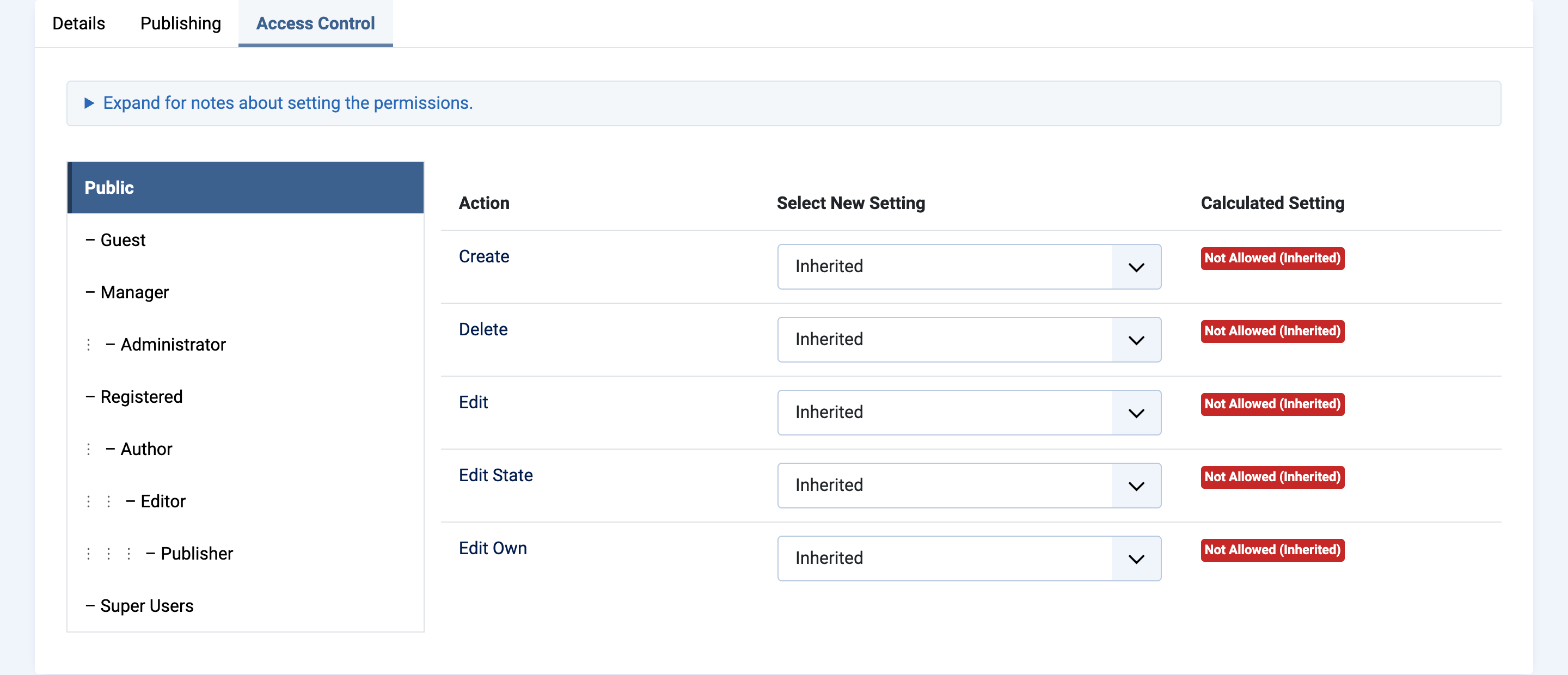
Per-item access control for Delete, Edit, Edit State.
Details tab

The location name and its access level.
- For multi-campus churches, create a location per campus and assign matching Joomla view access levels.
- Super administrators bypass location filtering — they can see all content across all campuses.
- Use the Location Wizard for a guided walkthrough of the initial setup.
- Help-locations — Locations list view
- Help-messages — Messages list (location filter)
- Multi-Campus-Admin-Guide — Full multi-campus configuration guide
- Multi-Campus-User-Guide — End-user guide for multi-campus setups