Repository navigation
User Model
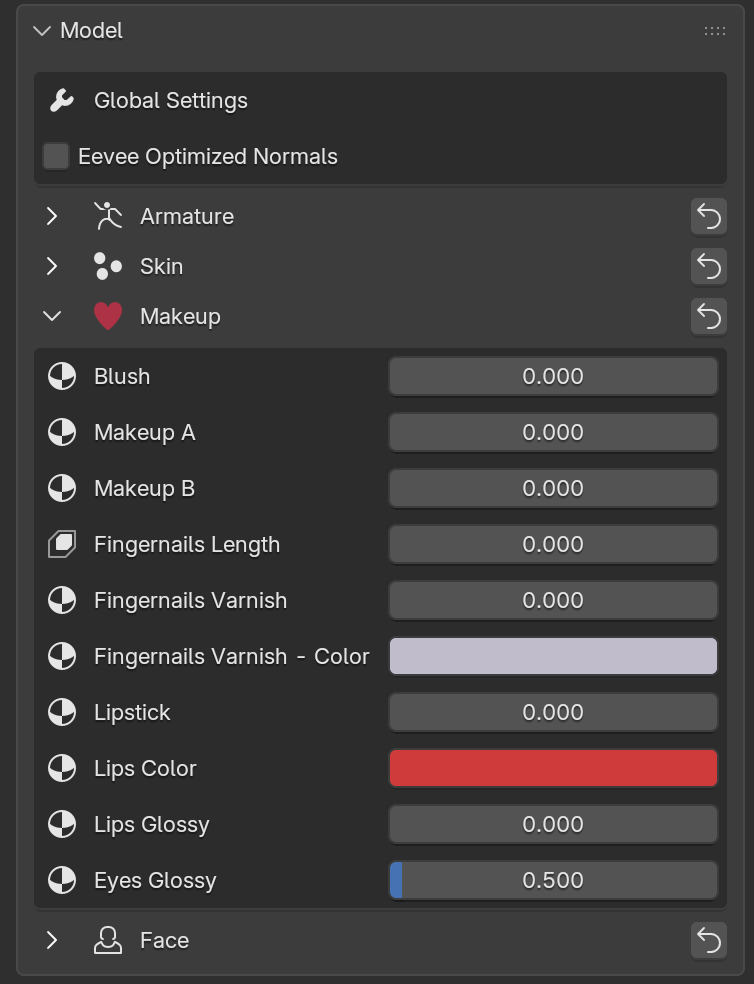
The Model panel contains the settings affecting the whole model, and the model-specific properties added by its creator.
-
Global Settings
-
Eevee Optimized Normals
Available only in Material Preview and Rendered viewport modes when using Eevee. When enabled, this option can improve viewport performance.
If disabled, the material uses Blender’s standard Normal nodes. When enabled, a custom Normal node is used to optimize Eevee viewport rendering.
It is recommended to enable this option while animating if you need to use Material Preview or Rendered viewport modes, and disable it before final rendering. The option is shown in red if Cycles is the render engine, as it might generate artifacts. -
Volume Preserve
Toggles the Preserve Volume option of the model Armature modifiers.
-
Eevee Optimized Normals
-
Properties
Properties not belonging to any section, shown at the top of the panel. -
Sections
The remaining sections contain additional model-specific properties (e.g. shader options, body details), depending on how the model has been configured by its creator.
The button on the right of each section header resets the properties of that section to their default values.
Note
Some properties may be hidden unless Advanced Options are enabled (see the Settings section of the documentation). For example, shader options for most Mustard models are not available when Advanced Options are disabled.