Machines and Bays
A bay is one slot in a Workbay. Rack a machine into it and the machine moves into the mod's private dimension; the bay becomes that machine's handle - its screen, its faces, and its channels.
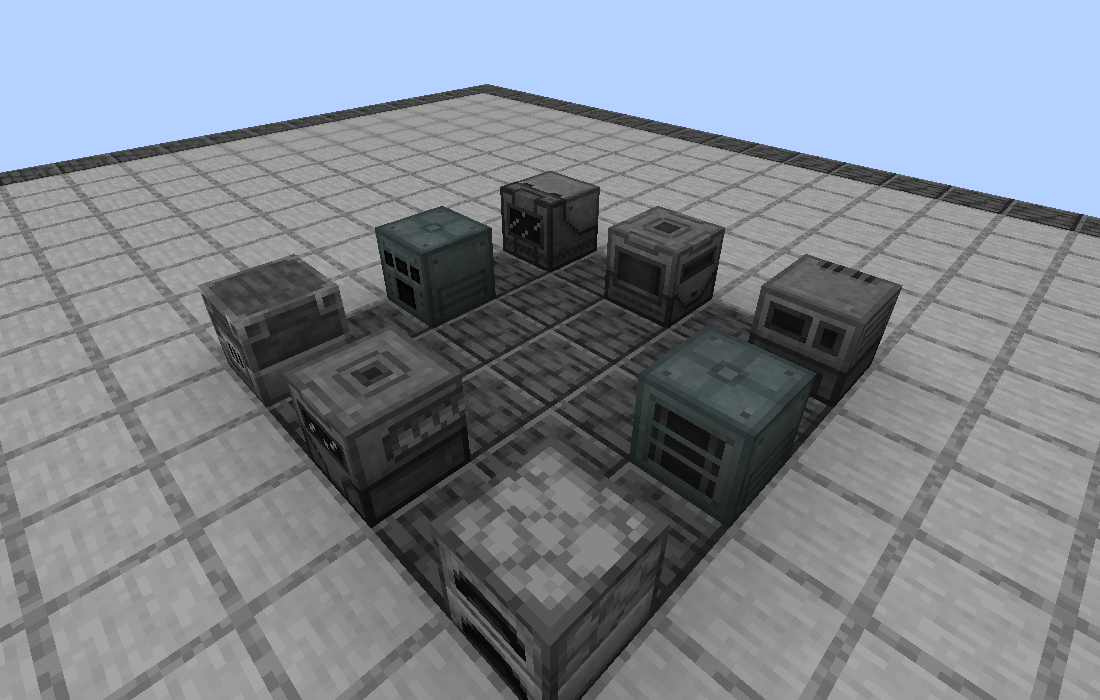
The eight machines above all fit in one Workbay. They keep running while they are in there - hosting is not storage.
- Vanilla single-block machines: furnaces, blast furnaces, smokers, and the like.
- Most single-block machines from other mods.
- Mekanism machines. Mekanism is the integration tested against every build.
- Rooms. The gesture is identical, but a room bay behaves differently - see Rooms.
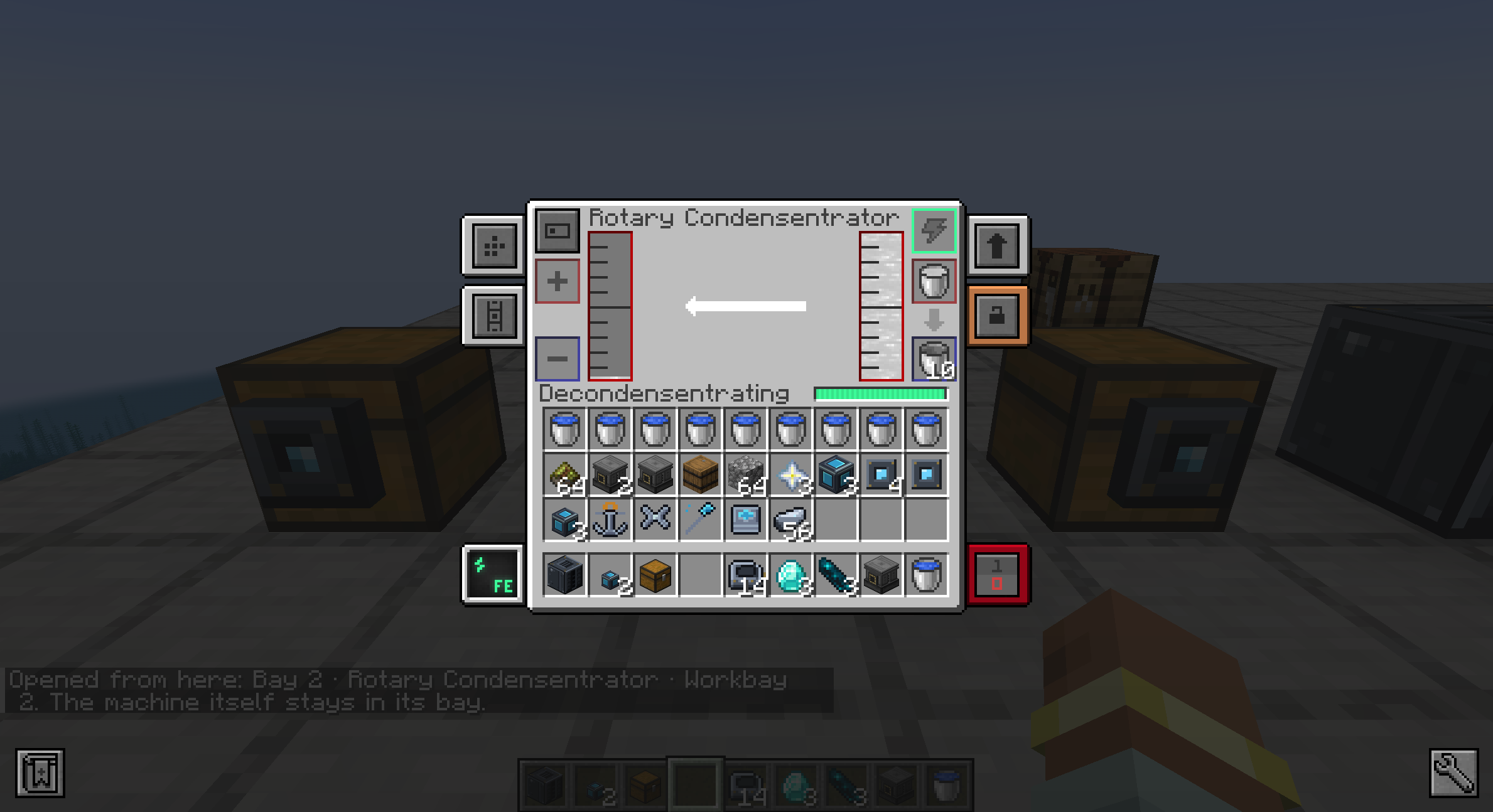
The machine keeps its own screen. Opening it from the Workbay does not move it - the line at the bottom says which bay it is answering from, and the machine stays there.
The check runs in order, and the first rule with an opinion wins.
| Rule | What it stops |
|---|---|
#workbay:host_allowed |
Nothing. An explicit allow, checked first, that beats every rule below it - including the Workbay guard. |
| A Workbay | A Workbay cannot be racked into a Workbay. |
#workbay:host_denied, #workbay:host_denied_types
|
Whatever a mod or a modpack has tagged. Beds, doors, trial spawners and vaults ship on that list. Reported as the pack's decision: "This pack doesn't allow ... to be hosted." |
#c:relocation_not_supported |
Blocks whose own mod says they cannot be moved. Reported as "can't be safely relocated", which is a different problem. |
| Multiblock part | A casing, valve, port or structural pane: a piece of a building, not a machine. A heuristic, read off the block's own class names (multiblock, multi_block, on the block or its block entity), so it knows Mekanism's structures and falls through for a mod that names them differently. Reported as "part of a multiblock; build it in a room instead". |
| No block entity | A plain building block. There is nothing in it to keep running. |
| Three or more connection properties | Cables, pipes and fences - a block that works by joining up with its neighbours, and a bay has none. |
| Everything else | Nothing. The default is to allow. |
There is no rotation check. A block with a front is turned to face north as it is racked; one that can stand upright, a barrel or a dispenser, is stood upright. A machine that needs the blocks around it, Mekanism's Digital Miner say, is not refused by this table at all: the bay is grown one block wider on every side and the placement tried again, and only a machine that reaches past that is refused, with the item handed back.
If something in your pack should be refused and is not, #workbay:host_denied is the answer; see Modpacks.
Nothing is refused silently. The tooltip names the rule that applied - unless a pack has turned the hostability tooltip off with the client option showHostabilityInTooltips - and so does the command:
/workbay why <block id>
A Workbay starts with two bays, and each Expansion Plate adds one up to a hard ceiling of eight. The UPGRADES screen adds:
- more bays,
- longer reach, so a link can cross into another dimension,
- faster links: an Impeller doubles what every link moves in a step and halves the wait between steps: four times the throughput, and two may be fitted, for sixteen,
- chunk loading: an Anchor keeps a chain running while you are online but somewhere else. It stops when you log out, after a grace period a server sets (five minutes by default).
Every upgrade is built on a Housing, and they all share one crafting shape with a different item in the middle - the full table is in Items.
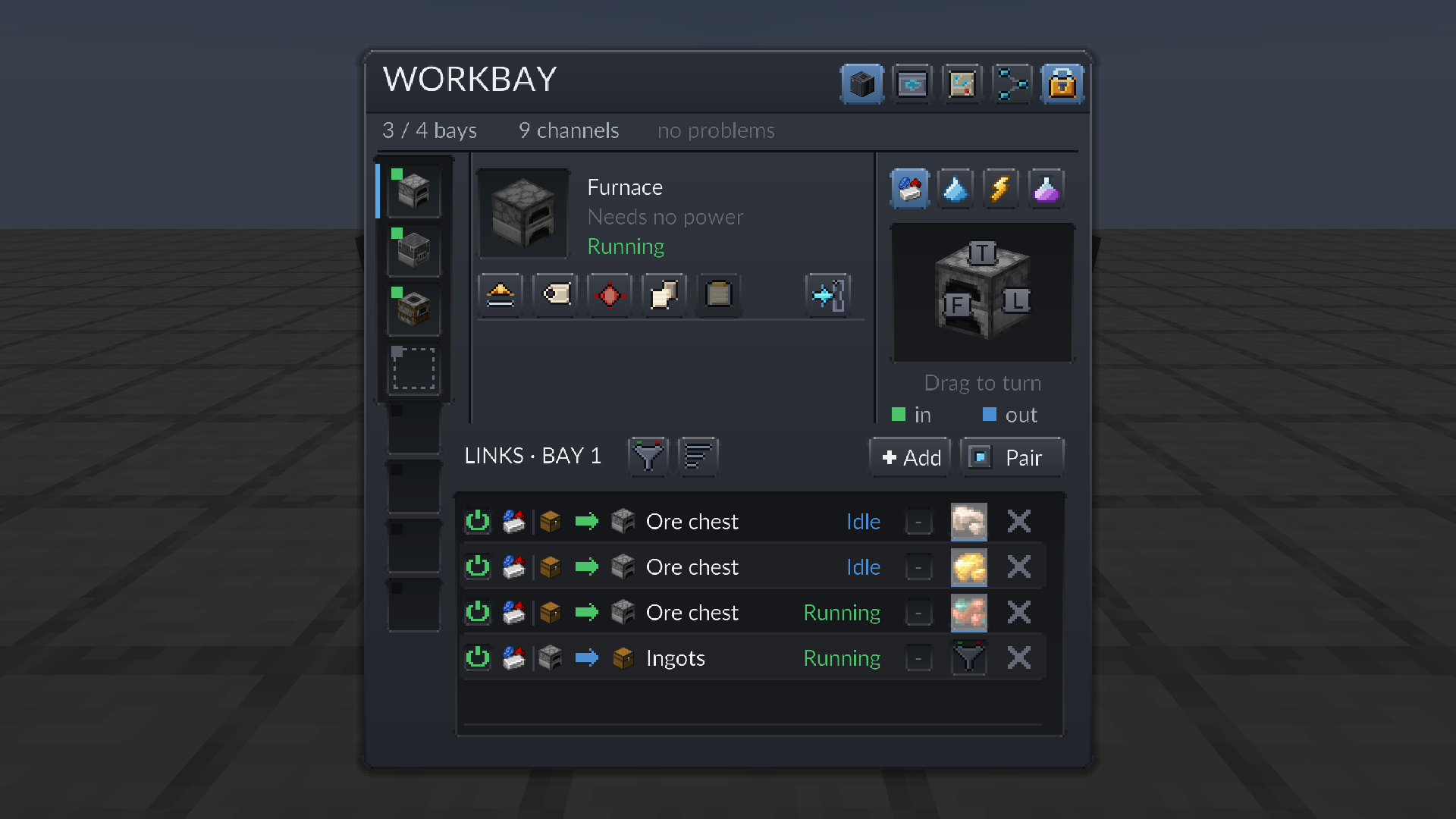
Each bay gets a face cube, and there is one set of faces per resource - items, fluids, energy, and chemicals with Mekanism installed. Drag the cube to look at the block from another angle; click a face to cycle it in (green), out (blue) or off.
Dragging does not turn the hosted block. It was turned to face north when it was racked (or stood upright, if it can), and the cube is a view of it.
A bay you never touch leaves every face unset, and unset means any face, not no face - links use whichever side answers. You only set faces when you want an input chest on one side and an output chest on another.
Energy moves like everything else: an energy link from a bay to a Connector on your power source. It is not shared across the network - each bay that needs power gets its own energy link.
The Workbay block has an FE buffer of its own, and that is a separate thing. It accepts power on any face, up to 10,000 FE/t into a 100,000 FE buffer, and it never hands energy back out. It exists only to pay for running links, which a server switches on with powerPerLinkPerTick and powerPerMove. Both ship at zero, so on a default server a Workbay costs nothing to run and the power readouts stay hidden. See Server Configuration.
A world that had Mekanism machines racked still opens cleanly without Mekanism installed, and those bays read as empty.
Be clear about what survives: the world keeps a record of which block used to be in each bay - /workbay orphans lists them - so you can see exactly what an update cost you. The machines themselves are gone. The game discards blocks whose mod is missing, and putting Mekanism back does not bring them or their contents back.
This is the one place the numbers live; every other page links here.
A hosted machine is the same block entity it always was, ticking at the same rate, just located in a dimension the mod manages. Workbay buys space, not tick time. Measured cost is roughly 0.05 ms per tick per busy network, with no growth over an hour of running.
On chunks: the bay column is mirrored only while the Workbay's own chunk is already loaded, so it costs no chunk somebody is not already paying for by standing there, and roomsLoadWithWorkbay adds one chunk per room on the same terms. Only an Anchor keeps anything loaded while nobody is present, and only while its owner is online plus the grace period anchorGraceMinutes sets.
A network holds at most 64 links. Every packet the mod sends is bounded and validated on the server, and a menu is budgeted to 80 actions per five ticks.
Next: Connectors and FLOW.

 Playing
 Running a server
 Developing
 Help
Help