Networks and Locking
One Workbay block is one network: its bays, its hosted machines, its Rooms and its links. The network belongs to the player who placed the block, and it is born locked.
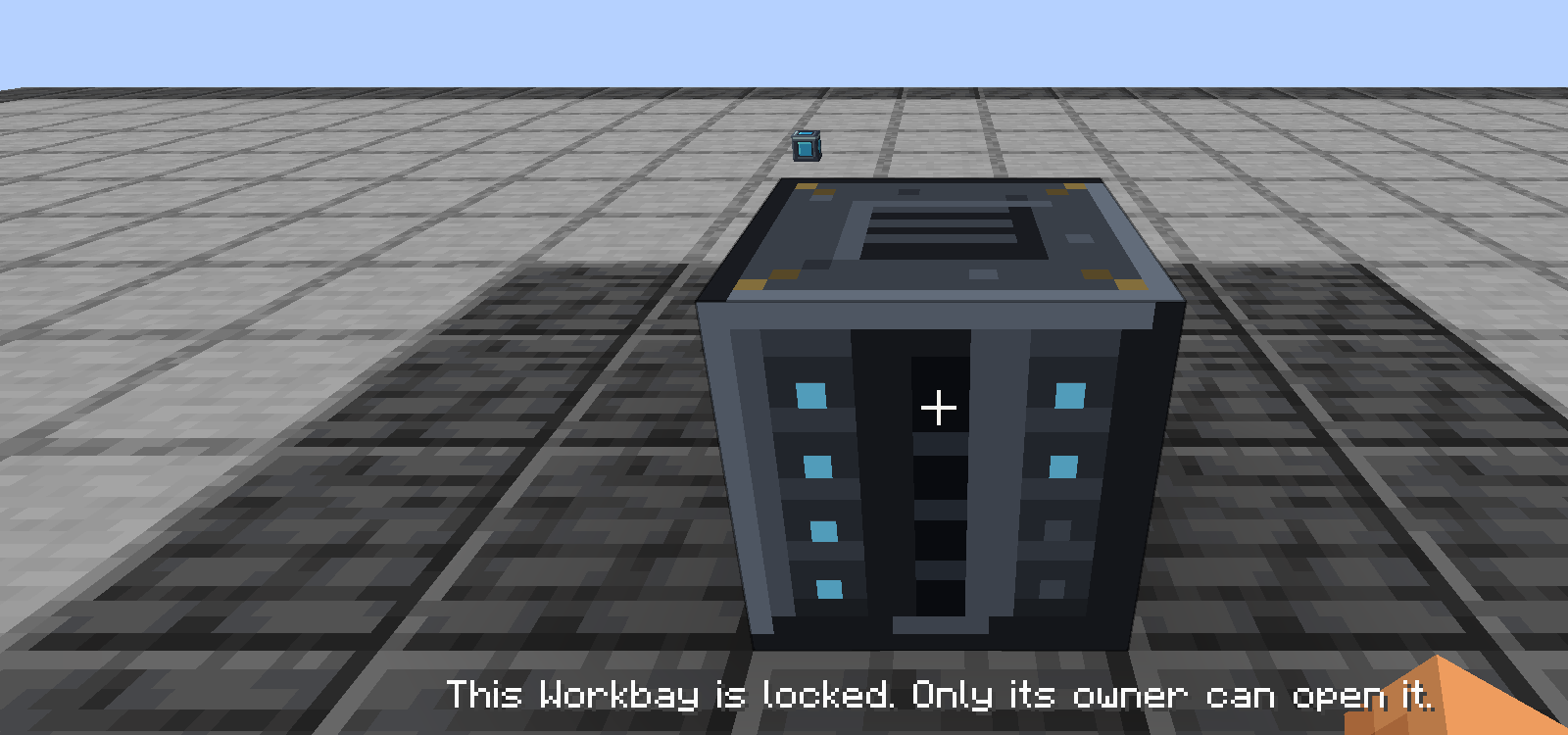
When the mod says no, it says why - here, in one line, at the bottom of the screen. That is the rule across the mod: a refusal always names its reason rather than doing nothing.
A locked network opens for its owner only. Unlock opens it up so other players can use it - useful on a shared base, or when you want someone else to be able to pull from your output chest.
Unlocking does not hand the network over. Even on an unlocked Workbay, the padlock itself, the UPGRADES tab, and every room's settings stay the owner's, and pressing one tells the other player so.
Guests are a different, finer thing, and they belong to Rooms. You invite named players to one room at a time, at Look only, May work or May build. An invite reaches that room and nothing else - never your other rooms, and never the dimension itself.
By default each player may own two networks at a time. Server operators can change that in config/workbay-server.toml - see Server Configuration.
The network is tracked apart from the block that shows it. Break the Workbay and nothing is lost: the network sleeps with everything in it.
What happens when you place a Workbay again depends on which one:
- The item the broken block dropped remembers which network it was, so putting that block back down reconnects it exactly.
- A freshly crafted Workbay picks up a sleeping network of yours. If you have two asleep, it takes one of them and not necessarily the one you meant - open NETWORKS and Transfer the right one in.
- If every network you own already has a block standing on it, the new block simply holds none and says so. Transfer one into it from the NETWORKS screen.
A Workbay cannot be placed inside one of its own rooms.
A locked Workbay does not open for anyone but its owner. The one extra frame a stranger's open screen can poll on the tick you lock it is blanked: no Connector or target coordinates, no room names, no guest lists.
On a Workbay you have unlocked, a guest does see where its Connectors are and what its rooms are called. What they never see is who else is invited to a room.
- Pouring a bucket inside a Room needs May build, like any other placement - a Look-only or May-work guest is refused. Nowhere else in the hosting dimension may anyone pour anything, including at a bay.
- A rack is undone cleanly if loading the item data fails, rather than half-applied.
- Pulling a Room out of a bay never inspects or disturbs what is inside it.
Next: FAQ and Troubleshooting.

 Playing
 Running a server
 Developing
 Help
Help