Repository navigation
Web UI Approving Requests
Documentation for the image tag 1.0.0-rc1. See Versions for the documentation of a release.
Part of Using the Web UI. Approval is the human step between "someone asked" and "a certificate exists". It needs certificates.manage; looking at requests needs certificates.view.
A request created in the web UI, the CLI or the REST API always starts as Pending. The only exceptions are ACME orders, EST enrolments and automatic renewals that an administrator has explicitly set to auto-approve in Settings.
Under Requests in the sidebar:
- All Requests shows every request with its status, validity and when it was created and last updated. Status chips along the top (All, Pending, Approved, Issued, Denied, Revoked) filter the list and show a count, and the search box finds a common name or requester.
- Pending is the same list filtered to what waits for you. The sidebar shows how many are waiting.
- Denied lists rejected requests with when they were requested and when they were denied.
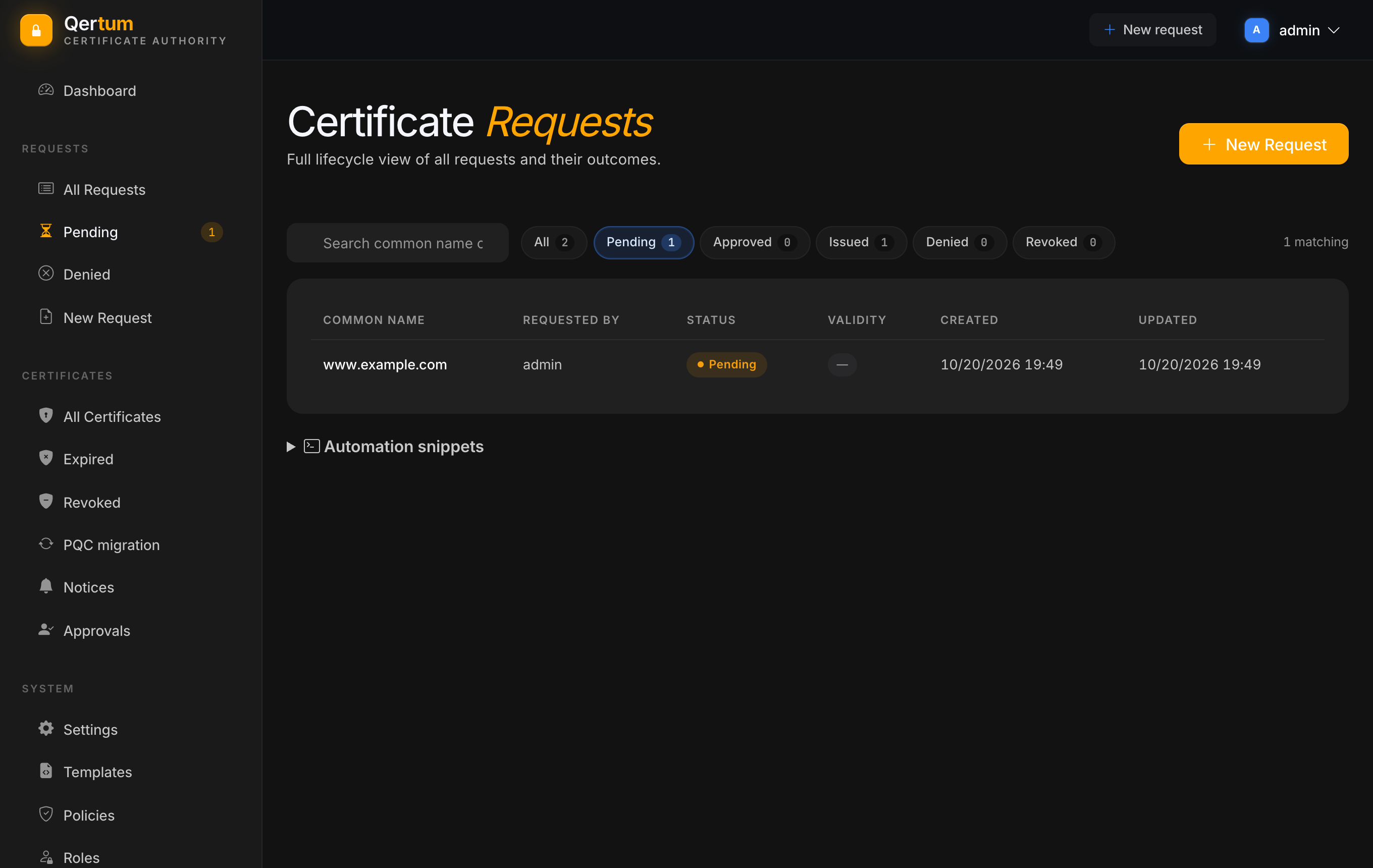
Click a request to open it.
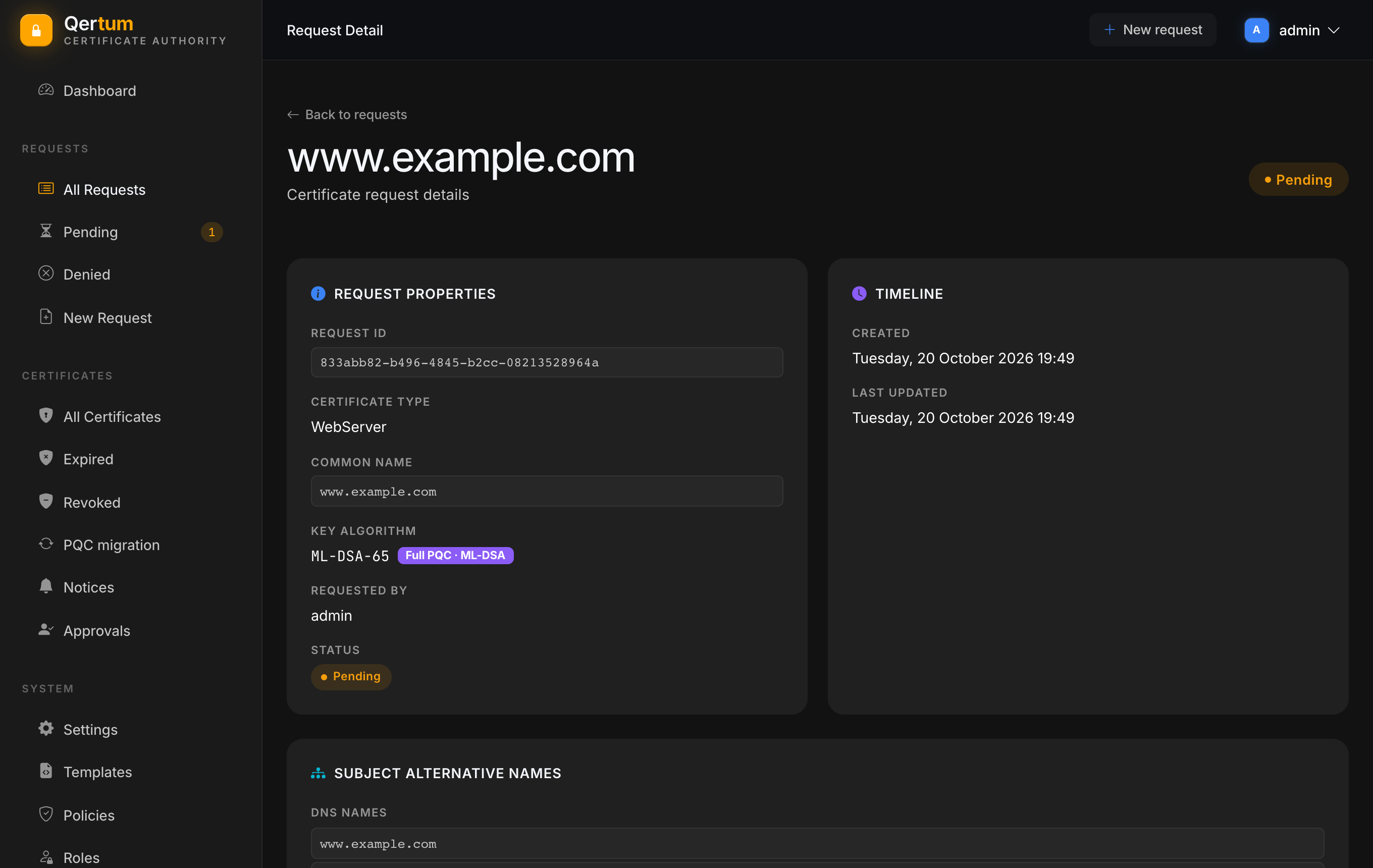
You see the request ID, the certificate type, the common name, the key algorithm (with a badge naming its family, such as Full PQC · ML-DSA), who requested it and its status, then the requested subject alternative names and a history.
Under the details a line states what the issuance policy says about this request, for instance No issuance policy governs this request; approving is not restricted by policy, or what the policy would refuse and why. Reading this before you decide is the point: the check is the same one that runs when you press Approve.
- Approve queues the request for issuance. The request moves from Approved through Processing to Issued, usually within moments, and the page updates by itself. Qertum records that you approved it and what the policy said at that moment.
- Reject denies the request at once. It moves to Denied, with who rejected it in the history.
A request for a certificate that can sign other certificates (a subordinate CA) additionally needs certificates.ca. Approving certain sensitive operations can require a second administrator, see Access and Approvals.
The history is a timeline of everything that happened to the request: created, approval previewed, approved, issuance queued, issued, renewed or revoked, plus webhook deliveries and ACME order events, each with the time, the actor and a detail line. The actor for background steps shows as queue-consumer.
Below the history, Add a note lets anyone who can view certificates leave a plain-text note for the next person: why a decision was made, what was done, who to ask. Authors can edit and delete their own notes; notes are never for keys or secrets. The same notes show on the certificate once it is issued.
A request nobody approves just waits. Qertum flags old ones: Attention required on the Dashboard lists pending requests older than the age your administrators set, so a forgotten request does not silently block someone.
- Requesting Certificates for how requests are filed.
- Managing Certificates for what you can do once it is issued.