Repository navigation
Web UI Audit Log
Documentation for the image tag 1.0.0-rc1. See Versions for the documentation of a release.
Part of Using the Web UI. The Audit Log is the record of who did what and when. It is for the admin role and is the first place to look for "who revoked this?" or "when did that setting change?".
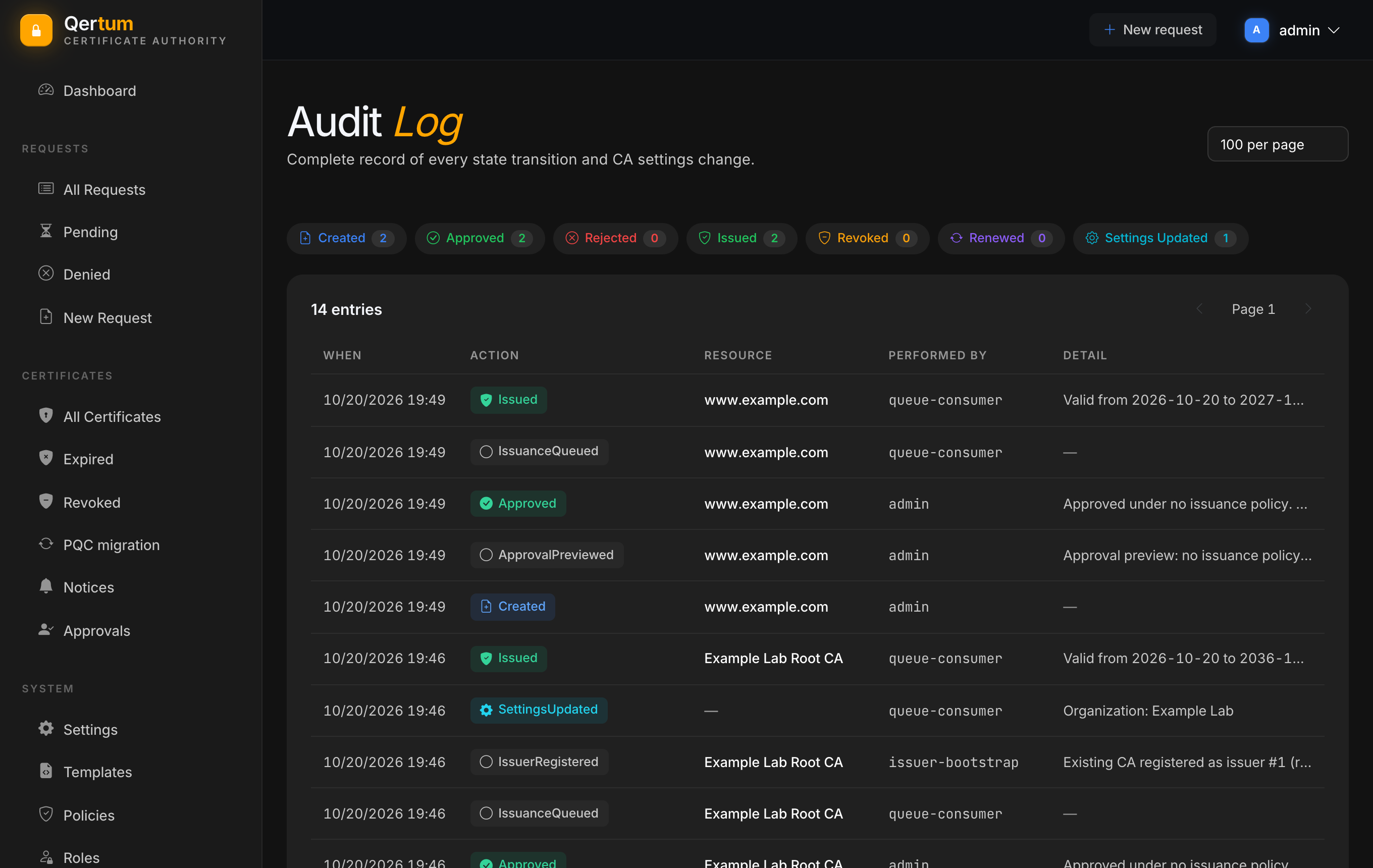
Entries are listed newest first. Each row shows:
- When: date and time.
- Action: what happened, as a coloured label. Certificate lifecycle actions are Created, Approved, Rejected, Issued, Revoked and Renewed; background steps such as ApprovalPreviewed, IssuanceQueued and RevocationQueued; and administrative ones such as SettingsUpdated and IssuerRegistered.
- Resource: what it happened to, usually a certificate's common name.
-
Performed by: the person, or the service that did it. Work done in the background shows as
queue-consumer; first-run setup asissuer-bootstrap. - Detail: a short explanation, such as Reason: superseded or Valid from 2026-10-20 to 2027-10-20.
Chips across the top count the entries per action (Created, Approved, Rejected, Issued, Revoked, Renewed, Settings Updated). Use 50, 100 or 200 per page and the page arrows to move through the list.
Sensitive operations leave an entry too: private-key and PFX downloads, issuer key exports, role and policy changes, and the grants and approvals of two-person approval. What goes in is deliberately limited. The text a requester writes in an approval note, secrets and private keys never appear.
The audit log is a set of daily files on the data volume, so it is included in your backups. The CA keeps 365 days by default. Each line is chained to the one before it with a hash, so an edited, removed or inserted line can be detected afterwards. To prove the log has not been tampered with, copy the files off the server and check them with the CLI's offline qca audit verify, ideally against a checkpoint you stored somewhere else; see Using the CLI.
The log is separate from the per-certificate history on each certificate page, which shows only the events of that one request. For the audit log of the identity provider (sign-ins, user and role changes), use the built-in identity provider's own admin area.
- Access and Approvals for the permissions the log records changes to.
- Webhooks and ACME Orders to send audit events to another system as they happen.