Repository navigation
Web UI Settings
Documentation for the image tag 1.0.0-rc1.1. See Versions for the documentation of a release.
Part of Using the Web UI. Settings ("CA Settings") controls how the CA identifies itself, issues, renews and revokes certificates, and which enrolment protocols it accepts. It needs settings.edit; a few switches need the admin role or policies.publish, as noted below.
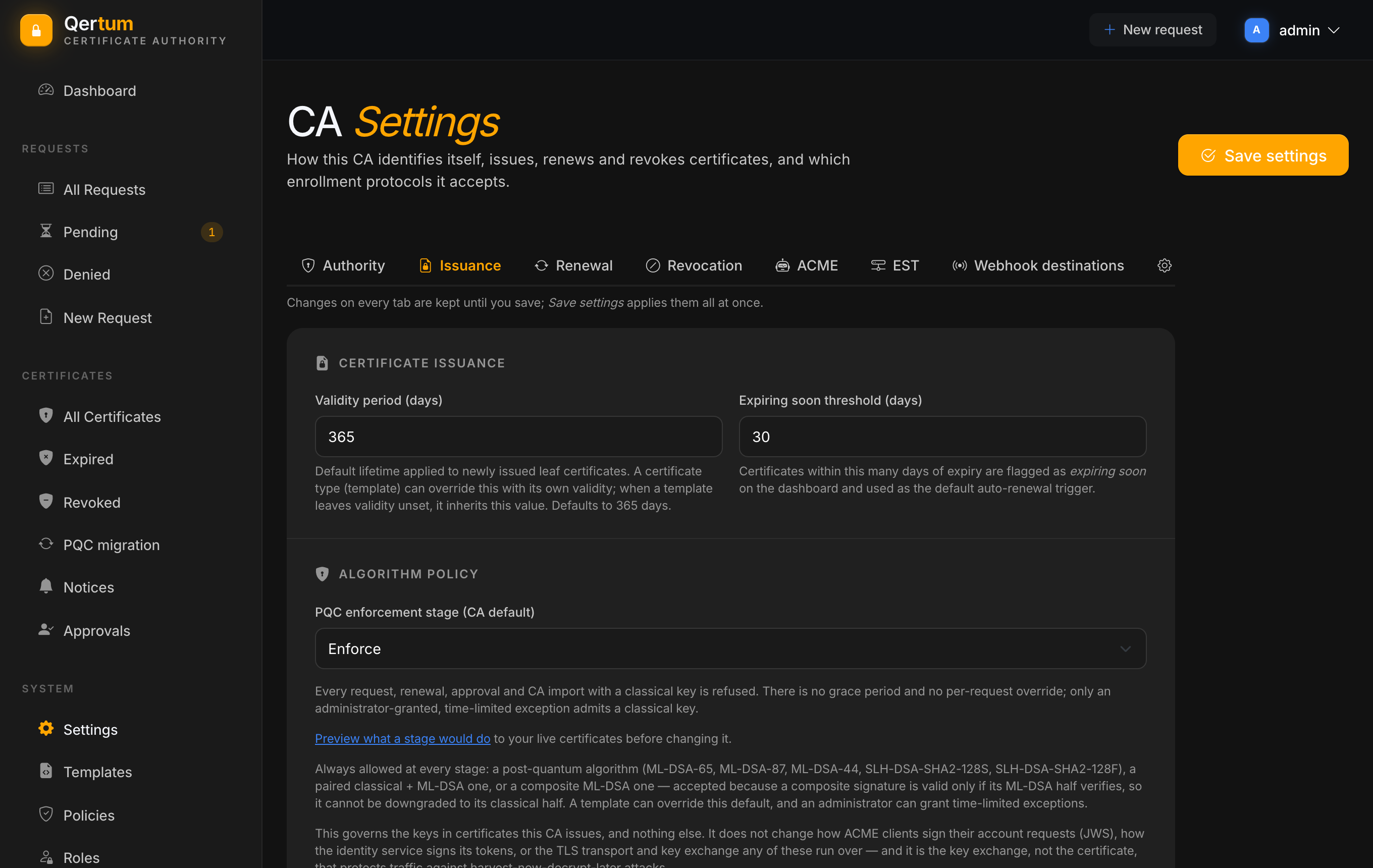
The page is split into tabs. Changes on every tab are kept until you press Save settings, which applies them all at once. The one exception is the Webhook destinations tab, whose buttons save on their own.
The CA's own identity.
- CA certificate (read-only): subject, algorithm and validity, with PEM, DER and PKCS#7 downloads.
- Organisation details (organisation, unit, country, state, locality). These are embedded in the subject of every certificate Qertum issues.
- Validity period (days): the default lifetime for new leaf certificates, 365 unless you change it. A template can override it.
- Expiring soon threshold (days): how close to expiry a certificate must be to be flagged on the Dashboard and to be picked up for automatic renewal. Default 30.
-
PQC enforcement stage (CA default): Off, Observe, Warn, Pilot or Enforce. Qertum is post-quantum-first, so the default is Enforce, which refuses classical RSA and ECDSA keys. The page links to a preview of what each stage would do to your live certificates. See Post-Quantum. Changing the stage needs the
adminrole. -
Issuer strength (post-quantum security level): Off, Warn (the default) or Enforce. A certificate or an intermediate CA whose post-quantum key claims a higher NIST security level than the CA key that signs it is allowed with a warning (Warn) or refused (Enforce). See Post-Quantum. Loosening it asks for confirmation, and changing it needs the
adminrole. - When a CA certificate is revoked: HardStop (the default) or Retire. Either way the revoked CA stops issuing at once, stops being the default and keeps answering CRL and OCSP. HardStop also retires every CA below it, so when no CA that can sign is left the CA reports itself not initialized and an administrator creates or imports a new root in onboarding. Retire leaves the rest of the hierarchy as it is. Only an administrator can change it, and moving to Retire asks first. See Issuer Compromise Recovery.
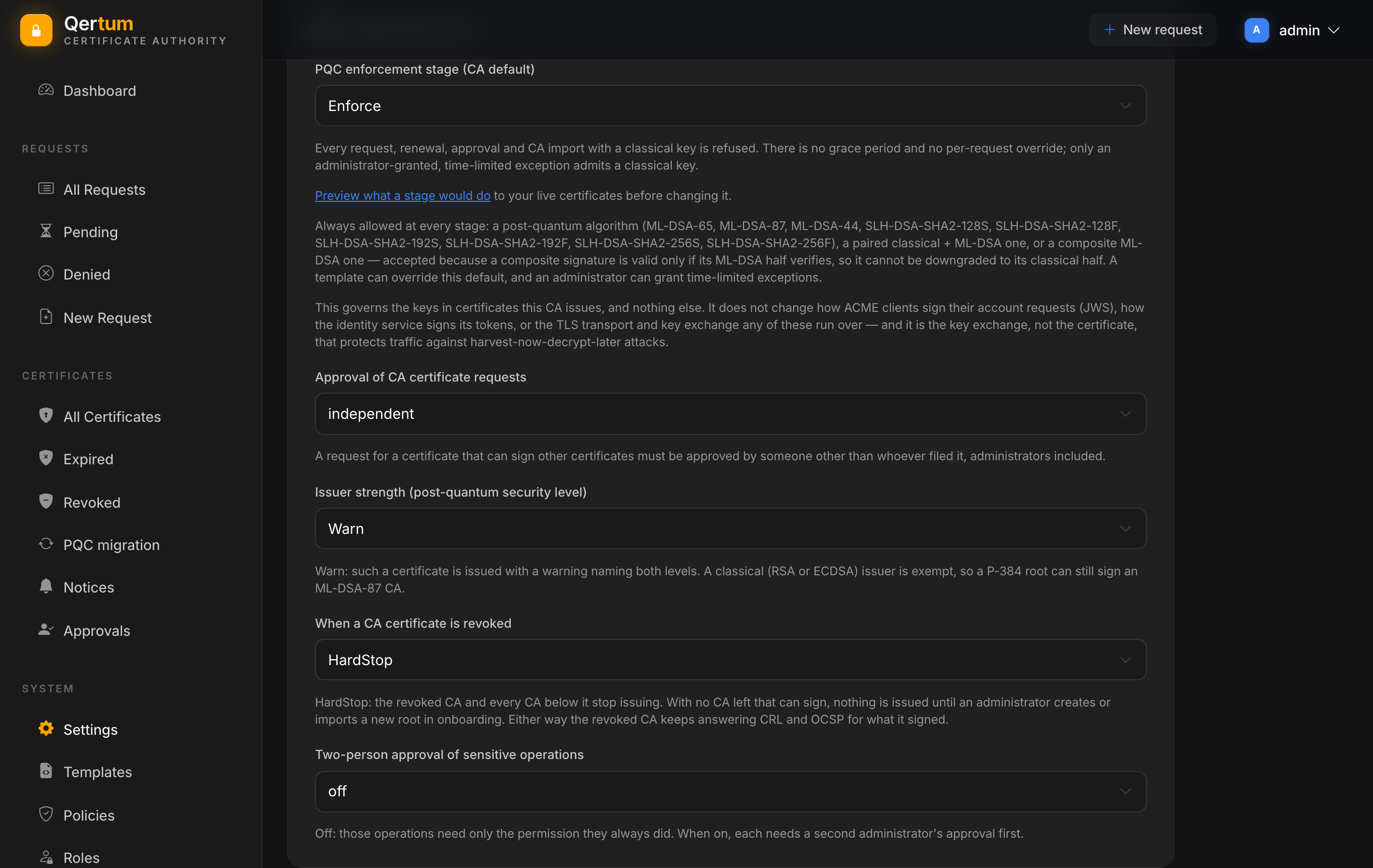
- Further switches on this tab govern the CA approval requirement for certificates that can sign other certificates, and two-person approval, see Access and Approvals.
- Automatically revoke the source certificate when a renewal request is approved: off by default, which leaves the old certificate valid until it expires, so a rollout can overlap. Turn it on if you want the old one revoked as superseded the moment the renewal is approved.
- Enable automatic renewal scheduling: when on, a background job periodically looks for issued certificates nearing expiry and files renewal requests for them. Certificates managed by ACME are left alone (their clients renew themselves), and certificates that already have a renewal in flight are skipped.
-
CRL distribution point URL and OCSP responder URL: public addresses embedded in every certificate issued from then on, so clients know where to check. Leave blank to omit them. The CRL is always at
/crland OCSP at/ocspon the API. - Public base URL: how clients reach the API; set it so certificates from intermediates carry a link to fetch the intermediate.
- CRL validity period (hours): how long a CRL stays valid before it is regenerated; default 24. Shorter means faster propagation and more fetching.
- Delta CRL: publish small incremental CRLs between full ones, recommended once you sign with ML-DSA, where a full CRL is large. Reset delta CRL base now starts a new base.
- Automatically approve ACME orders after successful domain validation: off by default, so ACME orders land in Pending for a person. Turn it on for hands-off enrolment by clients that prove control of every name with an http-01 or dns-01 challenge. A link goes to the ACME orders page.
-
Issuance template: the template every ACME order is filed under, so the policy linked to it governs ACME issuance. Changing it needs
policies.publish. - Allowed http-01 challenge networks: the address ranges the CA may connect to when validating an http-01 challenge. The list is exclusive, so with none listed every http-01 challenge fails (dns-01 is unaffected). The page warns what a private range means: an ACME client can name any host in it and have the CA fetch from it. Keep the list as small as your network allows.
- External account binding: require it, and Issue credential to create keys clients register with. The key is shown once.
Remember that ACME must never sit behind a TLS-terminating proxy.
Only in the multi-container deployment, which includes EST.
- Automatically approve EST enrolment requests: off by default; independent of the ACME switch.
- Issuance template: as for ACME.
- Enrolment credentials: username and password pairs EST clients authenticate with. Issue credential creates one (the password is shown once); a credential can be disabled to block further enrolments without affecting certificates already issued.
Controls which addresses webhook deliveries may reach. The public destination mode is Any public origin (default), Listed public origins only, or the JSON configuration default; exact-origin rules allow a specific origin, public or internal, so a receiver on your own network can be reached deliberately. Each change here applies at once.
- Secret storage: shows the current provider (the local file key by default) and offers Migrate to a local TPM, when one is passed through to the container. A key sealed to a TPM never leaves that TPM, so a backup restored onto other hardware cannot decrypt the CA key; migrate back before moving host. See Backup and Restore.
- Dashboard attention: the thresholds behind Attention required: how old a pending approval may get, how many days of failures to show, and how old a backup or a verified restore may be.
- Backup and recovery (read-only): when the backup script last reported a backup and a restore.
- Access and Approvals for roles and the approval requirement.
- Configuration Reference for the environment variables behind these screens.