Repository navigation
Tutorial 03 Building the critical injury tables
For the GM. Do this once per world. Apply Crit (chapter 12) doesn't work without it.
When a hit triggers a critical, Apply Crit rolls on a roll table and gives the result to the target. The tables come from the rulebooks and are copyrighted, so the system can't ship them. You build them once from your own books: one table for characters and one for vehicles.
-
Open the Items sidebar and create a folder, for example Critical Injuries.
-
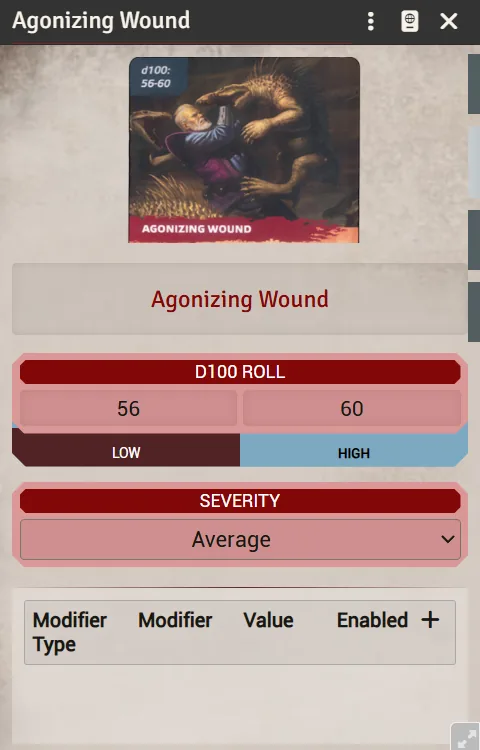
Create an item of type Critical Injury, one for each entry in the book's table (Minor Nick, Slowed Down, and so on).
-
On each item, fill in:
- the name;
- the severity (1–4 in the book, shown as difficulty dice);
- the description: what the injury does. This text is posted to chat when the crit lands.
The item also has a roll range; it's good to fill in so it matches the table, but the roll table is what counts.
-
Do the same for vehicles, using type Critical Damage.
The items can live in the Items sidebar or in a compendium: Apply Crit hands out whichever item a result points at.
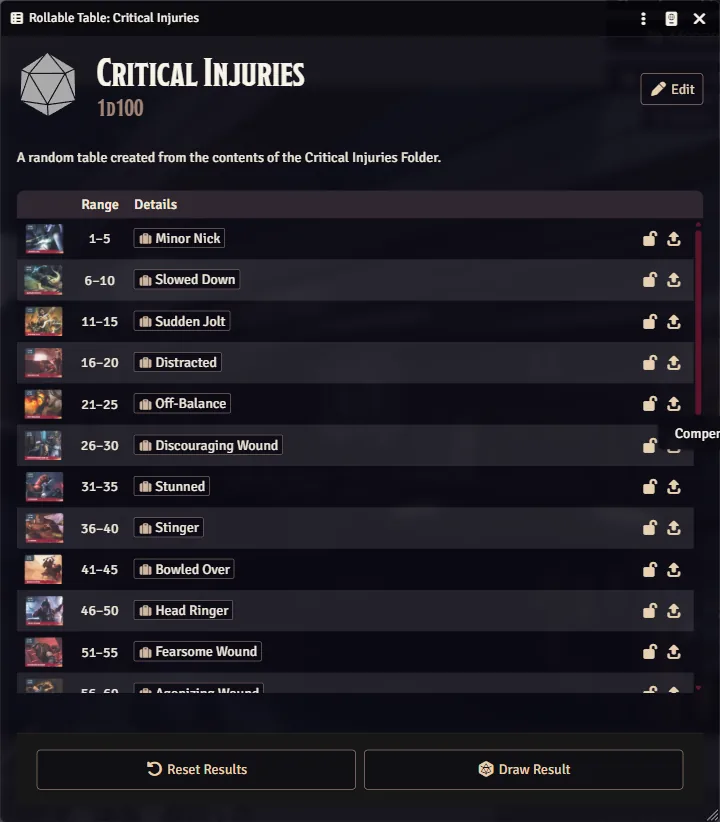
- Open the Roll Tables sidebar and create a table named exactly Critical Injuries.
- Set its formula to
1d100. - Drag each Critical Injury item from the Items sidebar (or a compendium) onto the table. Each one becomes a result linked to that item.
- Set each result's range to match the book (for example 01–05 for the first entry).
- Make a second table named exactly Critical Damage for vehicles, the same way.
- Names. Apply Crit lists every table whose name contains Critical (capital C). It pre-selects Critical Injuries for characters and NPCs and Critical Damage for vehicles, so use those exact names.
- Totals above 100 are normal. Each crit a target already has adds +10, and Vicious and the attacker's Lethal Blows add +10 per rank, so rolls of 150 or more come up. A total above your last row lands on that row, so the book's open-ended last entry (e.g. "151+") can simply be 151–200. Leave no gaps between rows.
- Every result links to an item. A text-only result rolls and shows in chat, but gives the target nothing; Apply Crit warns you when that happens.
Target a token, make a weapon attack that hits with a Triumph, and click Apply Crit on the chat card. The dialog's Table list should show your table already selected. After you roll, the injury appears on the target's sheet. See chapter 12 for the full flow.