Repository navigation
Tutorial 01 Setting up content for character creation
For the GM. Do this once per world, before players make characters.
The system ships with no species, careers, talents or gear. The PC Wizard and the Hyperdrive importer both read them from compendia that you choose in the settings. The settings already point at the compendia the OggDude Dataset Importer creates, so for most tables setup is one import plus a check.
You need an OggDude Character Generator dataset exported as a .zip.
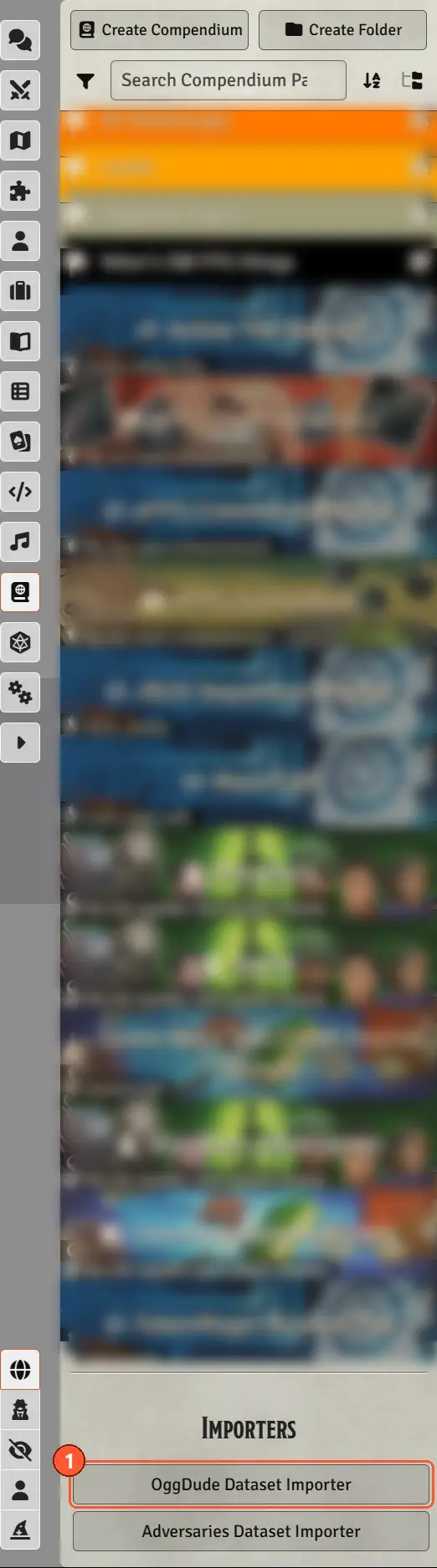
- Open the Compendium sidebar. At the bottom, under Importers, click OggDude Dataset Importer.
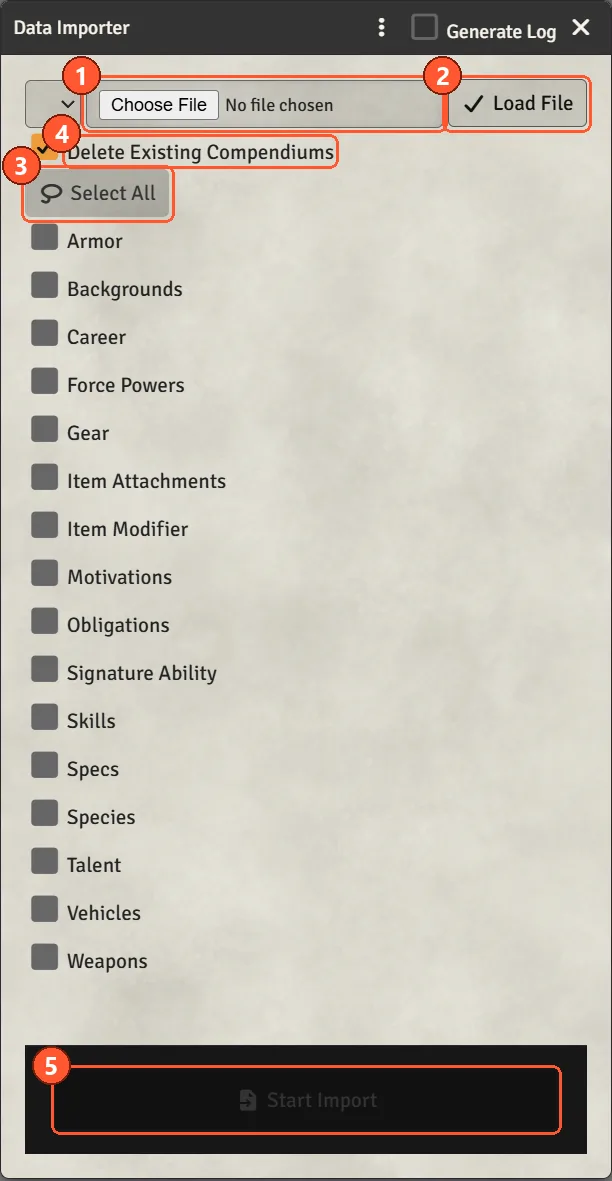
- Choose the
.zip: either upload it from your computer, or pick one already in Foundry's Data folder from the list. - Click Load File. Each kind of content found in the zip gets a checkbox.
- Click Select All, and leave Delete Existing Compendiums ticked.
- Click Start Import. It can take a few minutes.
When it finishes, the Compendium sidebar has an OggDude Import folder with packs such as Species, Careers, Specializations, Talents, Force Powers, Weapons, Armor and Gear.
Re-importing later needs care. With Delete Existing Compendiums ticked, the old packs are deleted and rebuilt, and every entry gets a new ID. Anything you edited in those packs is lost, and links that pointed at the old entries (journal links, and the healing items set up in chapter 13) stop resolving. Characters already made keep their own copies of their items and are unaffected.
Unticking the box keeps the packs and their IDs, but it is not a safe merge either: entries that exist already are overwritten from the dataset, and modifiers you added by hand are stripped. Either way, keep your own homebrew in a separate compendium that the importer never touches, and add it to the settings in step 2.
Open Game Settings → Configure Settings → Star Wars FFG → XP Spending → Configure XP Spending.
Each setting is a comma-separated list of compendium IDs, with no spaces. After an OggDude import the defaults are already correct:
| Setting | What it feeds | Default |
|---|---|---|
| Species Compendiums | Species | world.oggdudespecies |
| Career Compendiums | Careers | world.oggdudecareers |
| Specialization Compendiums | Specializations | world.oggdudespecializations |
| Force Power Compendiums | Force powers | world.oggdudeforcepowers |
| Background Compendiums | Culture, hook, Force attitude | world.oggdudebackgrounds |
| Obligation Compendiums | Obligation, Duty, Morality | world.oggdudeobligations |
| Motivation Compendiums | Motivations | world.oggdudemotivations |
| Item Compendiums | Gear, weapons, armour, attachments, mods | the OggDude item packs |
| Skill Description Compendiums | Skill descriptions on hover | world.oggdudeskilldescriptions |
Add to these lists only when you have your own homebrew packs.
If you use the Hyperdrive importer, add world.oggdudetalents to Talent Compendiums. It is
empty by default. The wizard doesn't need it, because talents come from each specialization's tree,
but Hyperdrive uses it to match a character's talents.
In the same window:
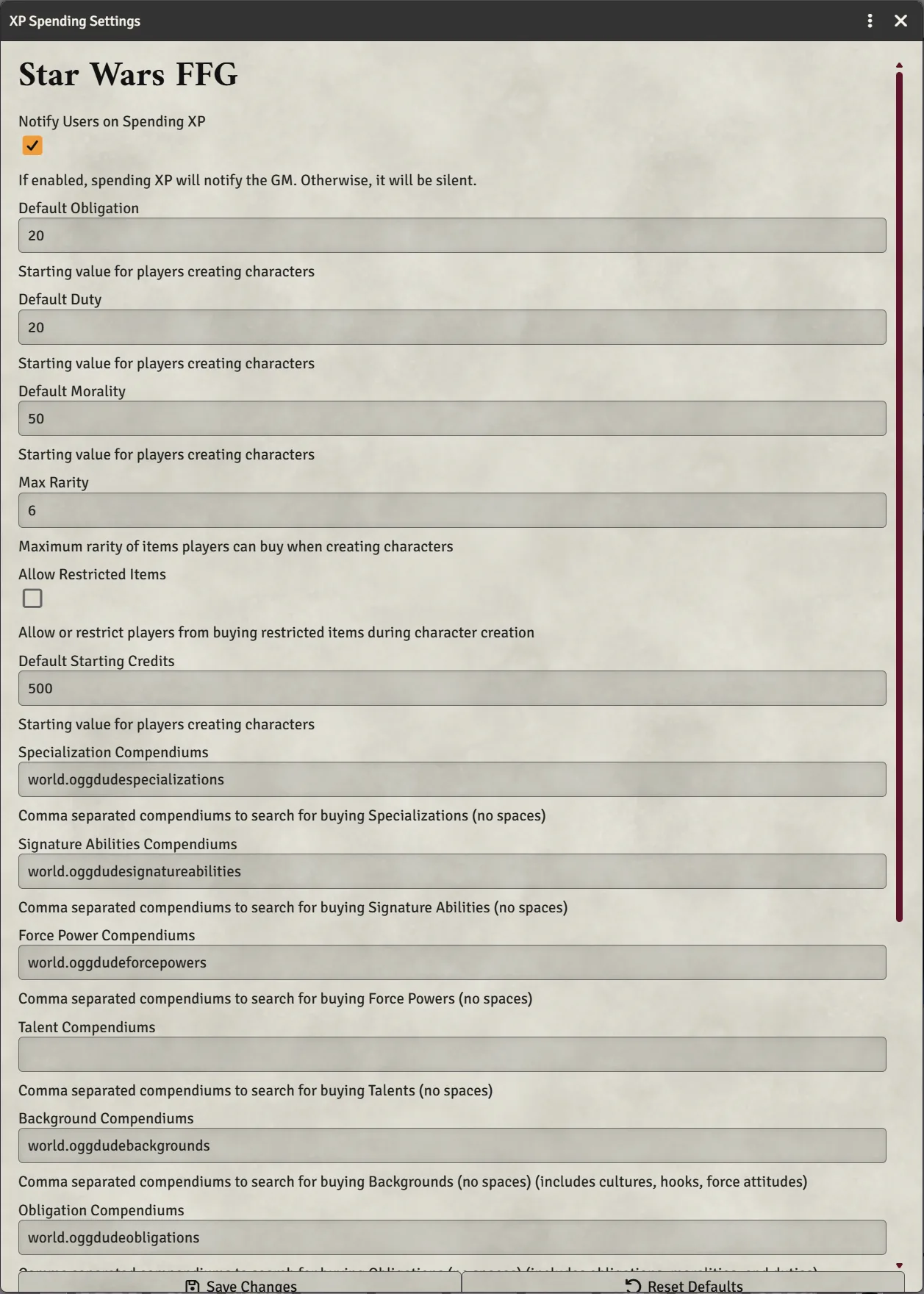
- Max Rarity (default 6): the highest rarity offered when buying starting gear.
- Allow Restricted Items (default off): whether (R) items are offered at all.
- Default Starting Credits (default 500).
- Default Obligation / Duty / Morality (20 / 20 / 50).
There is no starting-XP setting. Starting XP comes from the species the player picks.
- Compendia: players need at least Observer permission on every compendium in those settings. New world compendia give players Observer by default. If you've locked a pack down, right-click it → Configure Ownership. The wizard loads content on the player's own computer, so a pack they can't read is simply empty for them.
- Creating actors: players don't need Foundry's Create New Actors permission to use the PC Wizard, because the GM's client creates the character. They do need it for the Hyperdrive Import button to appear.
If you add your own content, three rules keep it working in the wizard:
- A species needs its starting XP filled in, or characters start with 0 XP.
- A career must list its specializations. The wizard matches them by name.
- Items in the Items sidebar are not offered by default: each player has to switch on World items in the wizard's Content sources panel. To make homebrew available to everyone, put it in a compendium and add that compendium to the matching setting.
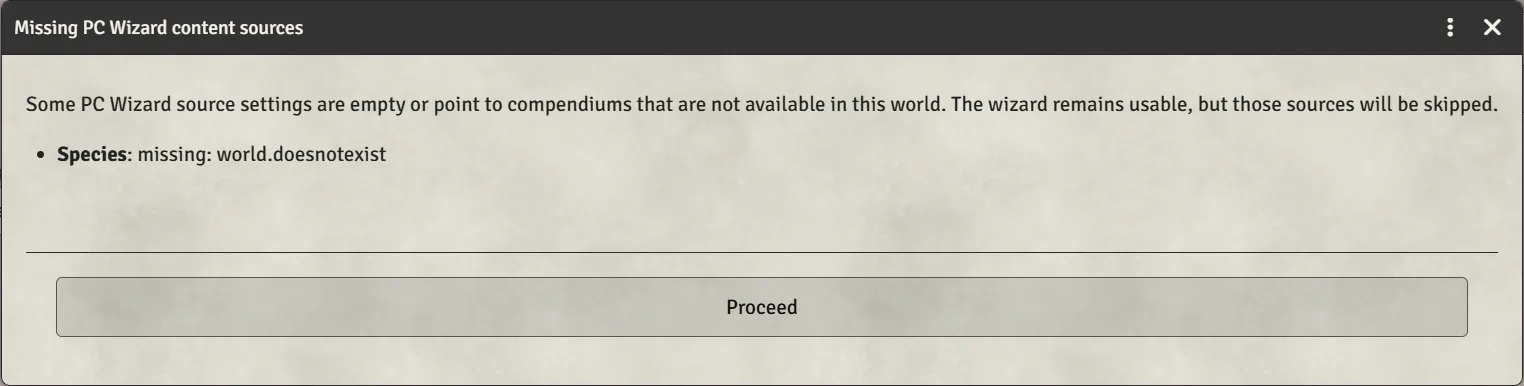
If a setting names a compendium that doesn't exist in this world, the wizard opens with Missing PC Wizard content sources and a Proceed button. The wizard still works without those packs. It usually means the OggDude import hasn't been run in this world yet.
Next: Making a character