Repository navigation
Tutorial 06 Edit Mode and Active Effects
For everyone who edits a character sheet.
Most numbers on a sheet are worked out for you: characteristics, wound and strain thresholds, soak, defence, encumbrance. Talents, species, armour and gear change them through Active Effects. A cybernetic arm that grants +1 Brawn has an effect that adds 1 to Brawn.
Because those numbers are worked out, you can't type into them normally. To change one by hand, turn on Edit Mode.
- In the sheet's title bar, click Sheet Options (wrench icon).
- Tick Enable Edit Mode and click Accept.
- Make your changes.
- Open Sheet Options again, untick Enable Edit Mode, and click Accept.
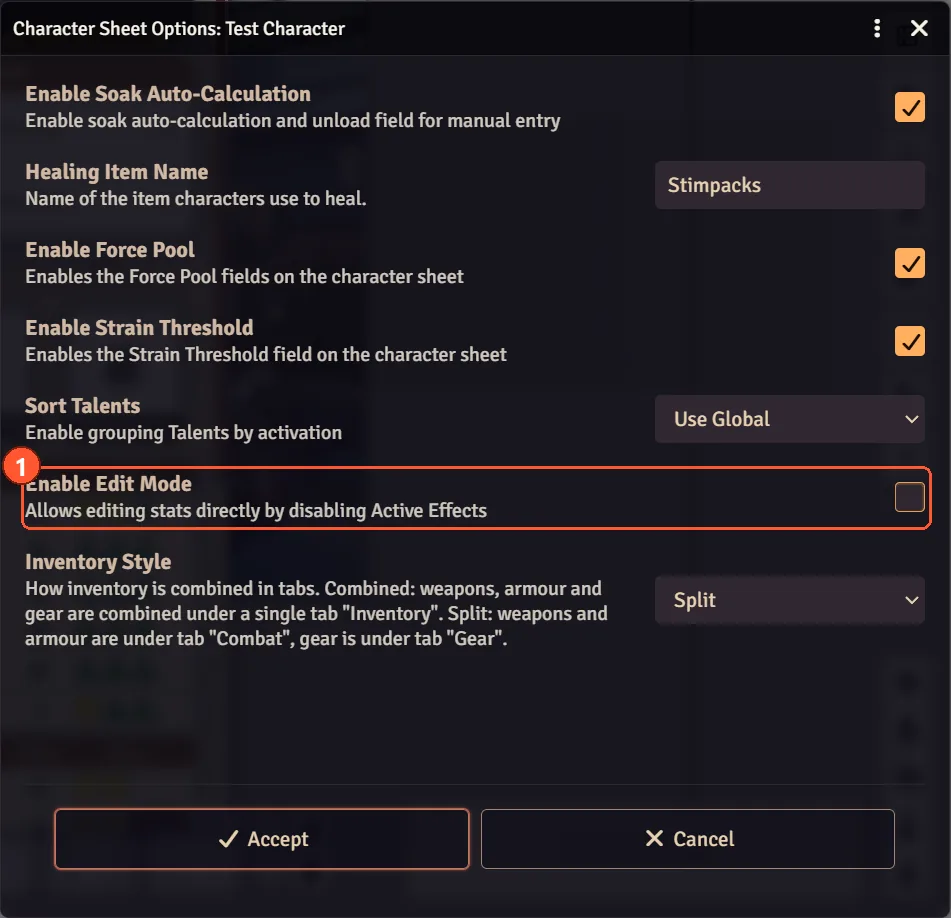
While Edit Mode is on, the sheet hides every effect and shows only the base value, the part that isn't coming from a talent, species or item. When you turn Edit Mode off, the effects are added back on top of whatever you typed.
So type the base value, never the total you want to see.
Example. The sheet shows Brawn 4. Turn Edit Mode on and it reads 1 — the other 3 come from this character's species and talents.
- Want Brawn 5? Type 2. With Edit Mode off it shows 2 + 3 = 5.
- Type 5 and you end up with 8, because the effects are added on top again.


The same goes for Obligation and Duty: the box holds the base, and each Obligation or Duty entry on the sheet is added on top.
-
Turn it off when you're done. Edit Mode stays on after a page reload. While it is on:
- you see the character without any of its effects;
- nobody can buy with XP or drop items onto that sheet. It says "Can't do this while EditMode is enabled".
- Other people still see the effects. Edit Mode only hides them for the person editing.
- Conditions still work. Status icons on the token keep applying while you edit.
- Why not edit the boosted number directly? The sheet would save the boosted number as the new base and the effect would add its bonus again every time, so the stat would keep creeping up. Edit Mode is what prevents that.
On the Default sheet, the Edit Mode tour walks through this on a sample character: Game Settings → Tour Management → Edit Mode.
Next: Spending XP as you play