Repository navigation
Tutorial 10 Initiative and the combat tracker
For players and the GM.
FFG initiative doesn't order individuals: it produces a list of slots, and on each turn your side decides who fills the next slot of its kind. The combat tracker works that way too.
- Put the combatants into the tracker: select the tokens and add them, or use the fist button in the Group Manager to add the whole party (chapter 4).
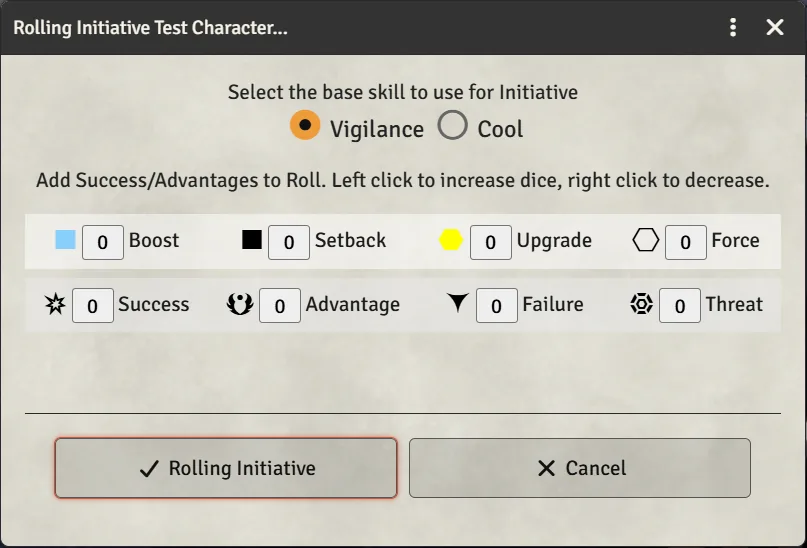
- Roll initiative for a combatant. The dialog is titled Rolling Initiative, with:
- a picker for the base skill, hinted "Select the base skill to use for Initiative" — Vigilance for being alert, Cool for being ready;
- the usual dice controls, plus "Add Success/Advantages to Roll" for talents and circumstances that simply grant symbols.
- Roll. Successes order the slots, and advantages break ties.
The party's default skill is set by Initiative Mode at the top of the Group Manager.
When you roll one combatant, the dialog carries the same roll options card as the dice dialog (chapter 9), folded beside it. It lists the talents and optional buffs that fit the chosen skill: Rapid Reaction (strain for Successes), Get The Drop (type your Stealth ranks), On The Lookout (spend the Destiny Point yourself), Ready for Anything, and anything else that fits a Vigilance or Cool check, such as Intense Focus. Switching between Vigilance and Cool changes the list; rows that still fit stay ticked. Ticked rows go into the roll, the chat card names them, and their strain is charged once the roll has posted. Allies who benefit from Get The Drop or On The Lookout add the Success themselves, in the add row.
Roll All and Roll NPCs roll everyone in one dialog, which has no card. When someone in the batch has an initiative talent, a prompt asks first:
- With talents: everyone else rolls together in the usual dialog, then each of those with talents gets a dialog of their own, with the card.
- All together: one dialog for everyone, as before.
A combatant that cannot roll no longer stops the others. One whose actor was deleted, a vehicle with no Pilot, or a character without the chosen skill is skipped with a warning naming them. A combatant added without a token still rolls.
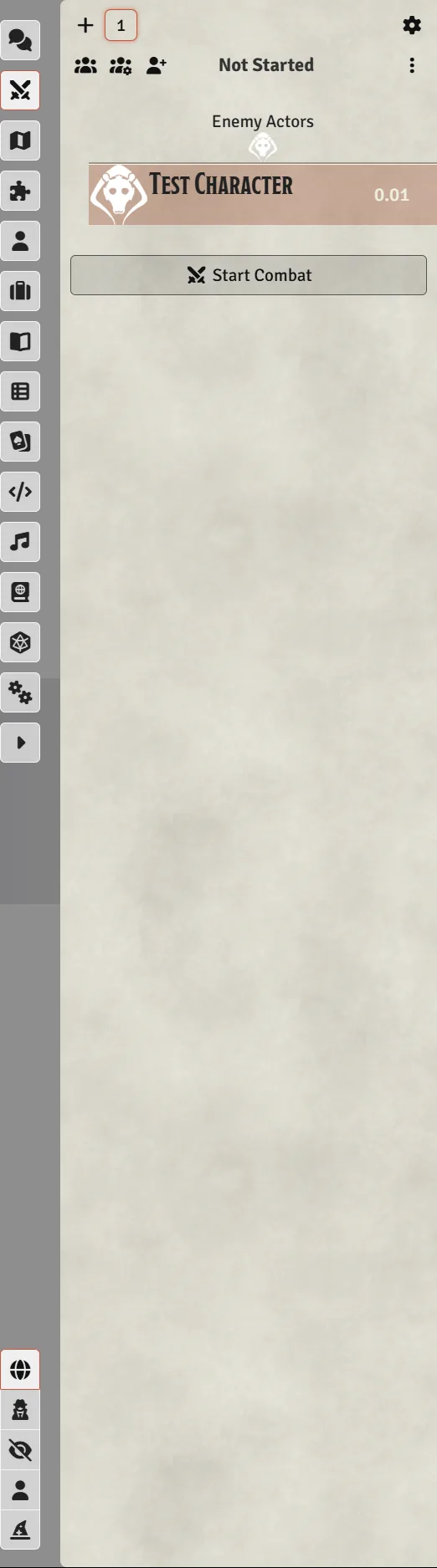
Combatants are grouped by disposition — Friendly Actors, Enemy Actors, Neutral Actors and, for the GM, Secret Disposition. Each rolled slot appears in order, and a slot nobody has taken yet reads Unused … Slot.
- Claim Slot on an unused slot puts your character in it. Select exactly one of your tokens first: the system says "You must have exactly one token selected to claim an initiative slot", the token has to be in the combat, and its disposition has to match the slot's.
- The GM can right-click a slot for Un-claim Initiative Slot and Remove Initiative Slot.
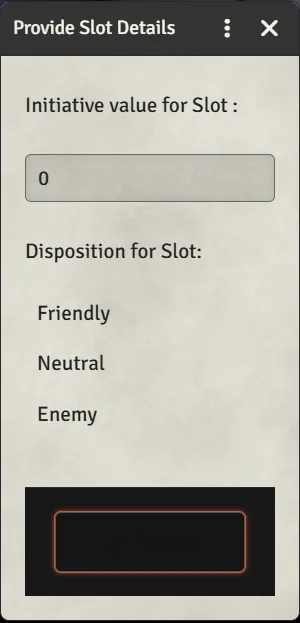
- Add Slot creates one by hand: Provide Slot Details asks for the Initiative value for Slot and its Disposition (Friendly / Neutral / Enemy), then Submit. Useful for an NPC who joins mid-fight.
A vehicle rolls initiative through its Pilot crew member, whose talents count on the card and who pays their strain. With no pilot aboard it can't roll at all, and a warning says so. Which role is used is configurable in Configure Settings → Star Wars FFG → Crew Roles → Configure Crew Roles; see chapter 11.
Under Configure Settings → Star Wars FFG → Combat Settings → Configure Combat:
- Use Generic Slots — the claimable slots described above. Turn it off to get a plain named tracker where each combatant keeps their own initiative.
- Initiative Rule — the default skill used when rolling.
- Remove Combatant Action — what happens to a slot when you remove a combatant.