Inventory Equipment and Weapon Mods
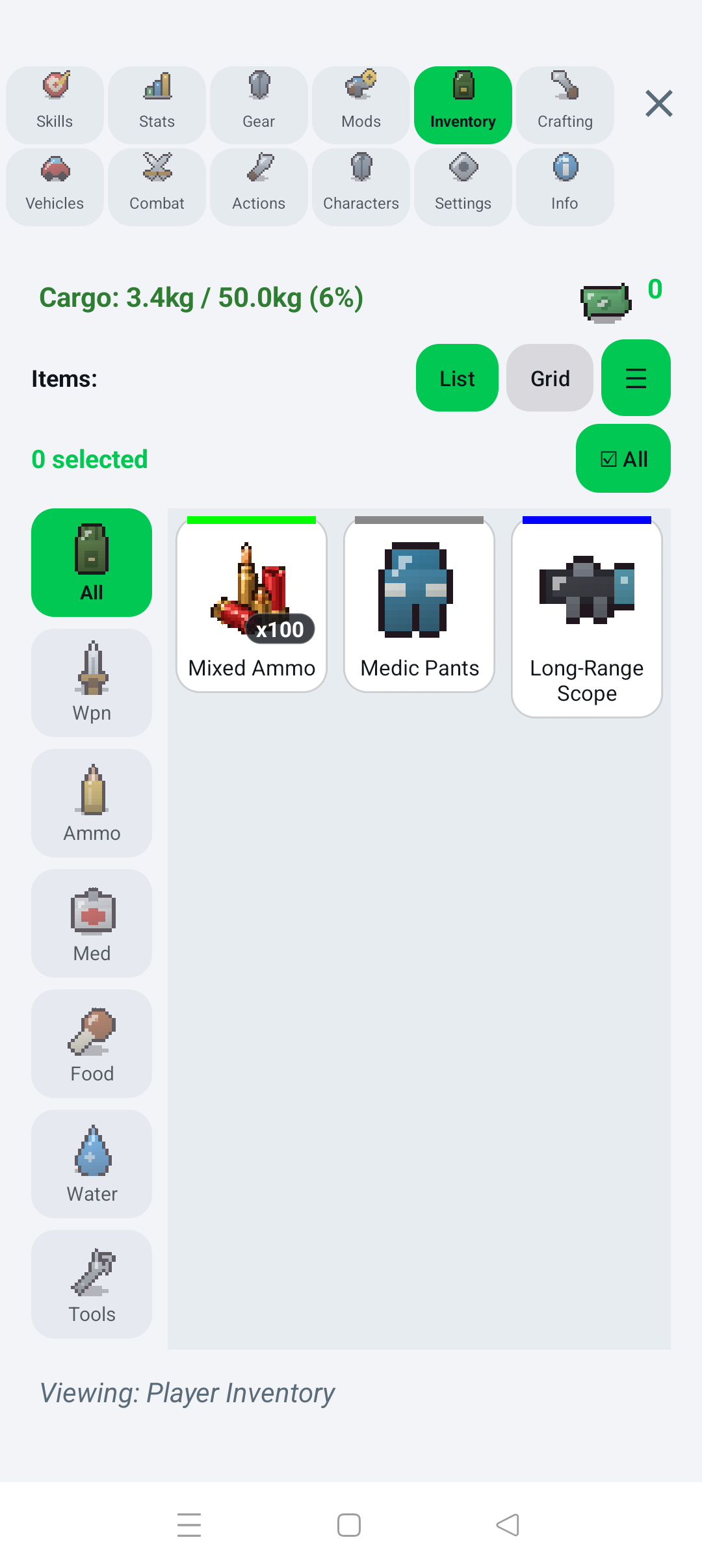
The inventory uses item stacks and a total weight limit. Each item can show type, rarity, quantity, individual and total weight, description, and relevant stats such as damage, accuracy, range, ammunition type, armor, food, water, or healing value.
Use category filters and switch between grid and list views. Compact list mode in Settings fits more entries on screen.
Depending on the selected item, you can:
- Use / Consume food, drink, or usable medical items
- Equip / Unequip weapons and armor
- Modify compatible firearms
- Drop one or more items
- Transfer items to a vehicle or other available storage
Keep some weight capacity free before looting or crafting. If an action creates an item that no longer fits, it may fail.
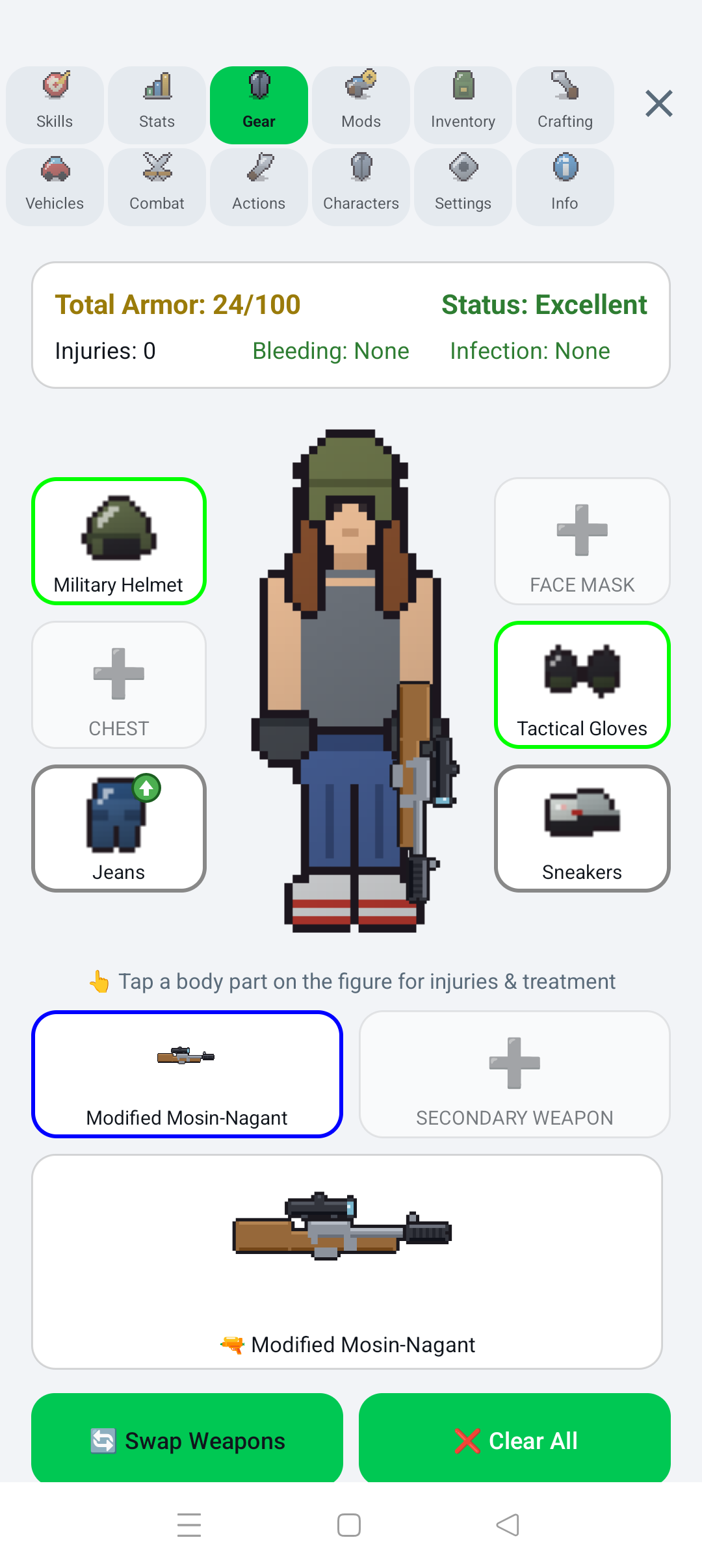
The paperdoll includes armor slots for helmet, face mask, chest, gloves, legs, and boots, plus primary and secondary weapon slots. Equipping armor raises total armor; unequipped items return to inventory. Use Swap Weapons to exchange primary and secondary slots, or Clear All to unequip everything.
The body figure is also the entry point for injury details and treatment.
Open Weapon Mods or Modify Weapons to enter the Weapon Workbench.
- Select a modifiable firearm from inventory or equipped weapons.
- Tap an attachment slot.
- Choose a compatible part from inventory.
- Long-press a mounted attachment to remove it.
Attachment slots can include stock, optic, magazine, and muzzle positions. Available parts include stocks, red-dot and holographic sights, long-range scopes, drum magazines, and compensators. Mounted parts change weapon stats and are visible on the weapon preview and paperdoll. Modified weapons receive a MOD badge in inventory.
- Backpack: immediate survival supplies and active equipment
- Vehicle cargo: expedition loot and heavy spare items
- House containers: long-term reserves organized by purpose
- Trader: sell duplicates and low-priority items for funds