Repository navigation
Status Page
ShadePlay guide › Advanced settings
The advanced Status page: what the recorder is doing right now, in detail, with live sound meters.
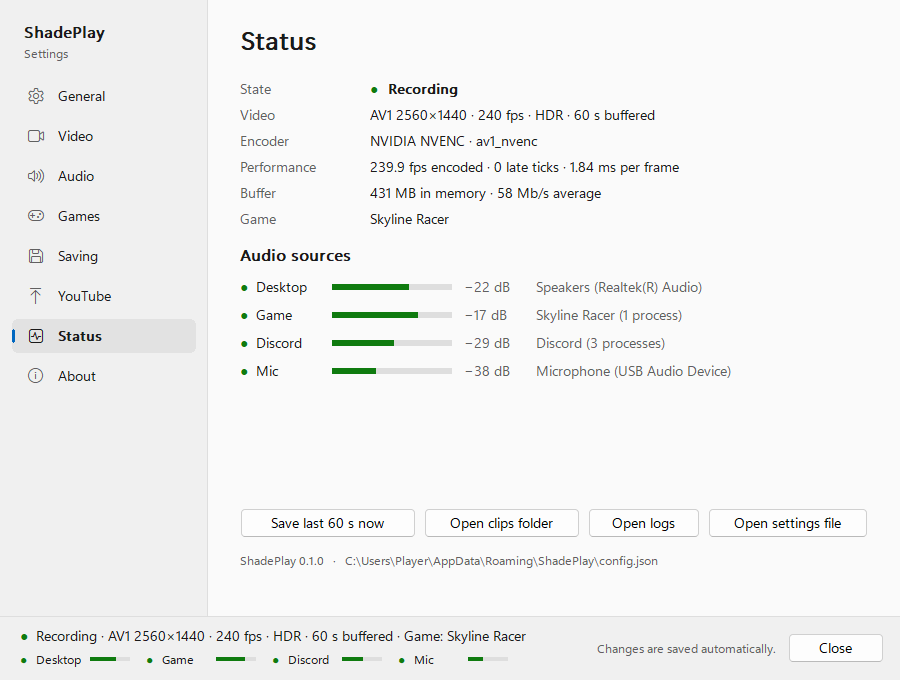
| Row | Example | What it says |
|---|---|---|
| State | Recording |
The recorder's state, with a coloured dot: Recording, Recording with problems, Not recording, Starting, Standby – no display, Standby – screen locked, Standby – PC sleeping, Stopping, or Waiting for the recorder while none is running. When something is wrong, the recorder's own reason follows. |
| Video | AV1 2560×1440 · 240 fps · HDR · 60 s buffered |
Codec, resolution, frame rate, HDR or SDR, and how many seconds are in the replay. |
| Encoder | NVIDIA NVENC · av1_nvenc |
The graphics card's encoder and the encoder ShadePlay uses (NVENC, AMF or Quick Sync), plus AV1 not supported when the card has no AV1. |
| Performance | 240.0 fps encoded · 3 late ticks · 1.50 ms per frame |
Frames encoded per second, how many frame ticks came late since the recorder started (a late tick is skipped, so sound and picture stay in step), and the average time per frame for converting and encoding it. |
| Note | This GPU can't encode AV1 - using HEVC |
Something the recorder changed by itself, in one sentence. Only shown when there is one. |
| Buffer | 2.1 GB in memory · 280 Mb/s average |
How much memory the replay uses, and the average video bitrate. |
| Game |
<game> or none right now
|
The game the Game track follows. |
| Saving | 1 clip being written |
Only while clips are being written. |
| Warnings | Windows lowers game audio during calls |
Every active warning, in its technical wording. |
The Note row can also say This GPU's AV1 encoder can't handle this screen size well - using HEVC,
The GPU encoder couldn't keep up at 360 fps - using a faster setting or
The AMD graphics driver is too old for 10-bit and HDR video - recording 8-bit SDR until it is updated.
One row per source (Desktop, Game, Discord, Mic), with a dot, a live level meter, the level in dB (or silent) and
the device or the error:
- green dot and a moving meter: recording;
- grey dot with
waitingor the device: nothing to record right now, for example Discord not running or no game detected; - red dot with an error: the source fails (it is retried);
- hollow dot and
off: switched off.
When the game or Discord also plays on the Desktop device, a line says so, for example
Also playing on the Desktop device (counted once in the Mix): Game
(Counted once).
While no recorder is running the page says Shown while the recorder is running.
- Save last 60 s now saves a clip, like the hotkey (the number follows your buffer length).
- Open clips folder, Open logs and Open settings file open those in File Explorer or your text editor.
The last line shows ShadePlay's version and the settings file's path. That path contains your Windows user name: keep it out of screenshots you share.
Next: Settings file, logs and command line
See also: Is it recording? · Graphics cards and encoders · Troubleshooting