Repository navigation
Aurral Companion
Note
Aurral Companion is available in Naviamp 2.12.0 and later. Naviamp 2.12.0 and later require Aurral 3.x; Aurral 2.x servers are no longer supported. A standalone Aurral connection remains available from New connection.
Aurral adds artist discovery, samples, requests, and monitoring alongside your Navidrome account. Navidrome continues to provide the library, playlists, downloads, and full-track playback. Access to Aurral features depends on its configuration and your permissions.
- Open Settings → Source → Connections and select the edit pencil on your Navidrome connection.
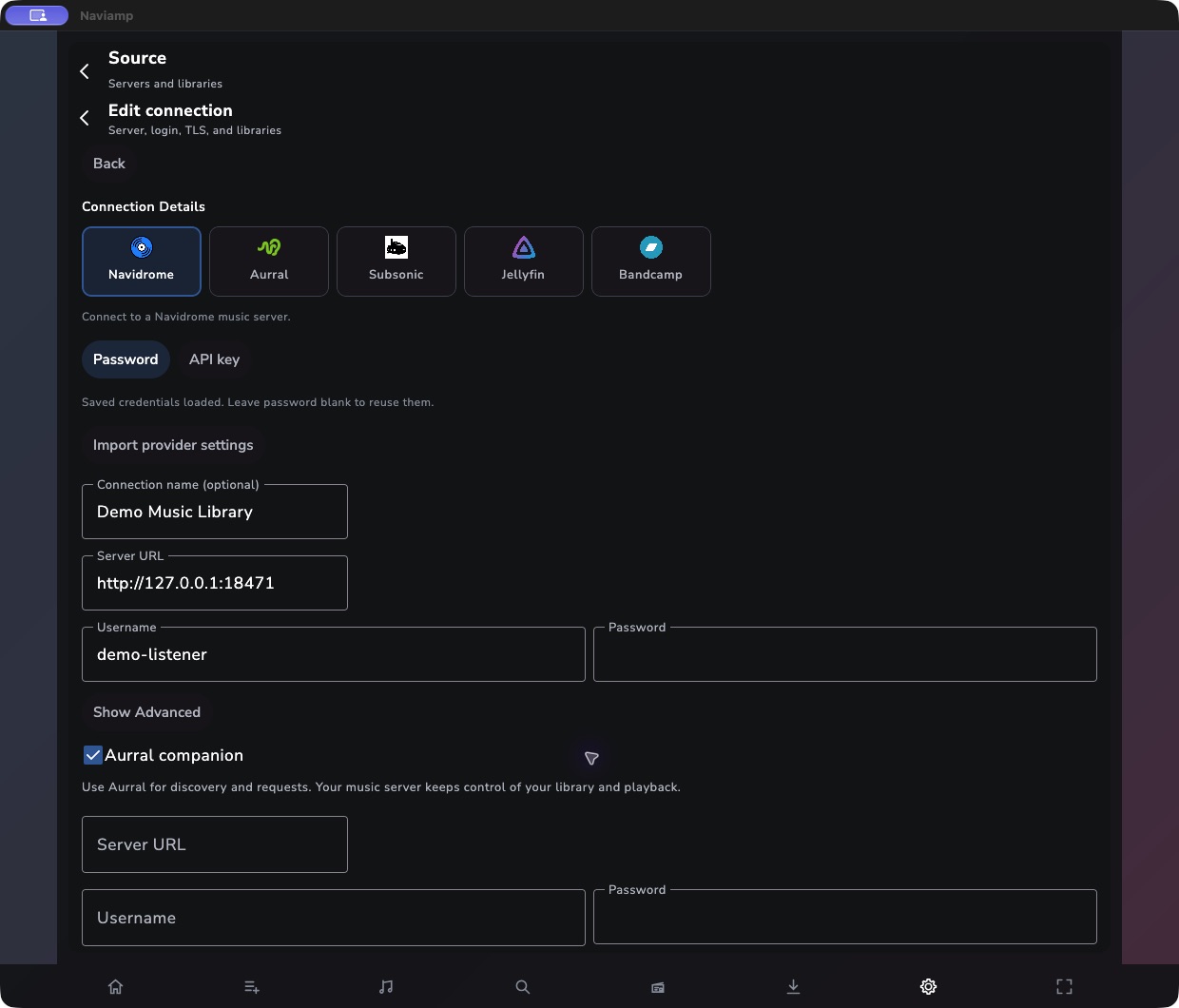
- Scroll below the Navidrome credentials and turn on Aurral companion. Enter the base address of your Aurral server and your Aurral account’s local username and password. For example, an Aurral installation could use
https://discover.example.netwhile Navidrome useshttps://music.example.net. - Select Save on an existing active connection. If you are setting up the primary connection at the same time, use the connection button shown in the form. Go to Home → Aurral. If you hid the Home entry, check Settings → Experience → Home Screen.
- To disconnect discovery later, edit the same Navidrome connection and turn off the companion.
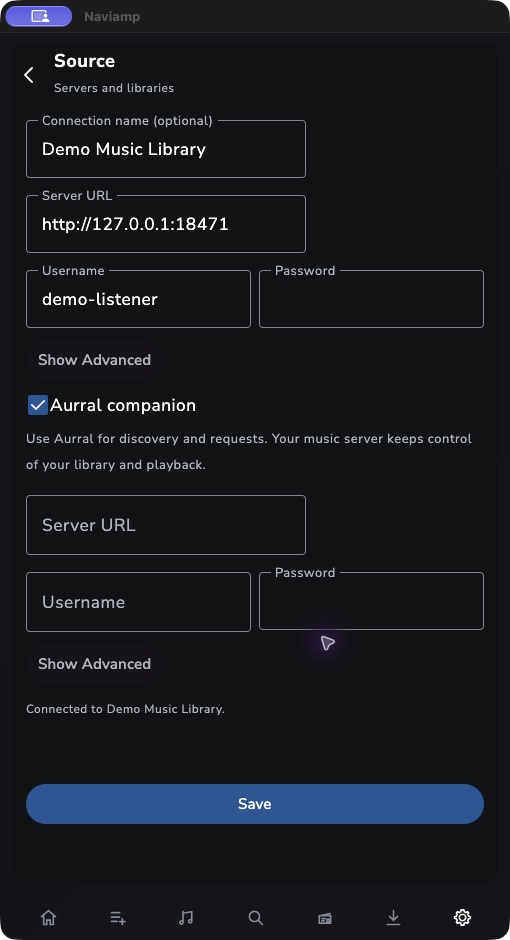
The top fields belong to Navidrome. Enter the Aurral address and login in the lower set of fields. The address shown in the top fields is for the demo library.
Wide connection editor
| Area | What you can do |
|---|---|
| Recommendations | Explore artists suggested for your account and open their release lists. |
| Search | Look up artists in the Aurral catalog beyond your Navidrome collection. |
| Charts | Explore trending artists or releases where the server exposes charts. |
| Requests | Review the status of music you’ve requested and any actions available to your account. |
| Genres | Manage the genres used by discovery where the server exposes genre blocking. |
For example, open a suggested artist, play a sample where offered, and request an album if the release and your account support requests. Monitoring an artist is a separate option for following their releases. Request submission, approval, and acquisition happen through Aurral. Once the music is present and indexed on Navidrome, browse and play it from your library.
When available, Find in Aurral on an artist page or a live station’s Now Playing screen starts a catalog search. Check the matching artist and release before requesting anything.
If a companion sign-in fails, check the URL and local account in Aurral. If recommendations are empty, look for the status on its Home entry or hub. Missing request or monitoring actions can reflect account permissions or server capabilities.