Repository navigation
Settings Storage and Diagnostics
Path · Settings → Downloads
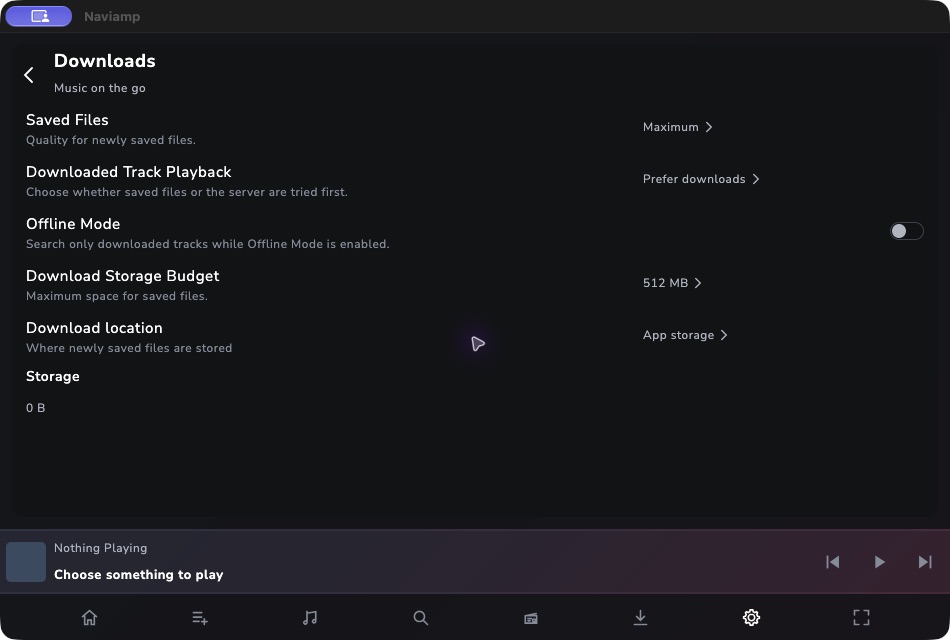
| Setting | What it changes |
|---|---|
| Saved Files | Requested format and bitrate of newly saved copies. If prompted, choose whether to replace existing downloads. |
| Downloaded Track Playback | Prefer downloads plays the saved file first. Prefer server streams first and falls back to a saved copy if streaming fails. |
| Allow downloads on mobile data | Controls cellular downloads where supported. |
| Offline Mode | Limits searches to downloaded tracks while enabled. |
| Download Storage Budget | Sets the maximum space assigned to saved music. |
| Download location | Selects where saved files live on hosts with configurable download locations. Storage shows current usage. |
Use the Downloads walkthrough to verify a complete offline setup.
Path · Settings → Audio Cache
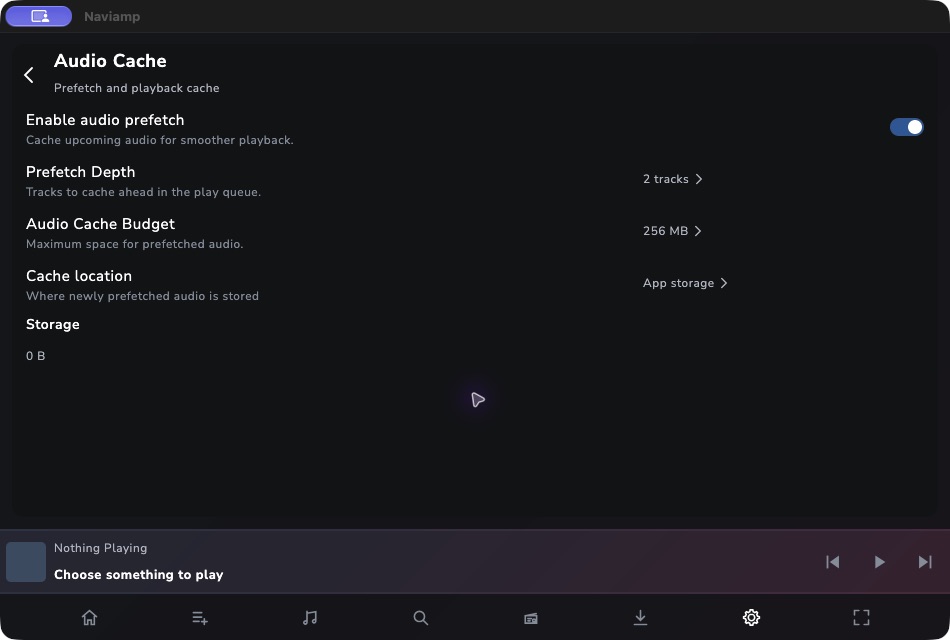
| Setting | What it changes |
|---|---|
| Enable audio prefetch | Temporarily caches upcoming tracks to help smooth playback. |
| Prefetch Depth | Sets how many tracks ahead Naviamp can cache. |
| Audio Cache Budget | Limits the space available for prefetched audio. |
| Cache location | Selects where prefetched audio is stored when the host offers alternatives. Storage shows current usage. |
Use Downloads for music you intend to keep offline. The prefetch cache can be replaced as the queue changes.
Path · Settings → Debugging
| Tool | When to use it |
|---|---|
| Debug logging | Enable when asked to collect more information about a repeatable problem. Disable it again after capturing the failure. |
| Stats for Nerds | Inspect runtime, connection, or playback details where the diagnostics panel is available. |
| Refresh library | Ask the app to update its library view after a change on the server. |
| Clear Cache | Remove temporary images, provider responses, prefetched audio, waveforms, and lyrics. |
| Clear Library Index | Remove the local browse index for the active server. Re-sync the library to rebuild it. |
| Reset Database | Removes local saved servers, downloads, caches, library data, playback history, and settings stored in the app database. Export the settings you need and plan to reconnect and download again before using it. |
For a bug report, start with the app version from About, your platform, server version, and steps to reproduce. Troubleshooting