Repository navigation
Mixes and Discovery
Open Mix Builders on Home or start radio from a library item’s menu. The choice of seed determines where Naviamp starts.
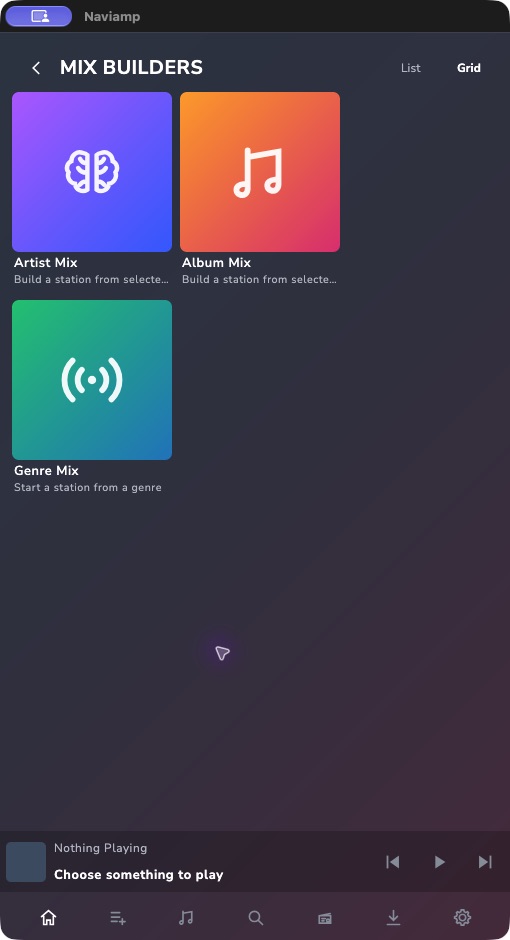
Narrow Mix Builders view
| Builder or action | When to use it |
|---|---|
| Artist Mix | Choose artists as the basis for a generated queue. Try two artists that fit the same listening session. |
| Album Mix | Start from one or more albums you’re in the mood for. |
| Genre Mix | Pick genres from your server’s tags. Where the hierarchy appears, expand a parent or select it to include its matched descendants. Unmatched tags remain available. |
| Sonic Mix | Choose track seeds and use server similarity data to build a queue. |
| Sonic Path | Choose a starting and ending track. The server’s similarity data is used to find a musical path between them. |
| Track Radio | Open a track’s menu and start a generated radio session from that track. |
| Related | Browse similar tracks from the current player and decide which to queue. |
- Open Home → Mix Builders → Genre Mix.
- Pick a genre, such as Jazz. If it expands into a tree, try a single subgenre first and the parent next.
- Start the mix and open Up Next to review the results. Remove any tracks you want to skip, or use the queue’s save action to keep the mix as a regular playlist.
Use Settings → Experience → Radio to choose the radio method, batch size, and whether to continue with Radio Autoplay when the queue ends. Settings → Playback → Radio DJs lets you create presets for the available tuning controls.
Instant Mix uses the provider’s generated mix support. Sonic Similarity needs a Navidrome server that advertises the OpenSubsonic similarity extension and has usable similarity data. If enabled but results remain sparse, test a track with known similarity data and check the server’s configuration and analysis progress.
For live broadcasts, see Internet Radio. For recommendations outside your library, see Aurral Companion.