Addons Overview
Addons are optional features that an admin can enable or disable for the entire TREK instance. When an addon is disabled, its navigation tabs, menu items, and API routes are hidden from all users.
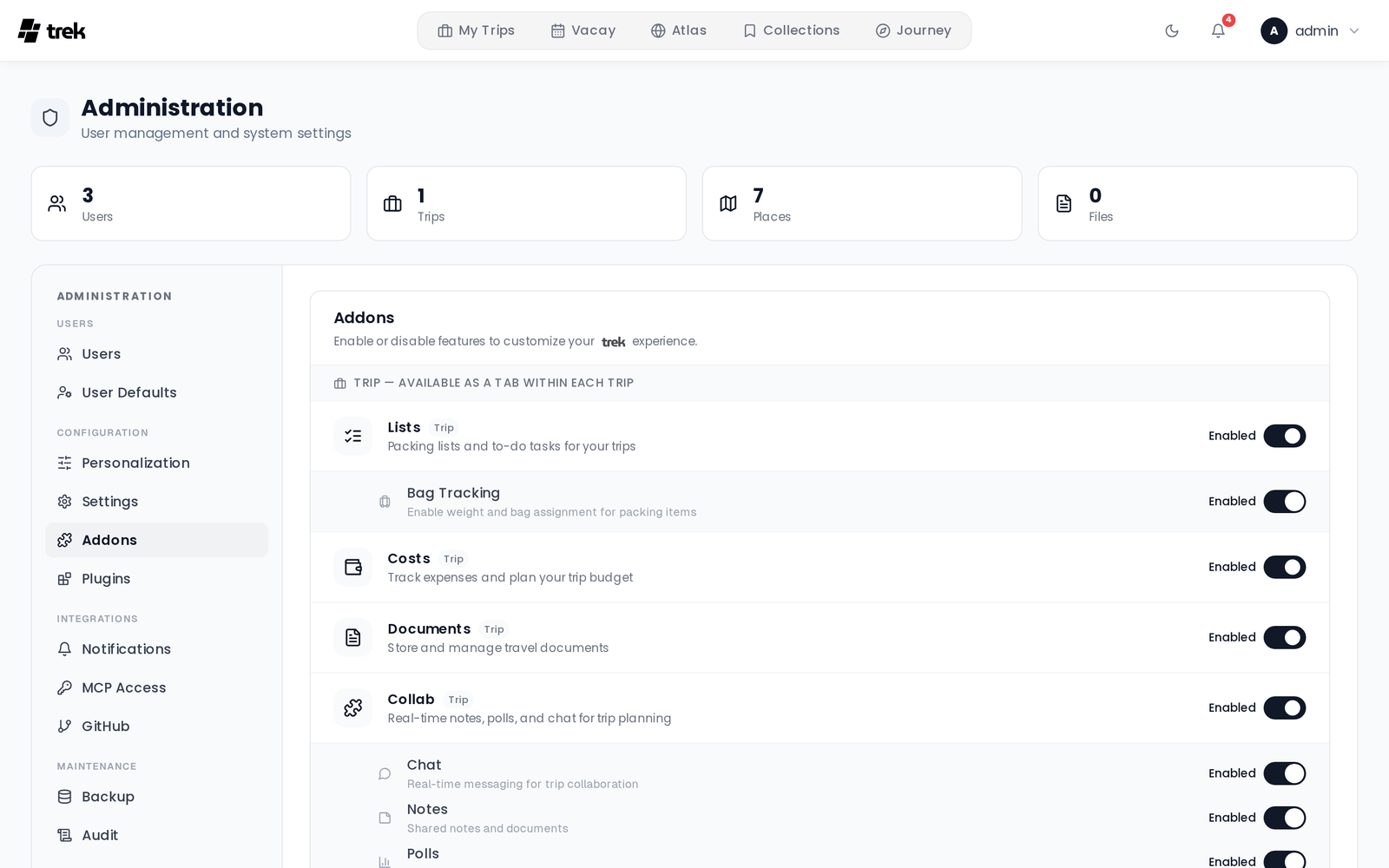
Each addon extends TREK with functionality beyond the core trip-planning features. Addons are managed globally — you cannot enable an addon for one user only. Once enabled, the feature becomes available to all users on the instance.
The following addons are registered in the system (defined in server/src/db/seeds.ts; the TypeScript constant ADDON_IDS in server/src/addons.ts covers all addons except naver_list_import):
| Addon ID | Type | Description |
|---|---|---|
mcp |
integration | Exposes TREK data and actions through the Model Context Protocol for AI assistant integrations. |
packing |
trip | Lists — packing lists and to-do tasks for your trips. See Packing-Lists. |
budget |
trip | Costs — track and split trip expenses. See Budget-Tracking. |
documents |
trip | Document and file attachments for trips — store itineraries, visa copies, and other files. See Documents-and-Files. |
vacay |
global | Personal vacation day planner with a year calendar, holiday packs, and collaborator fusion. See Vacay. |
atlas |
global | Interactive world map showing countries and regions you have visited, plus a bucket list. See Atlas. |
collab |
trip | Notes, polls, and live chat for trip collaboration. See Real-Time-Collaboration. |
journey |
global | Trip tracking and travel journal — check-ins, photos, and daily stories. See Journey-Journal. |
collections |
global | A personal, server-wide library of saved places in named lists, with idea/want/visited status, categories, and fusion sharing with per-member roles. See Collections. |
airtrail |
integration | Sync flights from your self-hosted AirTrail instance into trips. |
llm_parsing |
integration | AI Parsing — an LLM fallback that extracts bookings from confirmation files KDE Itinerary can't read. See AI-Booking-Import. |
naver_list_import |
trip | Import places from shared Naver Maps lists directly into a trip. |
Admin: all addons are toggled from the admin panel. Navigate to Admin-Addons to enable or disable individual addons for your instance.
Some addons expose sub-features that an admin can independently toggle. The Real-Time-Collaboration addon, for example, lets an admin decide which of its four sub-features (chat, notes, polls, and what's next) are active across the instance. These are configured from the Admin-Addons panel alongside the addon's main toggle.