Public Share Links
Share a read-only view of your trip with people who do not have a TREK account. The viewer opens in a browser without logging in.
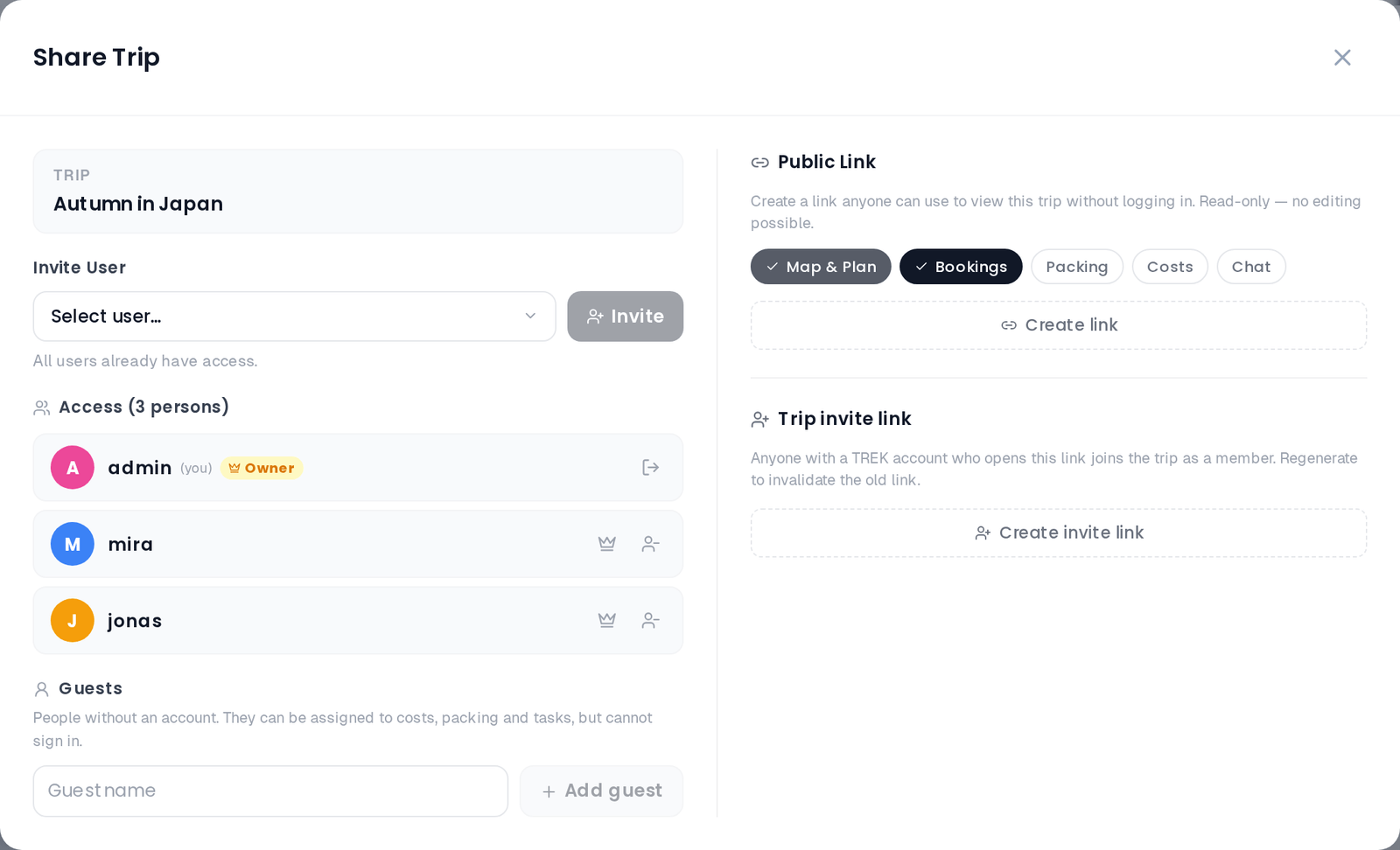
Open your trip and click the Share button (Users icon) in the top navbar. This opens the Members & Share modal. The share link section appears on the right side of the modal and is visible only to users with the share_manage permission (trip owner and admins by default).
Click Create link to generate a token.
The share URL takes the form:
<your-instance>/shared/<token>
Copy this URL and send it to anyone you want to share the trip with. No TREK account is required to view it.
When creating or updating a share link you choose what the recipient can see. The available flags are:
| Toggle | Default | What it shows |
|---|---|---|
| Map | Always on | The Plan tab with the interactive map and day-by-day itinerary. This toggle is locked on and cannot be disabled from the UI. |
Bookings (share_bookings) |
On | The Bookings tab with reservations and transport. Also controls whether transport items appear inline in the day plan. |
Packing (share_packing) |
Off | The packing list tab, grouped by category |
Budget (share_budget) |
Off | The Budget tab with a total summary and line items grouped by category |
Collab (share_collab) |
Off | A read-only Chat tab showing messages in chronological order |
Disabled toggles hide the corresponding tab from the public viewer entirely. Permission changes take effect immediately — you do not need to recreate the link.
A public viewer has no account, so there is no "their" display currency to use. The Budget tab is rendered in the sharer's display currency, falling back to the trip's own currency — in other words, a guest sees the money the way the person who shared the trip sees it. If the sharer leaves their display currency on Trip currency (the default), guests read the trip in the trip's own currency. See Currencies.
The shared trip page renders a branded read-only interface with a dark hero header showing the trip title, description, and date range. A tab bar at the top provides access to the sections you enabled. The viewer can switch the display language using a language picker in the top-right corner.
The Plan tab is always available and shows an interactive map, a collapsible day-by-day itinerary (with places, notes, and transport inline when Bookings is enabled), and accommodation badges per day.
The Collab tab (when enabled via share_collab) shows chat messages grouped by date with sender avatars. Viewers cannot send messages.
Open the Share button in the navbar, then click Delete link in the share link section. The existing URL stops working immediately for anyone who has it.
The Travel Journal (Journey addon) has a separate share mechanism with its own token namespace and permission flags (timeline, gallery, map). See Journey-Journal for details.
Trip-Members-and-Sharing · Currencies · Journey-Journal · Real-Time-Collaboration