Notifications
The Notifications tab (Settings → Notifications) lets you choose which events notify you and through which channels. Each toggle saves immediately.
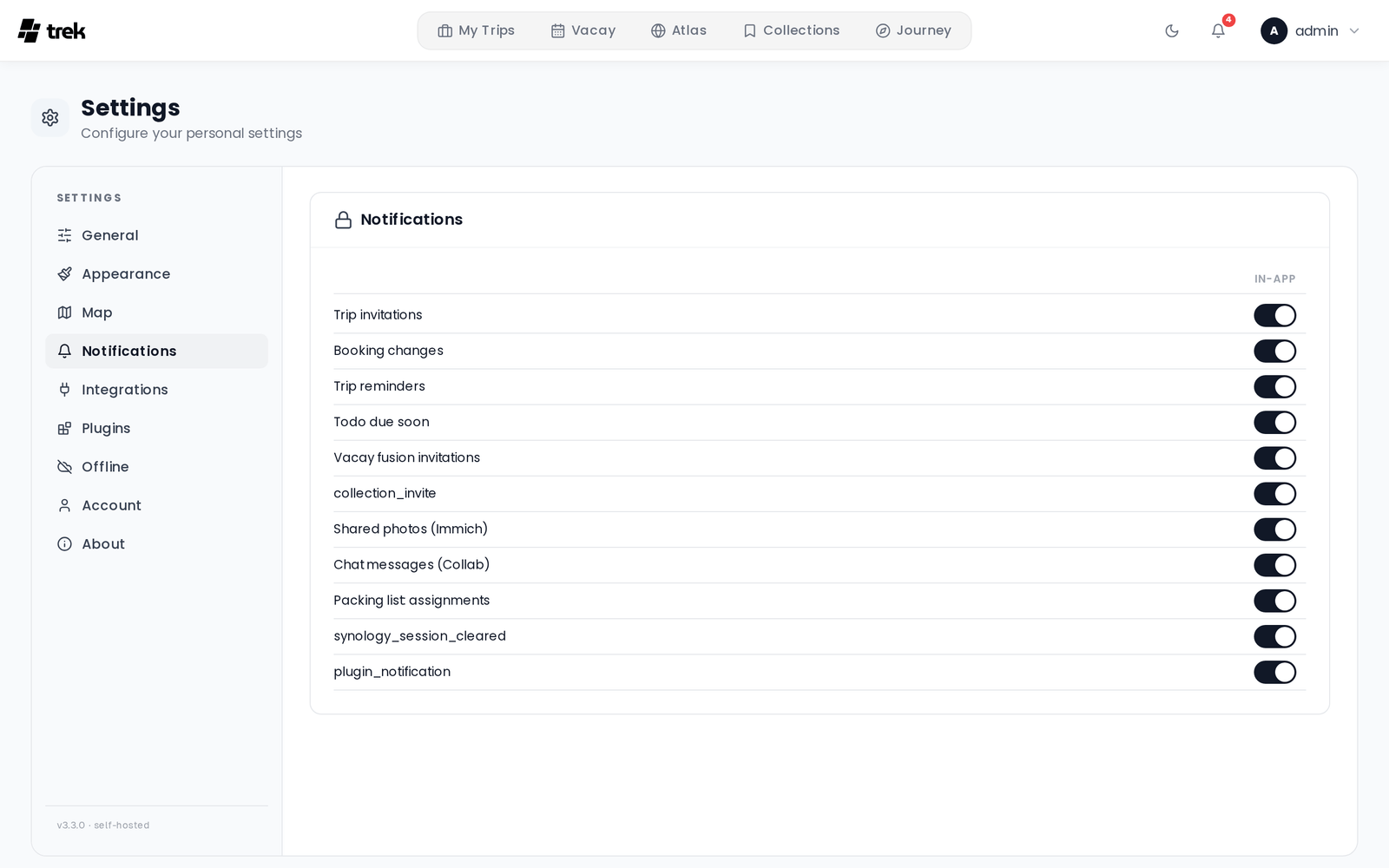
TREK ships four delivery channels, and a plugin can add more. Which channels appear depends on what the admin has enabled server-side.
| Channel | Description |
|---|---|
| In-app | Bell icon in the navigation bar. Always available. Delivered in real time via WebSocket. |
| Delivered to your account email. Requires the admin to configure SMTP. | |
| Webhook | TREK POSTs a JSON payload to a URL you specify. Discord and Slack webhook URLs are auto-detected and receive a natively formatted payload. |
| ntfy | Push notifications via ntfy.sh or a self-hosted ntfy server. |
A plugin can register an additional channel — Gotify, Pushover, Telegram, anything that
takes a message — by implementing the notificationChannel hook. See
Plugin-Development.
Once the admin installs the plugin and switches its channel on, it appears as a new column in the preferences matrix beside Email and In-App, and behaves like any other channel: each user supplies their own credentials (in the plugin's own settings) and picks per-event which notifications they want on it.
Two things are true of plugin channels specifically:
-
They are user-scoped. Admin-only events (like
version_available) always go out over the built-in admin channels, never a plugin's. - The plugin never sees your trips. The notification is rendered by TREK — in your language, with the deep link already built — before the plugin is handed it. The plugin gets that message and your own credentials for its service, and nothing else.
The following events are configurable in user settings:
| Event | Description |
|---|---|
trip_invite |
Someone invited you to a trip |
booking_change |
A booking was added, updated, or removed in a trip you're part of |
trip_reminder |
Reminder before a trip starts |
vacay_invite |
You were invited to fuse vacation plans |
photos_shared |
Photos were shared with a trip |
collab_message |
A new message in a collaborative trip |
packing_tagged |
You were assigned to a packing category in a trip |
plugin_notification |
An installed plugin sent you a notification (only plugins granted the notify:send capability can do this) |
All user-facing events support all four channels (in-app, email, webhook, ntfy). A dash (—) in the matrix means that channel/event combination is not implemented.
The following events are shown in the admin panel (Admin → Notifications) and are not configurable per user:
| Event | Description | Channels |
|---|---|---|
version_available |
A new TREK version is available | in-app, email, webhook, ntfy |
The following events are fired automatically and are not exposed as toggles in any settings panel:
| Event | Description | Channels |
|---|---|---|
synology_session_cleared |
Your Synology account or URL changed, clearing your Photos session | in-app only |
The preferences panel shows a grid of events × channels. Toggle each intersection independently. Changes are saved automatically.
Enter a URL that TREK will POST to when a notification fires. Once saved, the URL is displayed as ••••••••. Use the Test button to send a test payload to the saved URL.
TREK auto-detects the webhook destination and adjusts the payload format:
-
Discord (
discord.com/api/webhooks/…) — sends a rich embed with title, description, and a timestamp. -
Slack (
hooks.slack.com/…) — sends a formatted Slack message block. -
Generic — sends a plain JSON object with
event,title,body,tripName,link,timestamp, andsource("TREK") fields.
Enter your ntfy topic and optionally a custom server URL (defaults to the server-wide ntfy server set by the admin) and an access token for private topics. The token is stored encrypted and displayed as •••••••• after saving. Use the Test button to verify delivery.
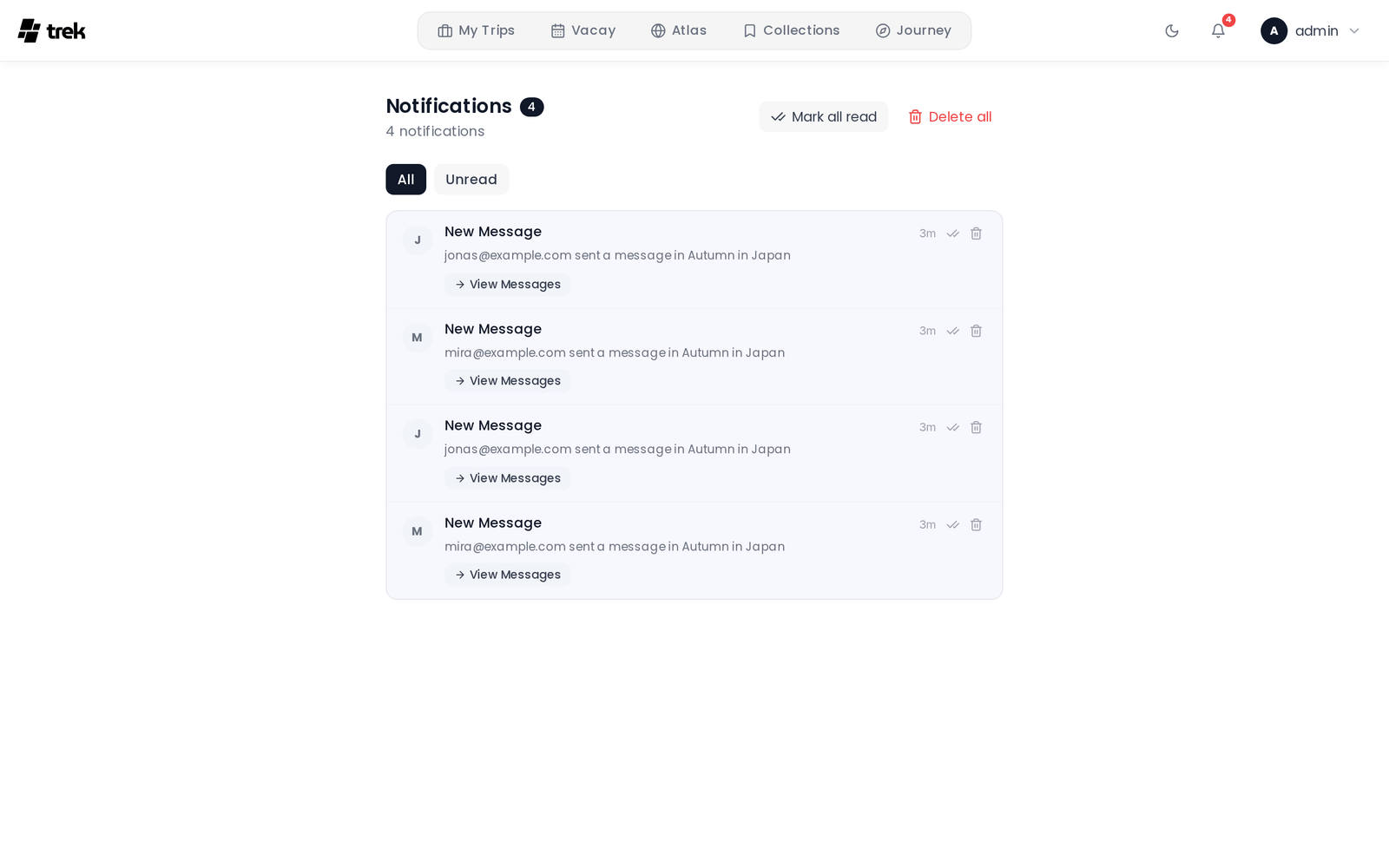
The bell icon in the navigation bar shows your unread notification count. Click it to open the notification panel where you can:
- Mark individual items read or unread.
- Mark all notifications read at once.
- Delete individual notifications or clear all at once.
- Respond to boolean notifications (e.g. trip invites that offer Accept / Decline actions directly in the panel).
In-app notifications are pushed in real time via WebSocket so the badge and panel update without a page refresh.
Notification preferences are configured globally in Settings → Notifications. There are no per-trip overrides — the same toggle applies across all trips.