PDF Export
TREK can generate two kinds of PDFs from your trip data: a structured Trip Plan PDF and a photo-book-style Journey Book PDF. Both render as HTML in a sandboxed iframe and open the browser's native print/save dialog — no server-side processing is involved.
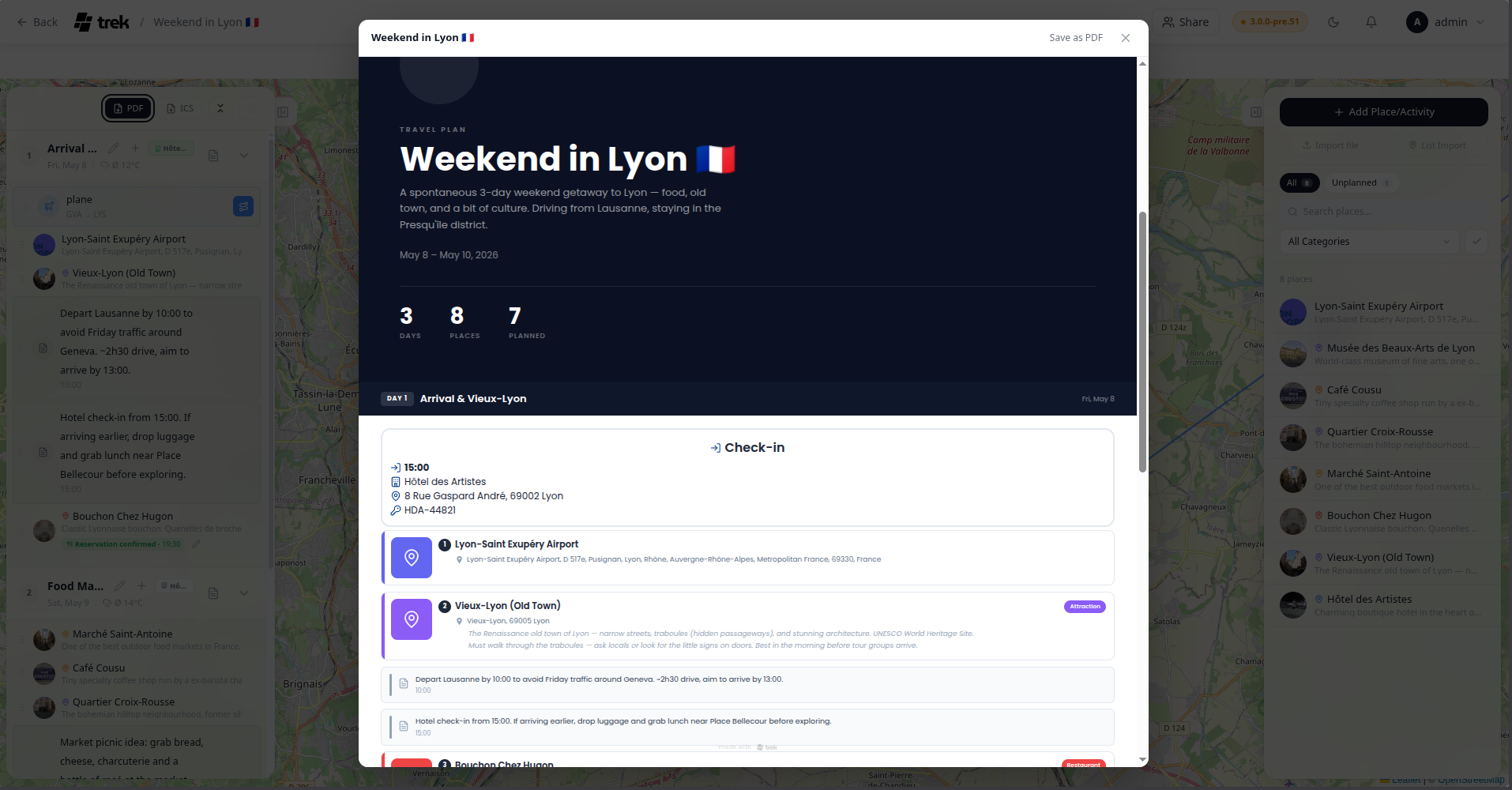
Open the Day Plan sidebar in the trip planner. Click the PDF button in the toolbar at the top of the sidebar. A preview modal opens immediately; click Save as PDF to open your browser's print dialog and save the file.
- Blurred cover image as background (if the trip has one), with the same image in a circular badge
- Trip title and description
- Date range (first day to last day)
- Stat tiles:
- Days — total number of days in the trip
- Places — total places in your trip's place list
- Planned — number of unique places assigned to at least one day
- Estimated cost — sum of all assigned place prices, shown in the trip's currency (hidden if zero)
Each day starts on a new page with a dark header bar showing the day number, day title, date, and the day's estimated cost.
Below the header:
- Accommodation block (if an accommodation covers that day): action label (Check-in on the first day, Check-out on the last day, or Accommodation for intermediate days), time, place name, address, notes, and confirmation code (only shown on the check-in day)
-
Timeline items sorted by their order in the day plan:
- Places — thumbnail (or a colored category icon if no image is available), numbered badge, name, category label, address, description, time, price, and notes
- Notes — icon, text, and optional time
- Reservations — type icon, title, time, type-specific metadata (e.g. airline + flight number + route for flights; train number + platform + seat for trains; party size for restaurants; venue for events; operator for tours), location, and confirmation code
Every printed page carries a small "made with TREK" logo at the bottom.
Poppins, loaded from Google Fonts at render time.
Installed plugins can append their own sections to the Trip Plan PDF via the pdfSectionProvider hook. A plugin returns plain text — a title, paragraphs, and an optional simple table (headers plus rows) — and TREK escapes and lays it out itself. Sections are text-only and additive: a plugin never renders into the document, and one that errors or is slow contributes nothing.
Plugins: requires the
hook:pdf-section-providerpermission. See Plugin-Development for the hook contract.
Open a Journey entry in the Travel Journal. Click the download icon button in the journal's header area. A preview modal opens; click Save as PDF to print.
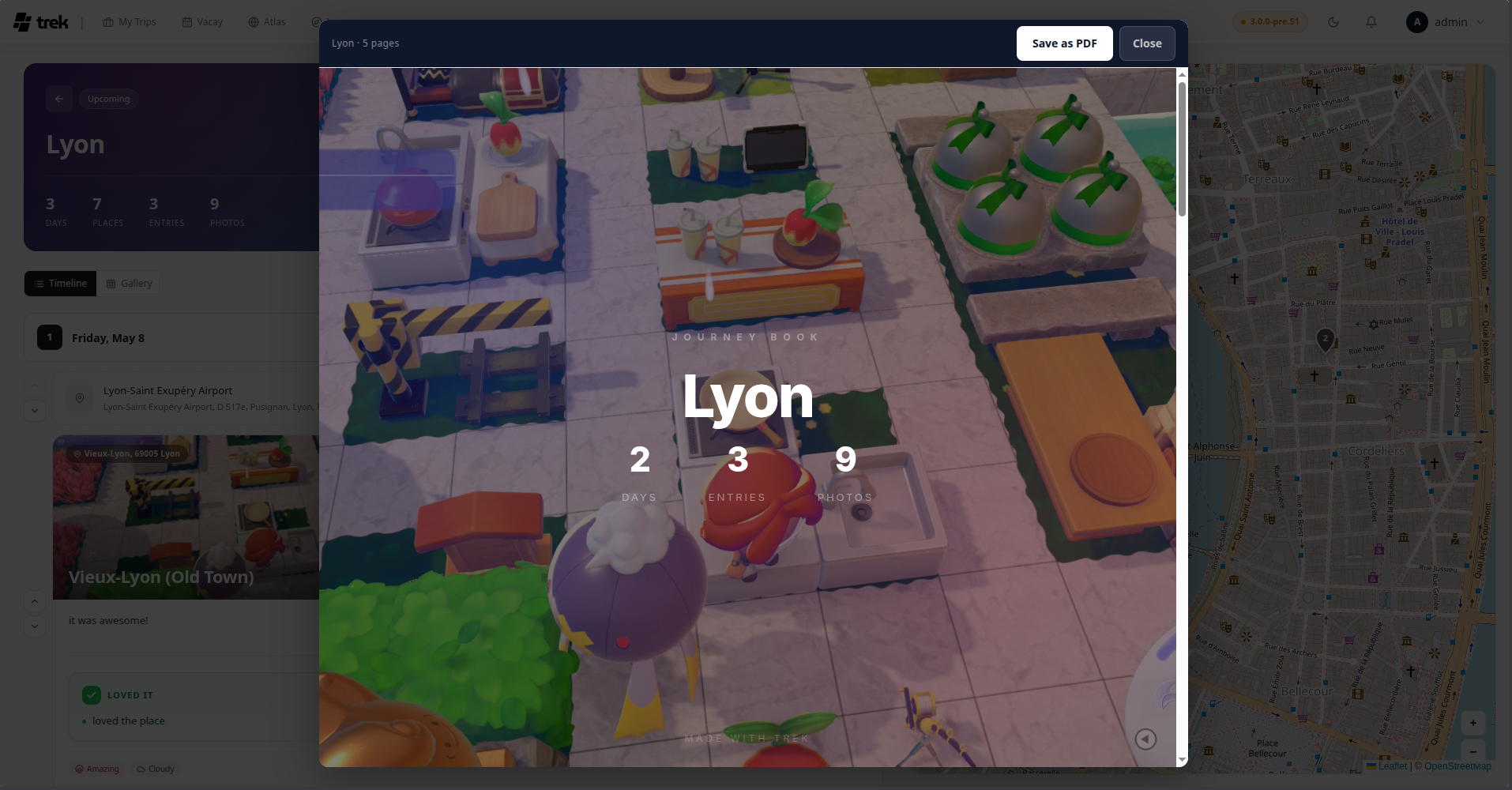
A4 landscape (@page { size: A4 landscape; margin: 0 }). Font: Inter, loaded from Google Fonts.
- Hero image (journey cover image, or the first entry photo if none is set)
- Journey title and optional subtitle
- Stat tiles: Days, Entries, Photos
One page per journal entry, in chronological order. The first entry of each date carries a day header (day number and full date) above the content.
Photo layout adapts to the number of photos on the entry:
| Photos | Layout |
|---|---|
| 1 | Single image, full width |
| 2 | Two images side by side |
| 3 or more | Large hero image on the left, two stacked images on the right |
Below the photos: entry time and location, entry title, journal text (rendered from Markdown), and pros/cons verdict cards if present.
A dark "The End" card.
Both PDFs use the same mechanism: the HTML document is written into a sandboxed <iframe> via srcdoc, and iframe.contentWindow.print() opens the browser's print dialog. There is no server-side PDF generation. The file is saved through the browser's built-in "Save as PDF" print destination.