Repository navigation
Home
Your clipboard, with a memory. A history of everything you copy, on your own computer.
No accounts. No subscriptions. No telemetry. No cloud.
English · Español
You copy some text, then a link, then a screenshot… and when you need that first text again, it's gone. CopyPaste keeps everything you copy (text, images, links, files, colours, code) and brings it back with one shortcut, right where you were typing.
It runs on Windows and macOS, it's free and open source, and nothing you copy ever leaves your computer.
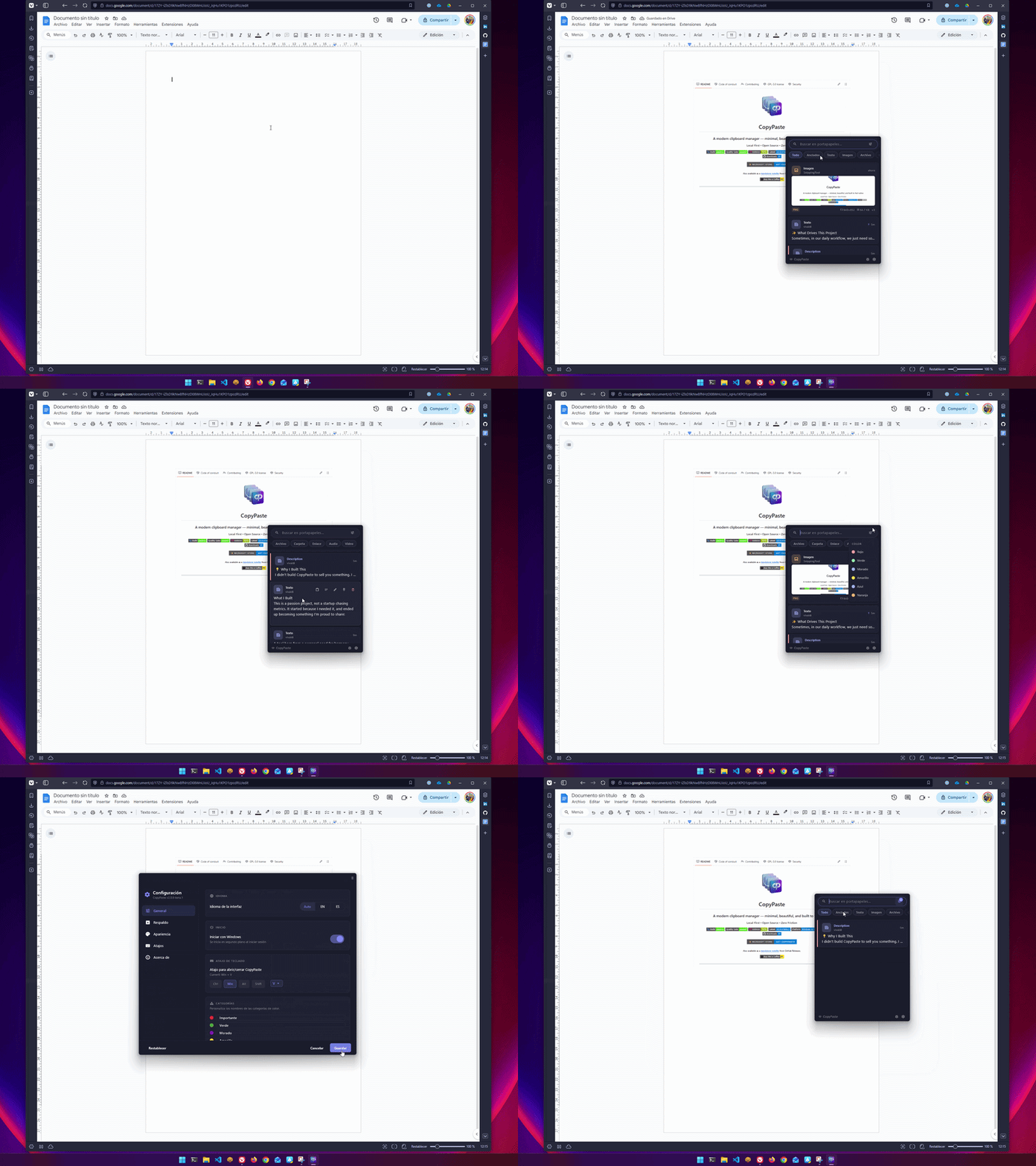
- Install it from the Microsoft Store or with Homebrew.
- Copy things as usual, with
Ctrl+Cor⌘C. CopyPaste keeps them on its own. - When you need something from before, press
Ctrl+Alt+Von Windows or⌃⌥Von a Mac. - Type a few letters to find it and press Enter. It's pasted where you were.
That's it. Ctrl+V keeps working exactly as before: CopyPaste doesn't touch it.
- Installation: Microsoft Store, Homebrew or a direct download.
- First steps: the welcome tour, where the app lives, and the permission macOS asks for.
- Keyboard shortcuts: everything the panel answers to.
| The panel | Searching, filtering by kind, opening cards, pinning and naming them |
| Content kinds | The fifteen kinds it recognises on its own, and the text it reads inside your screenshots |
| Paste as… | Plain text, Markdown, formatted JSON, a colour in another notation and more |
| Settings | Language, theme, shortcut, how long to keep things and how much space to use |
- Backup and migration: export, import, and bring over your CopyPaste 2 history.
- Privacy: what is stored, where, and the one network request the app makes.
- Troubleshooting: it won't paste, the shortcut doesn't open the panel, error messages, and how to put a report together.
- FAQ
- How to help: report bugs, suggest ideas, translate or write code.
CopyPaste is free and open source under the GPL-3.0. The source, the issues and the releases are in the main repository.