Repository navigation
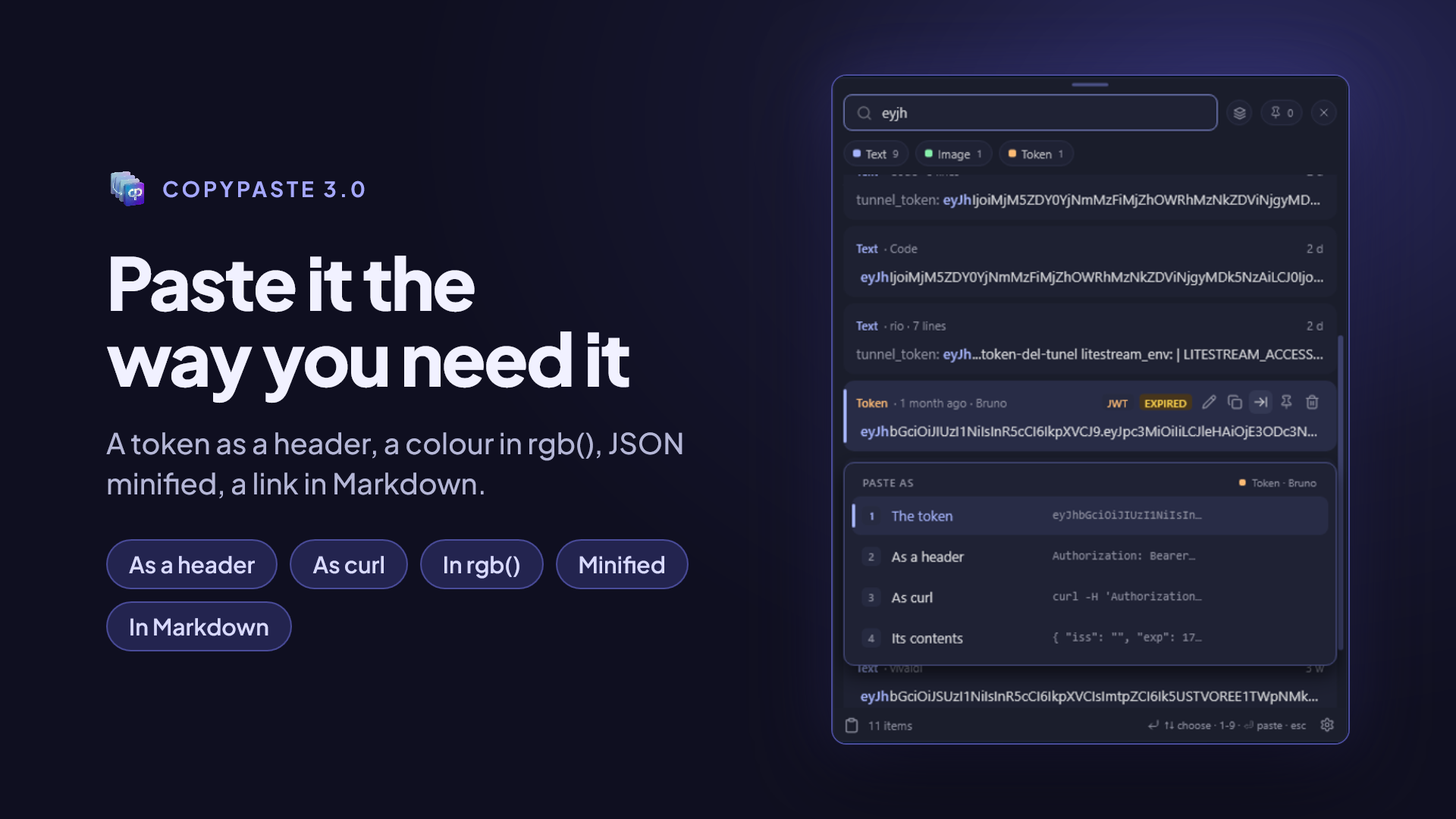
Paste As
The same card can be pasted in another form without changing what is stored. You copied text with bold and need it clean; you copied a colour in hex and your CSS wants rgb(); you copied a one-line JSON and want to read it laid out. That's what Paste as… is for.
| Key (Windows · Mac) | What it pastes |
|---|---|
Enter · ⏎
|
The card exactly as you copied it |
Shift+Enter · ⇧⏎
|
Just the text, without formatting |
Alt+Enter or Ctrl+Enter · ⌥⏎ or ⌘⏎
|
Opens the Paste as… sheet with the other forms |
In the Paste as… sheet:
- move with
↑↓and paste withEnter; - or press a form's number (
1to9) to paste it directly; -
EscorTabclose the sheet without pasting.
| Kind | Forms |
|---|---|
| Formatted text | As plain text · As Markdown |
| Text | As a quote · ALL CAPS · all lowercase |
| JSON | Formatted · Minified · Keys only · As a table |
| Colour | In hex · In rgb() · In hsl() · By its name |
| Link | In Markdown · Domain only · With its title |
| Code | Without line breaks · Markdown block · Without indentation |
| Token | As a header · Its contents · As curl |
| Image | As JPEG · The text it read |
| File or folder | Its path · Its name |
A form only appears when it makes sense for that card: a colour with no well-known name offers no By its name, and an image with no text in it offers no The text it read.
A colour. You copied #1E90FF from a design:
-
In
rgb()→rgb(30, 144, 255) -
In
hsl()→hsl(210, 100%, 56%) -
By its name →
dodgerblue, the colour's CSS name, or the closest one if it's near enough
A link. You copied https://github.com/rgdevment/CopyPaste:
-
In Markdown →
[page title](https://github.com/rgdevment/CopyPaste), if the link came with its title; otherwise the address itself is used as the text -
With its title →
page title — https://github.com/rgdevment/CopyPaste -
Domain only →
github.com
A token. You copied an access token:
-
As a header →
Authorization: Bearer <token> -
As curl →
curl -H 'Authorization: Bearer <token>' "$URL" - Its contents → what a JWT carries inside, decoded
Code. Without indentation removes the indentation shared by every line, ideal when you copied a chunk from the middle of a function. Markdown block wraps it in ``` so you can paste it into an issue or a chat.
Sometimes you don't want to paste now: you want something ready on the clipboard to paste yourself later. The card's copy without pasting action does exactly that: it puts it on the clipboard and types nothing.
It also helps when the target app won't let another app paste into it.
See also: The panel · Content kinds