Repository navigation
Sensors and redstone
A field can let a player through and still light a lamp when they cross. Blocking decides who can pass. Sensor decides which crossings or contacts produce a redstone signal.
- Start with a powered field. Under Blocking, let players pass. For this example, leave Players unchecked and leave players out of Always block.
- Open Sensor. Click Detection until it reads Pulse on crossing. Select Players, clear the other categories and leave both sensor exception lists empty. To include yourself, set the sensor's Skip owner to No.
- Open Redstone & counting. Set Output side to an accessible side, such as East. Set Pulse length to one second for an easy-to-see test. The default output is Bottom.
- On a wall between two posts, open Connections on each post. Find the post that lists Field to followed by its partner's coordinates. Put the lamp against the selected face of that post's base. For rails, use the rail marked Redstone output at. For a dome, use the tower base.
- Walk all the way through. The lamp should flash once. Turn around and walk back after it goes dark. Overview on the post or rail that sends the signal should show two more crossings than when you started.
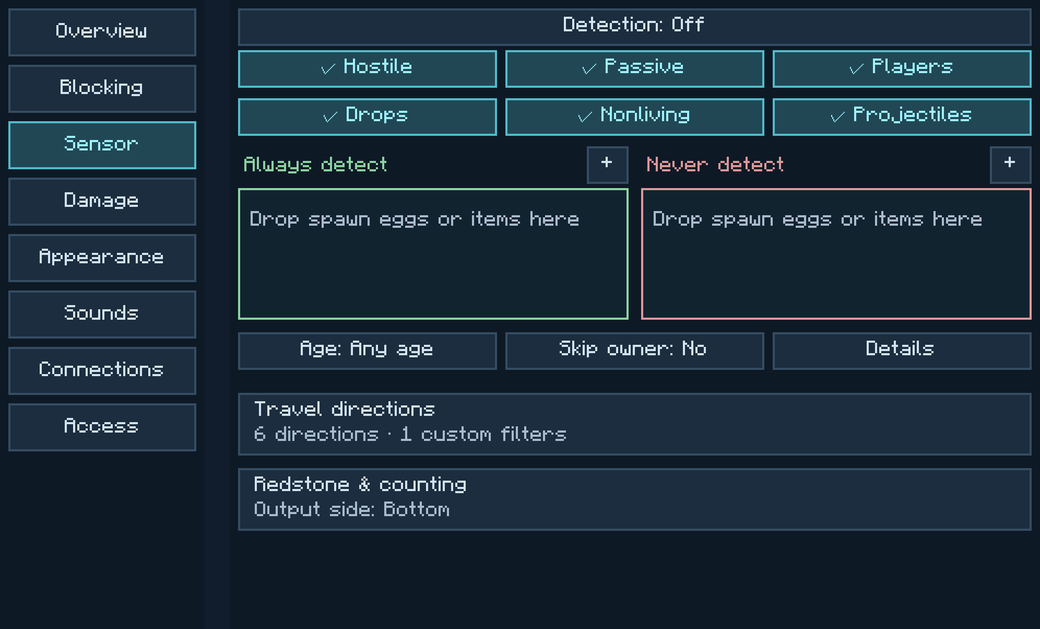
A crossing registers when the whole entity clears the far side. If the field blocks the player, brushing against it won't complete a crossing. For a lamp that stays on while someone is in the field, choose On while touching.
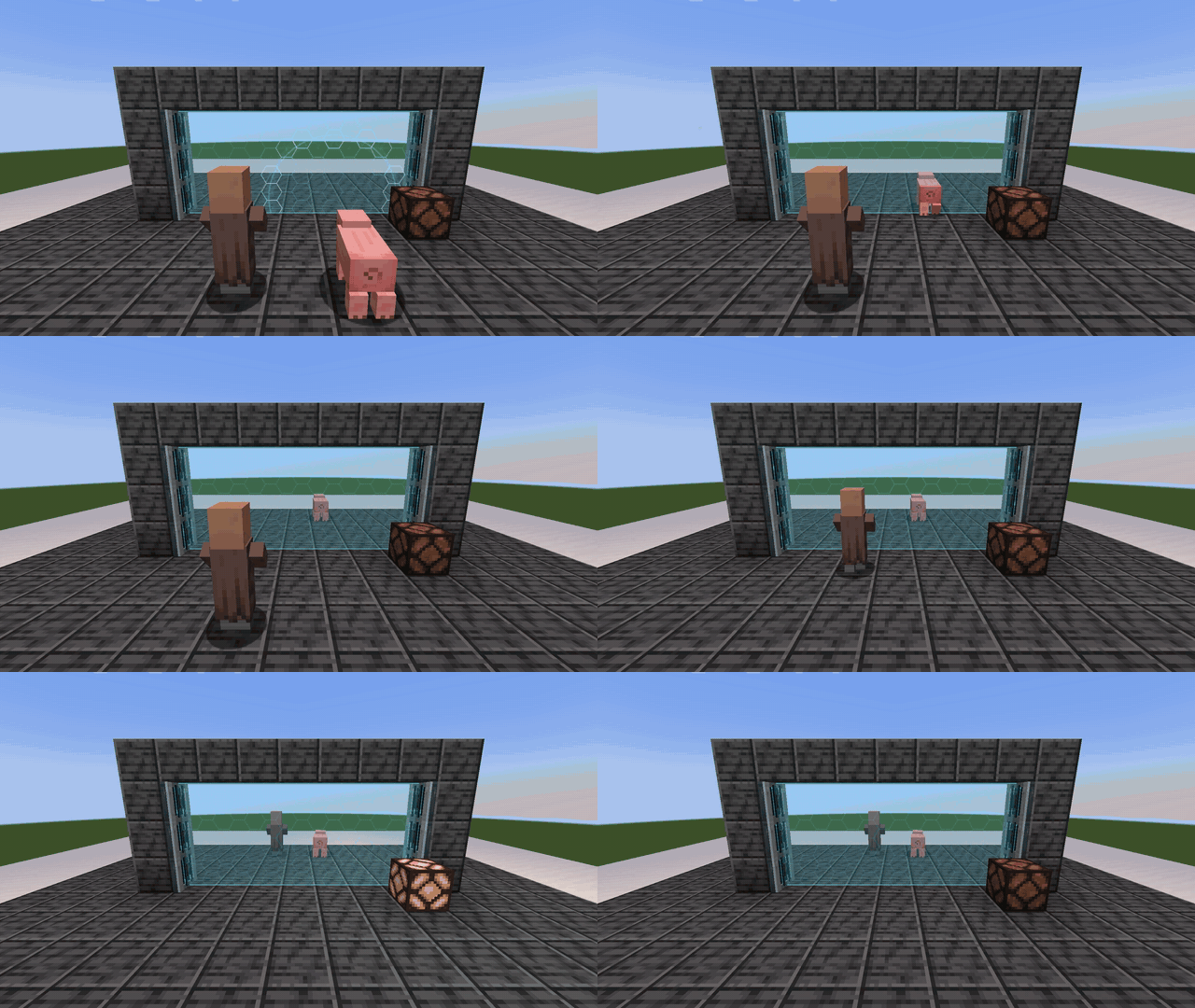
Select Drops in Sensor, allow the items through under Blocking, and choose Pulse on crossing. Under Redstone & counting, Count each stack adds one for a stack of 16. Count each item adds 16. Both produce one pulse for that crossing. A second crossing during a pulse extends the pulse. Read the crossing count if you need an exact total.

This uses the field's redstone input. In Overview, set Turn on to Only while redstone is ON. Set Read redstone from to the side facing your lever or control wire. Supply energy and flip the lever. One input can switch the connected group. Keep the sensor output on a different face so the two circuits stay independent.
For a gate that opens when the lever turns on, use Only while redstone is OFF.