wiring pn7160 mini i2c
Wire the six-pin MINI module without borrowing the standard module's eight-pin map.
Applies to: ELECHOUSE PN7160 MINI V1 I2C only. Identify contact 1 using the manufacturer drawing, not cable colors.
Connecting the PN7160 MINI V1 I2C module to a compatible 3.3 V host.
I2C transfers commands; IRQ reports events and VEN controls enable/reset.
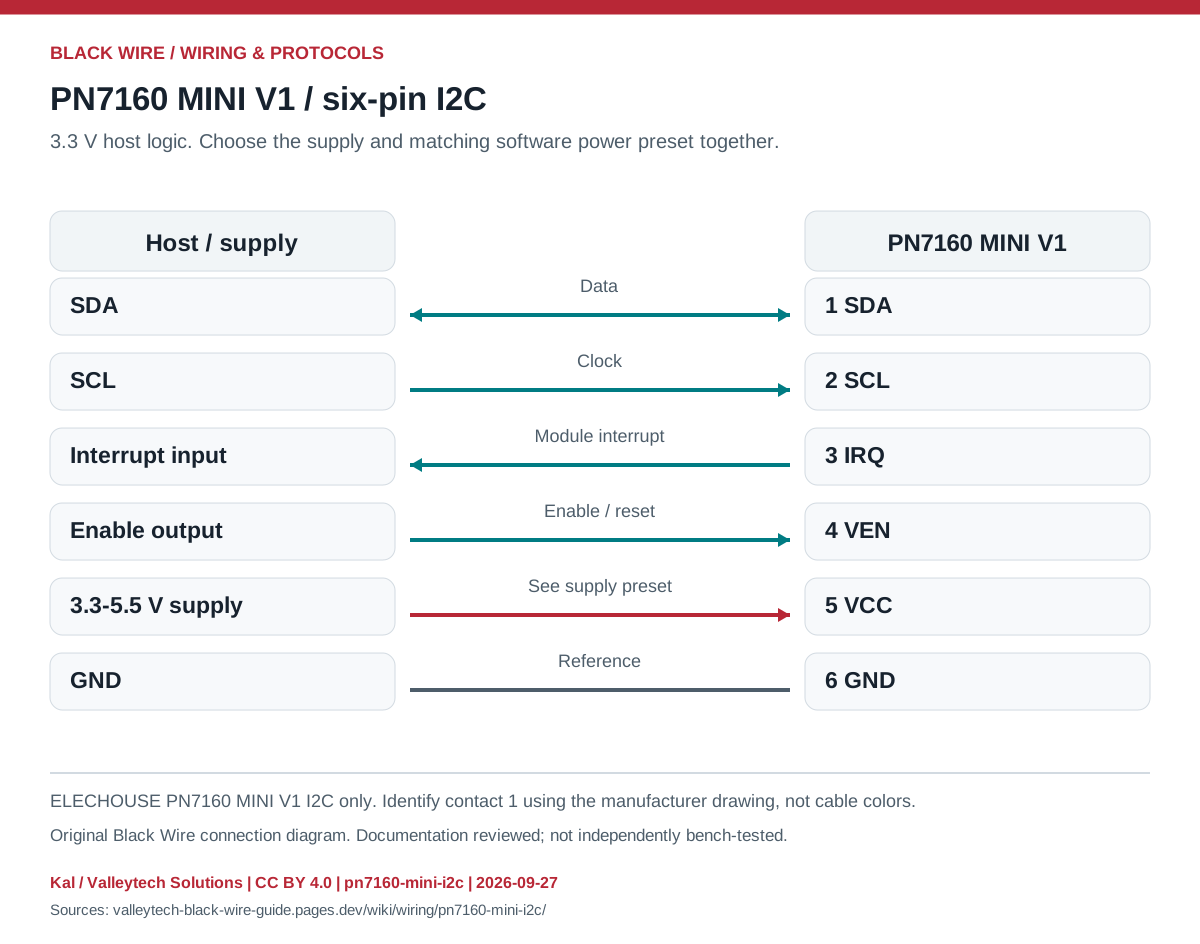
| Contact | Signal | Host role |
|---|---|---|
| 1 | SDA | I2C data |
| 2 | SCL | I2C clock |
| 3 | IRQ | Interrupt input |
| 4 | VEN | Enable output |
| 5 | VCC | Module supply |
| 6 | GND | Ground |
- Use the documented 3.3-5.5 V supply range at VCC, including ripple and tolerance. Host signals remain 3.3 V.
- Set the library's supply preset to the actual supply before configuring the NFC controller.
- Select a supported NCI example and connect the specified antenna.
- Do not substitute the PN7161 MINI SPI or standard PN7160 eight-pin wiring.
- Reader operation does not automatically implement an emulated card application.
- PN7160 MINI V1 — I2C — original images and datasheets
Source documents inspected; independent electrical and bench review pending. Reviewed 2026-09-27.
- ELECHOUSE PN7160 MINI V1 I2C datasheet — Six-pin host connector and supply/logic distinction; checked 2026-09-27
- ELECHOUSE PN7160 MINI V1 quick start — Host connections and supply-dependent software preset; checked 2026-09-27
- NXP: PN7160 card emulation, AN13861 — Card emulation mode, NCI and host application responsibilities; checked 2026-09-27
Original writing and diagram by Kal / Valleytech Solutions, CC BY 4.0. Manufacturer artwork and documentation retain their own rights.
CC BY 4.0 · SHA-256: eae440b8bfabf52a62c3c320e97354ac5eb895b0ec632327b0e22814c55536ad