Repository navigation
Disk Tools
Disk Tools looks after the SD card: what it is, where its space went, a check of its file system that only reads, and a clean-up of the trash and of files that Veranda's programs leave behind. There is no formatting: Veranda runs from this card.
Double-click Disk Tools in /VERANDA/APPS. The four tabs in the
toolbar (or the keys 1 to 4, Tab for the next, or the Tools
menu, which shows the keys) show its four pages. Ctrl+Q quits.
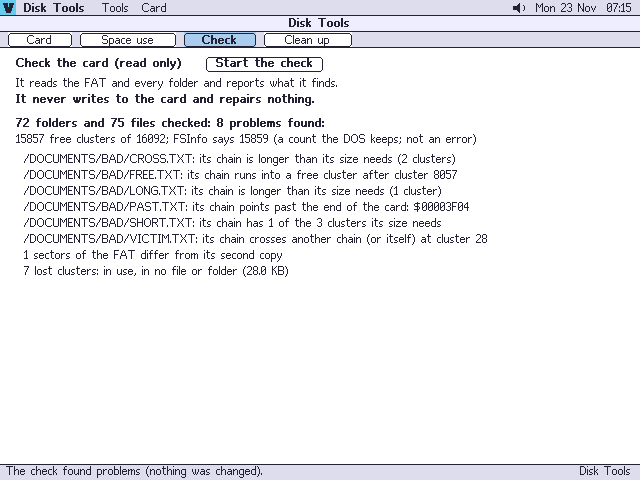
The card's name, the file system (FAT32), its size (the partition and the whole card), the free space, the cluster size and count, the FATs.
Rename... gives the card a new name of up to 11 characters.
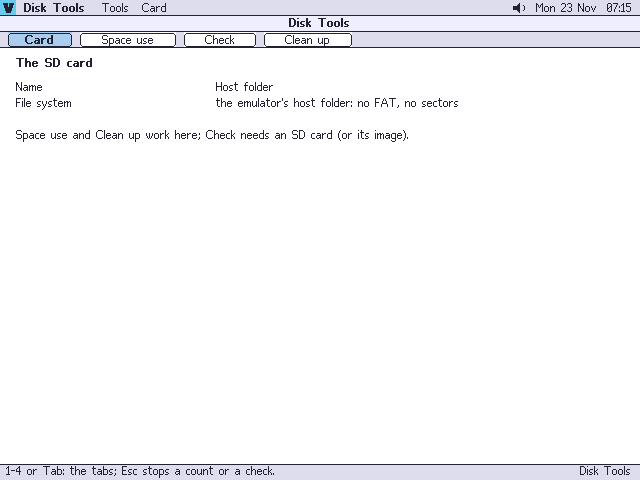
The folders of a folder (the card's top first), each with the total size of everything in it, the largest first, with a bar. The folder's own files are on a line of their own.
- Click a folder (or select it with Up and Down and press Return) to look inside it. Up (or Backspace) goes back.
- Counting shows its progress in the status bar. Esc stops it (what was counted stays, marked as stopped). Count again counts afresh.
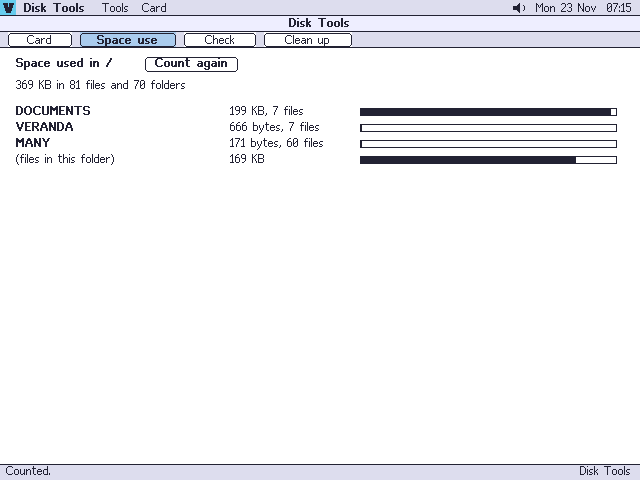
Start the check reads the FAT and every folder and reports what it finds. It never writes to the card and repairs nothing. It finds:
- a chain of clusters that starts or points past the card's end;
- a cluster marked bad in a file;
- a chain that runs into a free cluster;
- chains that cross, or a chain that loops;
- a file whose chain is shorter or longer than its size needs;
- a folder that is too long (over 2 MB);
- places where the two copies of the FAT differ;
- lost clusters (in use, but in no file or folder).
The free count that the card keeps is shown beside the real one; a difference there is not an error. Esc stops the check.
To repair a card, use a PC: fsck (Linux, macOS) or chkdsk
(Windows). A PC's check of the same card should agree with Disk Tools.
-
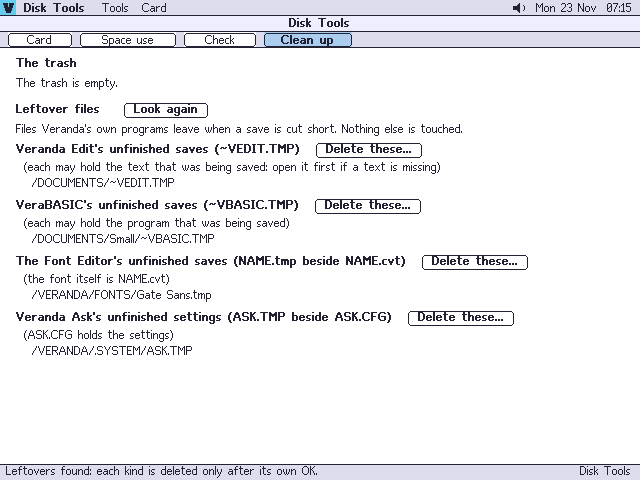
The trash: its items are listed. Empty the trash... asks, then deletes everything in it for good.
-
Look for leftovers walks the card for files that Veranda's programs leave when a save is cut short (for example by a power cut). They are listed kind by kind, and each kind is deleted only after its own OK:
-
~VEDIT.TMP: Veranda Edit's save in progress. It may hold the text that was being saved: open it in Veranda Edit first if a text is missing. -
~VBASIC.TMP: VeraBASIC's, the same. -
NAME.tmpbesideNAME.cvt: the Font Editor's. (A.tmpwith no.cvtbeside it is not offered: it is the only copy.) -
ASK.TMPbesideASK.CFG: Veranda Ask's. (A loneASK.TMPholds the sign-in: not offered.)
Nothing else is ever deleted.
-
Disk Tools can be put aside at any time. A count or a check that is running then stops (the card may change meanwhile) and says so when you come back: start it again.
On a 512 KB machine the check of a very large card may not have memory for everything. It then still runs, but does not look for crossing chains and lost clusters, and says so.