Computer Aided Design (CAD) files import
A significant improvement of Tonatiuh++ against Tonatiuh is the ability of importing Computer Aided Design (CAD) models in .obj file format, as opposed to the stereolithography (.stl) file format that was previously implemented within Tonatiuh. The .obj CAD format offers the following advantages in comparison to the .stl file format:
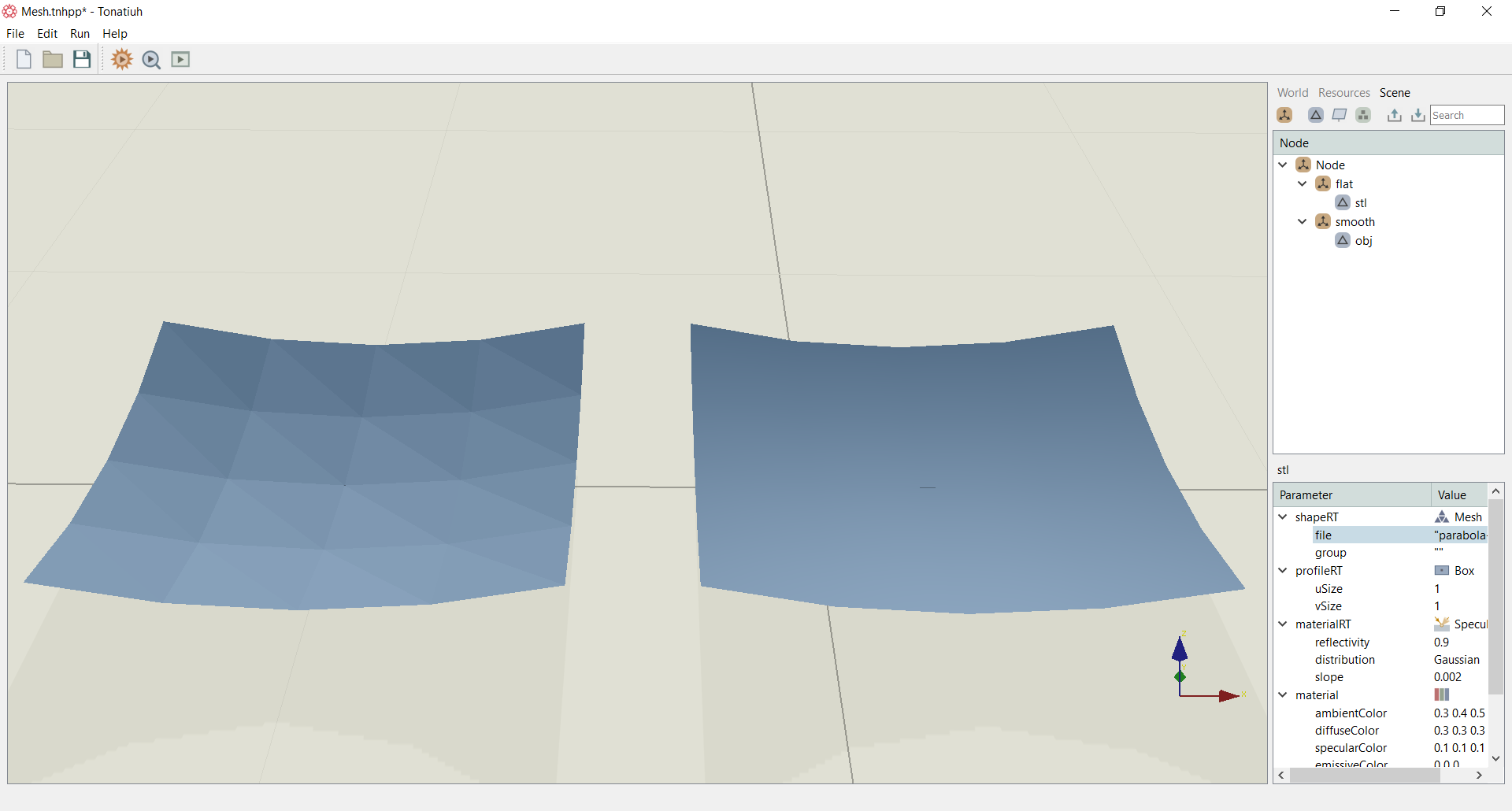
- Better shading due to the method used for interpolation of the normals: The mesh of the .stl files format uses normal per face (piecewise interpolation), while the mesh in .obj file uses normals per vertex (linear interpolation). This has significant advantage for enhancing the accuracy of the ray-tracing simulations. Figure below shows a comparison among the two interpolation methods related to .stl (left) and .obj (right) respectively. For both meshes the number of vertices is the same, i.e. 5x5, illustrating that the shading depends on method used for interpolating the normals.
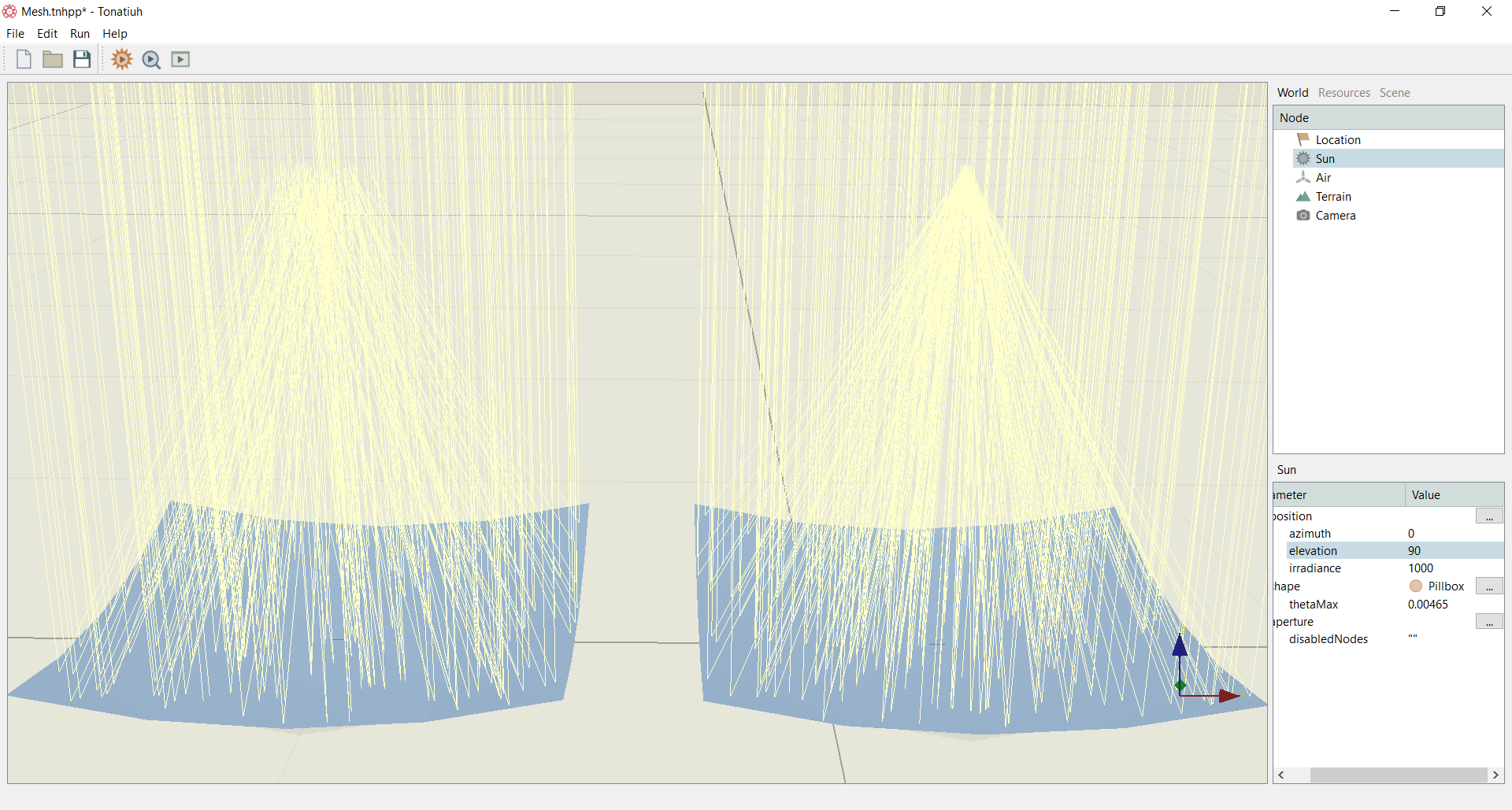
The simple ray-tracing simulation on the two meshes shown in Figure below makes it evidently clear that even a relatively coarse grid is enough to get an accurate focusing of the light for the .obj mesh, while for the .stl mesh, the light in the focal area is wrongly concentrated in a wide area around the focal point.
- Significantly more compact representation: It it true that in the limit of infinite triangles, a continuous surface can be also represented with .stl file format, i.e. a fine enough mesh resolution can overcome the above issue. Though, a fine mesh is for example acceptable for a single heliostat or a small field, but for large heliostat fields with thousands of heliostats the use of .obj offers a significantly smaller in size representation of the field.