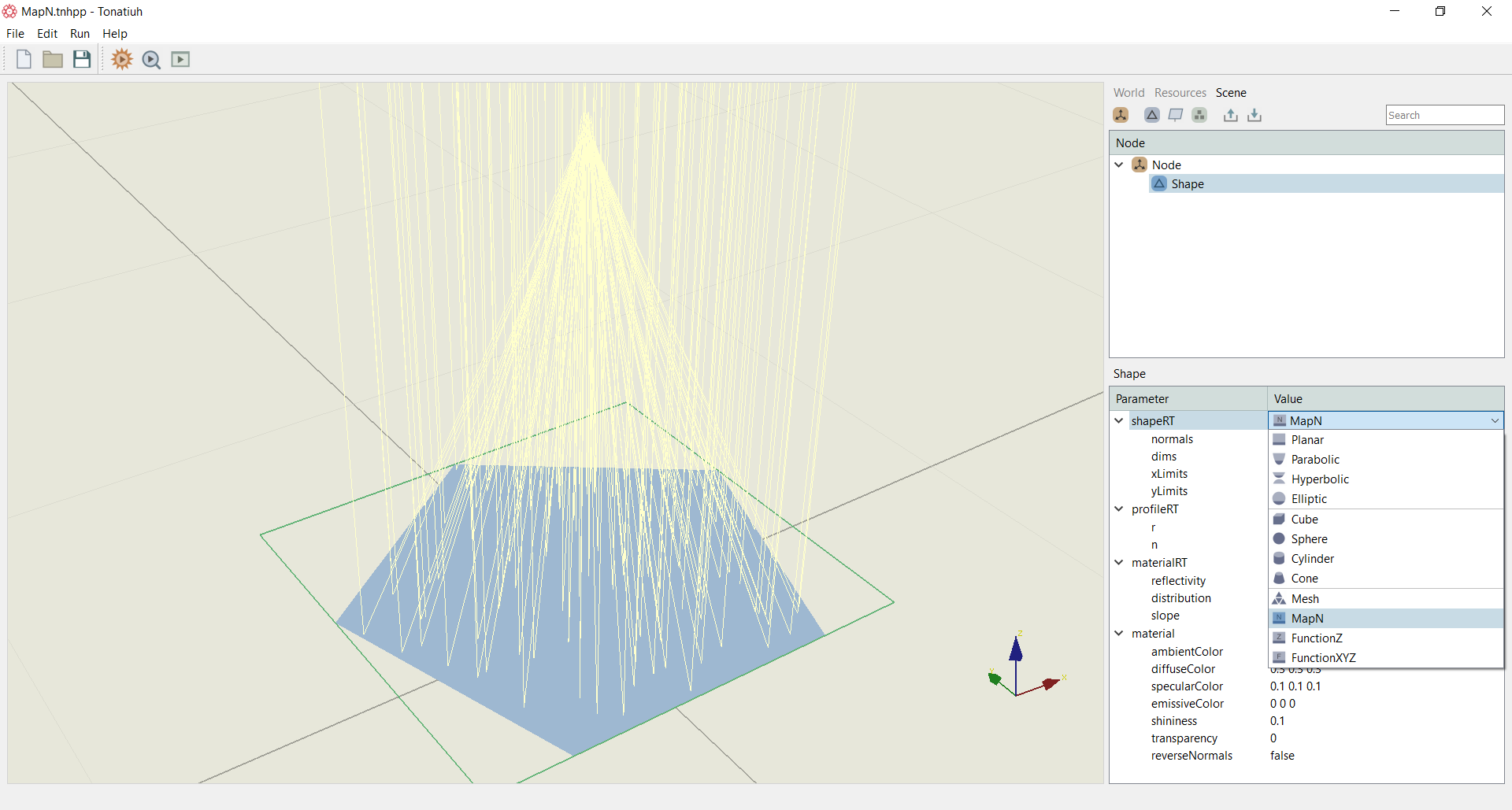
A MapN surface
A common approach in computer graphics to add details for planar surfaces without using more polygons is performed by the so called normal mapping. Tonatiuh++ has now the capability of designing surfaces using normal mapping by selecting the MapN function from the drop down shapeRT menu as shown in Figure 1. The Figure below actually shows a pentagon surface creation using normal mapping. In the example, parabola normals have been interpolated on a rectangular grid, and as a result, the flat pentagon shape works as a parabolic mirror focusing the light in the parabola focal point.
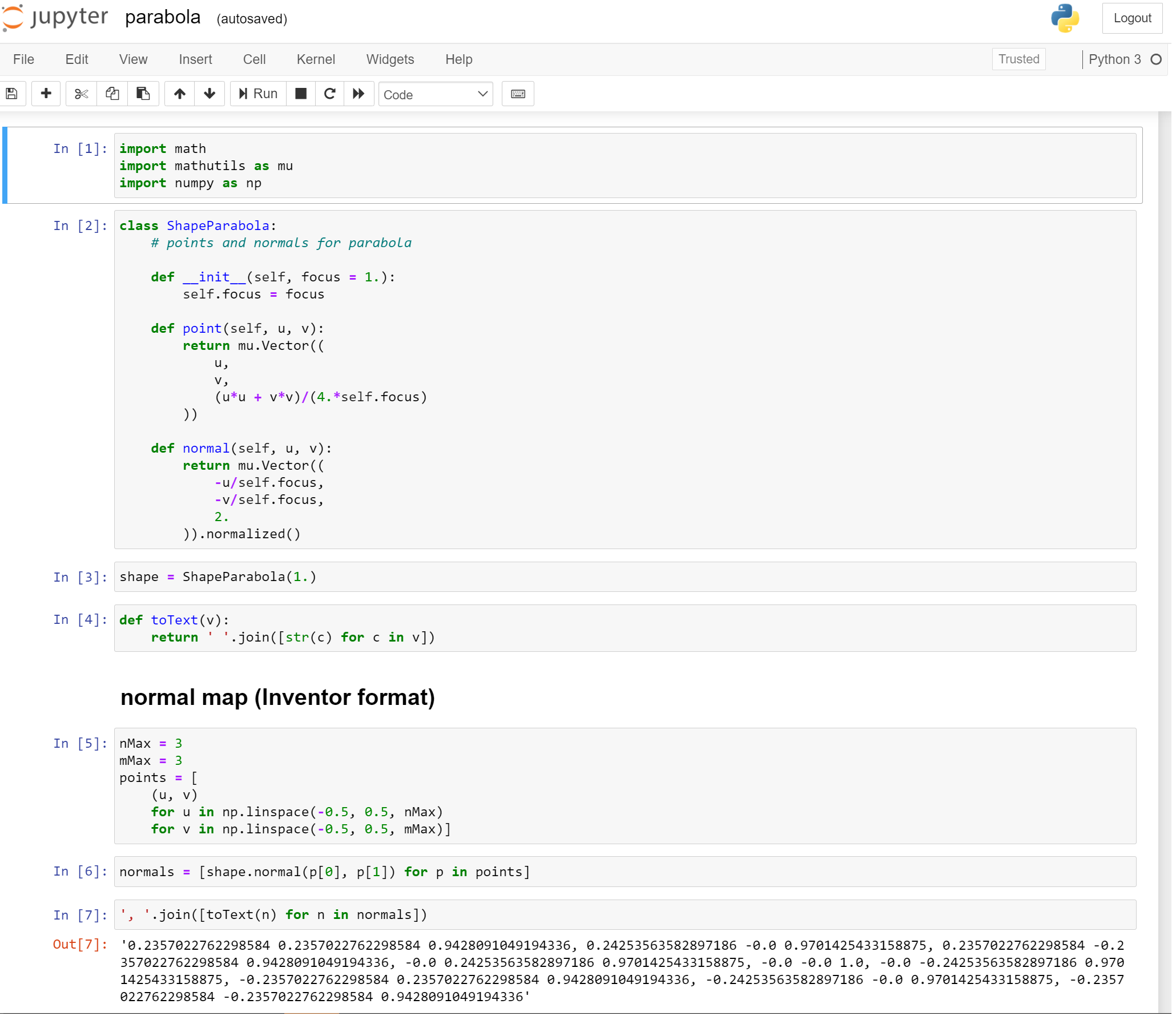
A Jupyter notebok is included in the examples folder in the installation directory of Tonatiuh++ that has been used to interpolate the parabola normals to the pentagon. A screenshot of the notebook is shown in Figure 2.
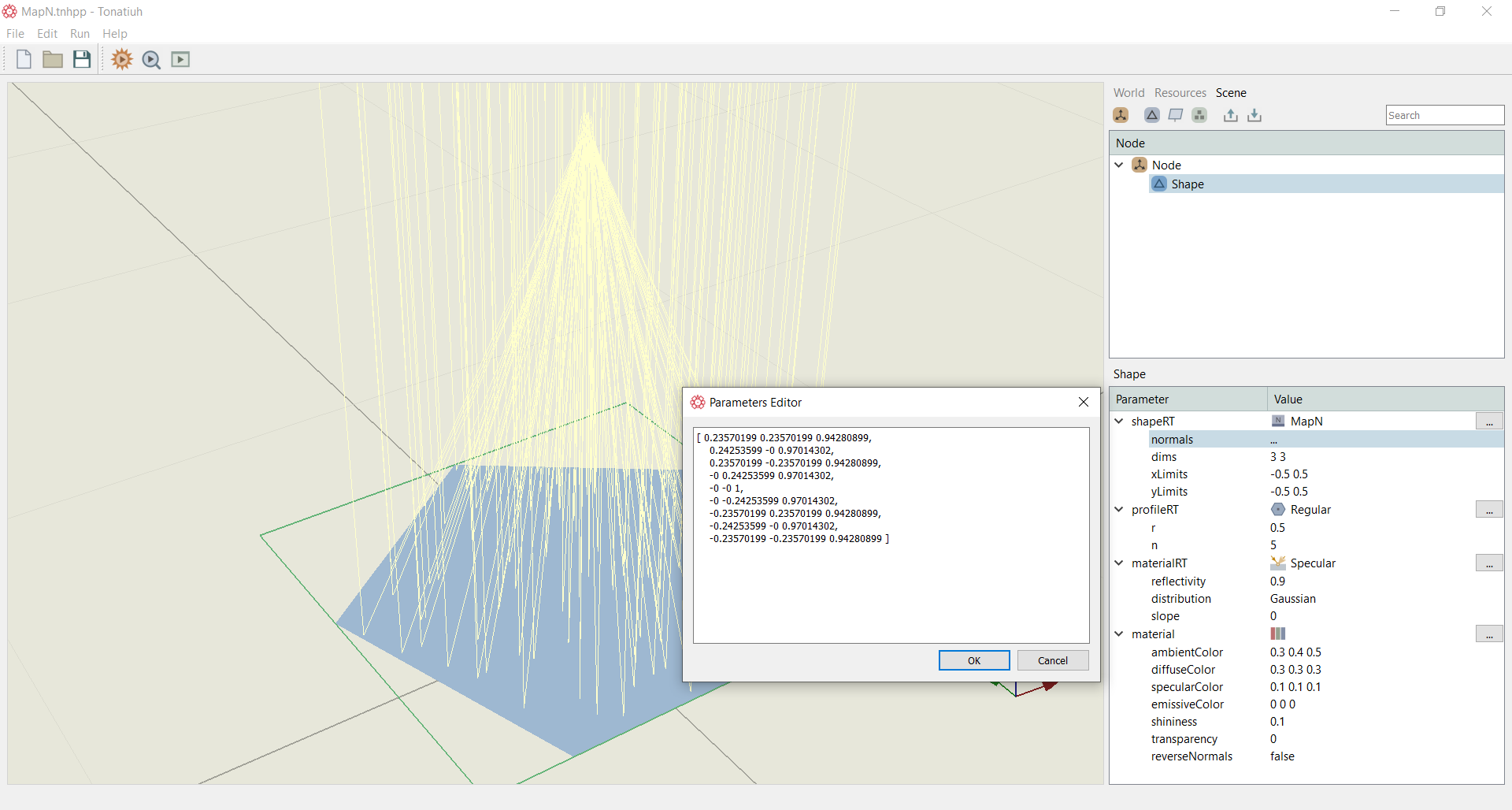
Within Tonatiuh++, the normals are set in the parameters editor as shown in Figure 3. The parameters editor pop-up window comes up by pressing the normals parameter as shown in the Figure below. Below this, the other parameters related to the mapping are set, i.e. dims, xLimits, yLimits as shown below.
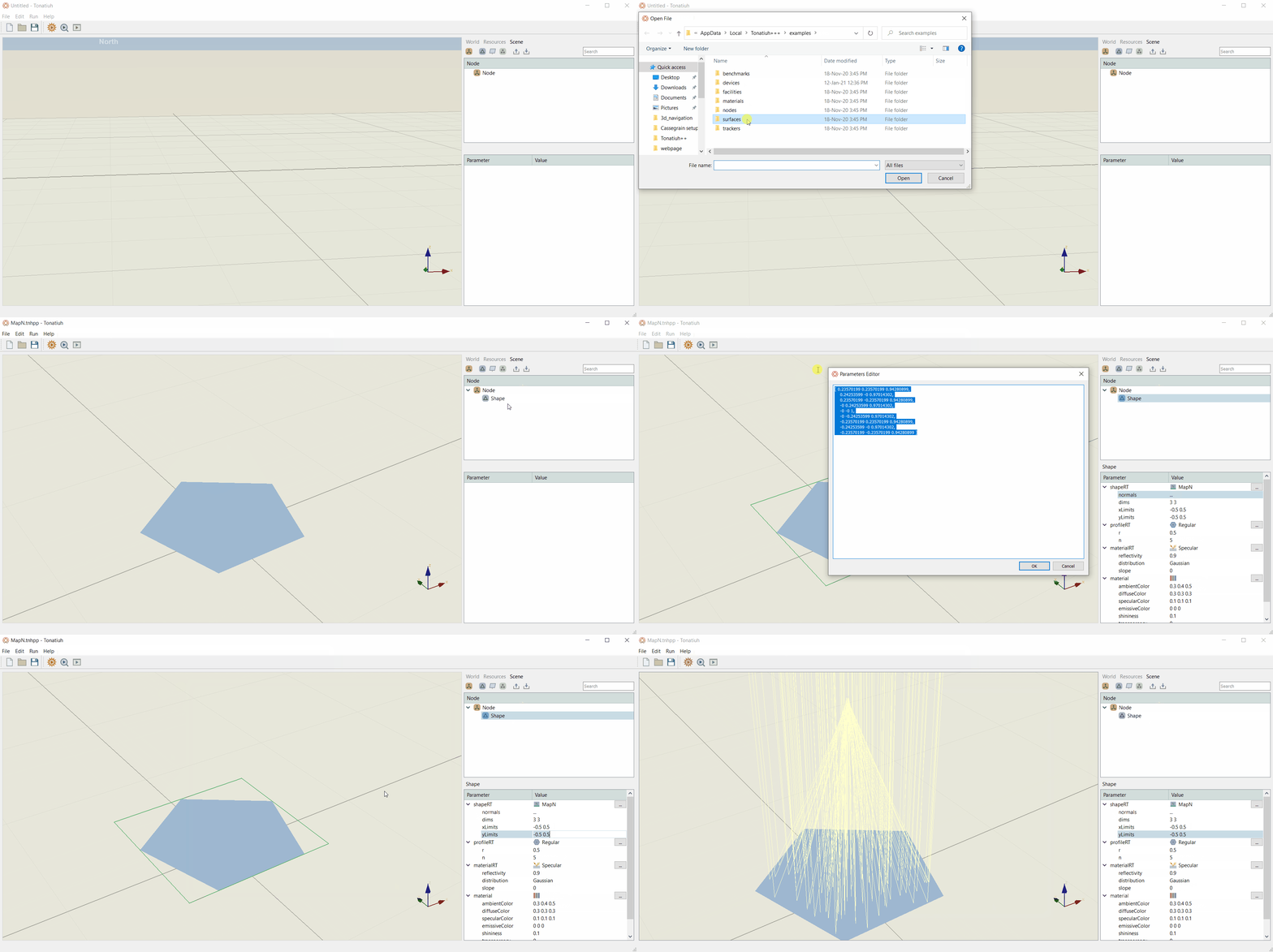
The above example is included in the examples folder of the Tonatiuh++ installation directory. A how to video in shown below on how to recreate the above surface.