Scripting capabilities
Tonatiuh++ incorporates an enhanced interactive scripting editor with limitless capabilities.
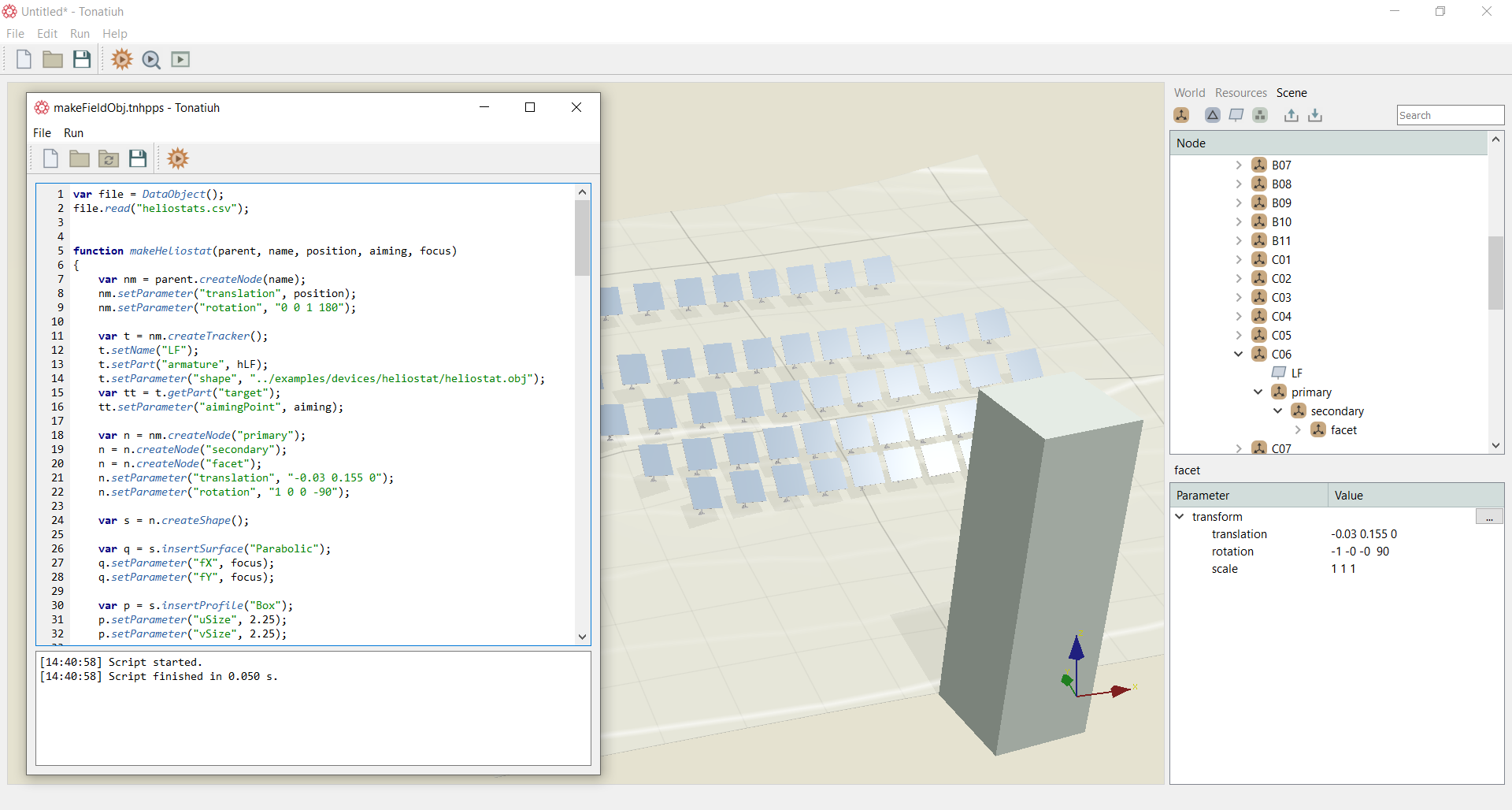
The scripting editor can be accessed by pressing the play button located at the top right of the graphics window. A new pop-up window will appear in which the code can be written. The coding language is Qt Script. Documentation on the Qt Script language can be found in the following link: https://doc.qt.io/archives/qsa-1.2.2/language.html. Figure below shows the automatic creation of a north heliostat field along with the tower building and the receiver while within the scripting editor the code for creating the field is shown. At the bottom of the scripting editor, a smaller window provides information of the compiling process of the code.